Sea Maiden - FTU
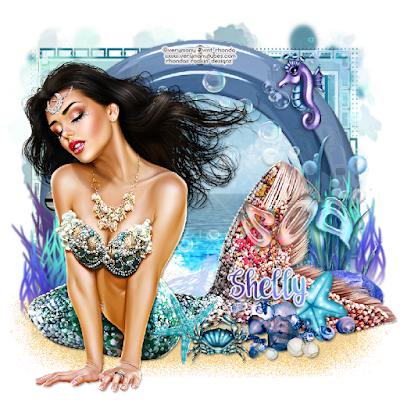
Ok Let's get Started:Open blank canvas 700x700Open frame 7, resize and place to centerClick inside frame with magic wand and expand by 10Open new layer under frame and paste paper of choice into selectionOpen element 54, resize 34% and place on paper just above the waveChange blend mode to overlayOpen element 52, resize around 36%, place on paper right at wave Change blend mode to screenAdd tube to center of frame
Start building your tag with other elements from kitI used the following:Element 8Element 15Element 27Element 28Element 37Element 38Element 50Element 55Element 57Element 95Element 100Element 103Element 107Element 113 **For the Sea WA change blend mode to Luminance Legacy**
Merge layers and add maskI used 2 different papers with same mask
Place your name where you like itAdd the Copyright and your License Number for the tubeResize to your liking and save as PNGThis tutorial was created on July 9,2022 by RhondaAny resemblance to another Tag or Tutorial is purely coincidental


No comments:
Post a Comment