Sunday, January 31, 2016
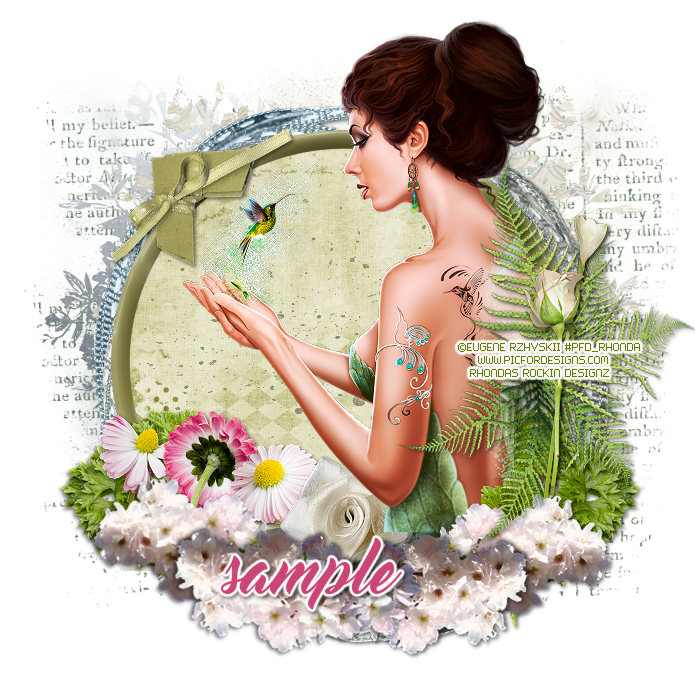
This tutorial is written for those with knowledge of PSP
Supplies Needed:
Tube of choice: Im using the wonderful art work of Eugene Rzhevskii
You can purchase this tube at PFD HERE
FTU scrapkit by Mel Designs HERE
Scroll down page to Natural Feeling kit
Mask by Moonbeams and Spiderwebs HERE
Please leave some love when you download
Resize elements to your liking
Ok Lets get Started:
Open a blank 700x700 image
Open element 31 and place in center
Open element 25 and place on top
Using selection tool draw around frame
Add new layer under frame
Open paper 6 and paste into selection
Place your tube
Apply Xero Radiance
Now add any other elements of choice
I used the following:
Element 3
Element 5
Element 19
Element 20
Element 21
Element 22
Element 23
Element 26
Element 27
Element 35
Element 36
Element 43
Merge your layers
Open paper of choice and apply mask
I sed 2 different papers for my mask
Place your name where you like it
Add the Copyright and your License Number for the tube
Resize to your liking and save as PNG
This tutorial was created on January 26,2016 by Rhonda
Any resemblance to another Tag or Tutorial is purely coincidental

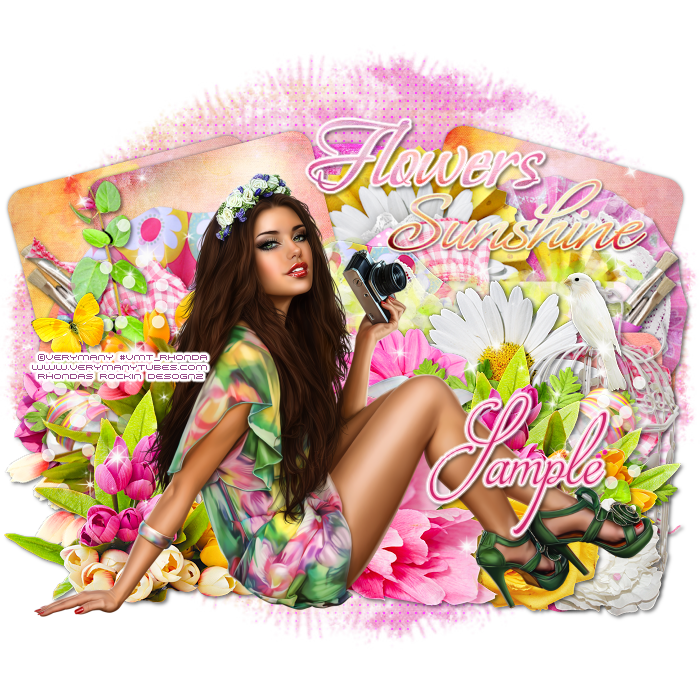
This tutorial is written for those with knowledge of PSP
Supplies Needed:
Tube of choice: Im using the wonderful art work of VeryMany
You can purchase these tubes HERE
PTU Scrap Kit by A Space Between called Blooming Brights HERE
Mirella is retiring so grab up some bargains while you are there
Template #2 by Millie HERE
Mask of choice
Don't forget to leave a thank you when downloading
Ok Lets get Started:
Open template - Shift D to duplicate then close out original
Canvas size 700x700
Delete copyright & wordart
Click on layer 1&2 selections,select all, float,defloat
paste a paper of choice from the kit - I used paper4
selection invert delete
select none delete the original
Click on layer 3 selections,select all, float,defloat
paste a paper of choice from the kit - I used papersolid2
selection invert delete
select none delete the original
Click on layer 4 selections,select all, float,defloat
paste a paper of choice from the kit - I used paper11
selection invert delete
select none delete the original
Click on layer 5 selections,select all, float,defloat
paste a paper of choice from the kit - I used paper10
selection invert delete
select none delete the original
Click on layer 6 selections,select all, float,defloat
paste a paper of choice from the kit - I used paper15
selection invert delete
select none delete the original
Click on layer 7 selections,select all, float,defloat
paste a paper of choice from the kit - I used paper8
selection invert delete
select none delete the original
Click on layer 8 selections,select all, float,defloat
paste a paper of choice from the kit - I used papersolid6
selection invert delete
select none delete the original
Place your tube
Now add any other elements of choice
I used the following:
Element 1
Element 4
Element 6
Element 9
Element 10
Element 11
Element 12
Element 15
Element 18
Element 19
Element 23
Element 25
Element 27
Element 28
Element 29
Element 30
Element 31
Element 32
Element 37
Element 40
Element 41
Element 42
Element 44
Element 46
Element 48
Element 49
Rosettes 1,2&3
Word Bits 1&3
Merge your layers
Open paper of choice and apply mask
Place your name where you like it
Add the Copyright and your License Number for the tube
Resize to your liking and save as PNG
This tutorial was created on January 27,2016 by Rhonda
Any resemblance to another Tag or Tutorial is purely coincidental
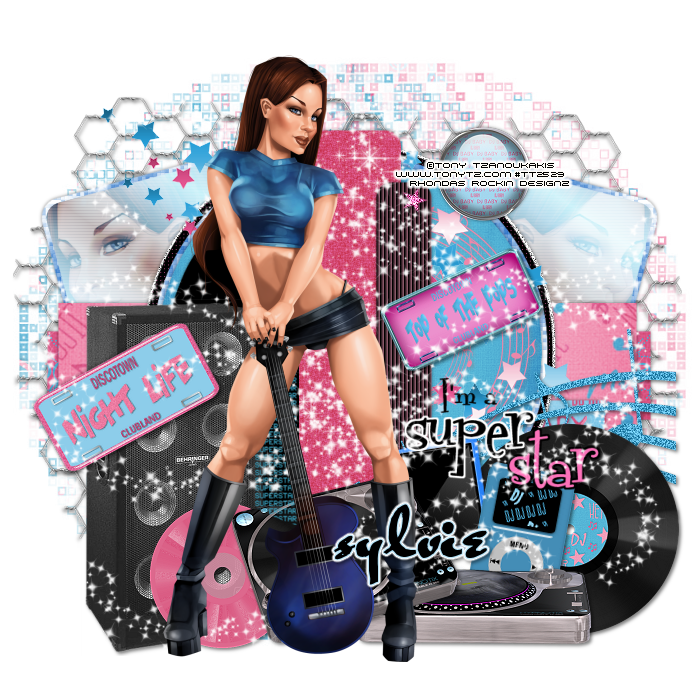
This tutorial is written for those with knowledge of PSP
Supplies Needed:
Tube of choice: Im using the wonderful art work of Tony Tzanoukakis
Which you must obtain a license to use HERE
I used an older kit by Tamie from Addictive Pleasures called DJ
Tamie has closed her store so use any kit you have
Template by Sylvie HERE
Any mask by Dee found HERE
Ok Lets get Started:
Open template - Shift D to duplicate then close out original
Resize template to your liking
On the black sqaures fllod fill with any gradient
Apply close-up of tube inside squares
Apply Xero Radiance with settings of choice
Apply Scanlines
Lower opacity to 74 or whatever works with your
Change blend mode to screen
Click on long black rectangle selections,select all, float,defloat
paste a paper of choice from the kit - I used paper8
selection invert delete
select none delete the original
Click on pink rectangle selections,select all, float,defloat
paste a paper of choice from the kit - I used paper6
selection invert delete
select none delete the original
Click on long rectangle selections,select all, float,defloat
paste a paper of choice from the kit - I used paper9
selection invert delete
select none delete the original
On the gradient I changed color using Hue & Saturation
Click on pink circle selections,select all, float,defloat
paste a paper of choice from the kit - I used paper3
selection invert delete
select none delete the original
Click on white rectangle selections,select all, float,defloat
paste a paper of choice from the kit - I used paper12
selection invert delete
select none delete the original
Click on small black rectangle selections I used blind effect
Place your tube in the center of tag
Xero Radiance with settings of choice
Now time to add our elements
I used the following:
CG
DJ Mixer
DJ Mixer 2
Glass Brad
License Plate 1&2
MP3 Player
MP4
Music Notes 1&2
Record 2
Sparkles
Speaker
Stars
Wire
Merge your layers
Use any paper of choice and apply any mask
Place your name where you like it
Add the Copyright and your License Number for the tube
Resize to your liking and save as PNG
This tutorial was created on January 29,2016 by Rhonda
Any resemblance to another Tag or Tutorial is purely coincidental
Saturday, January 23, 2016
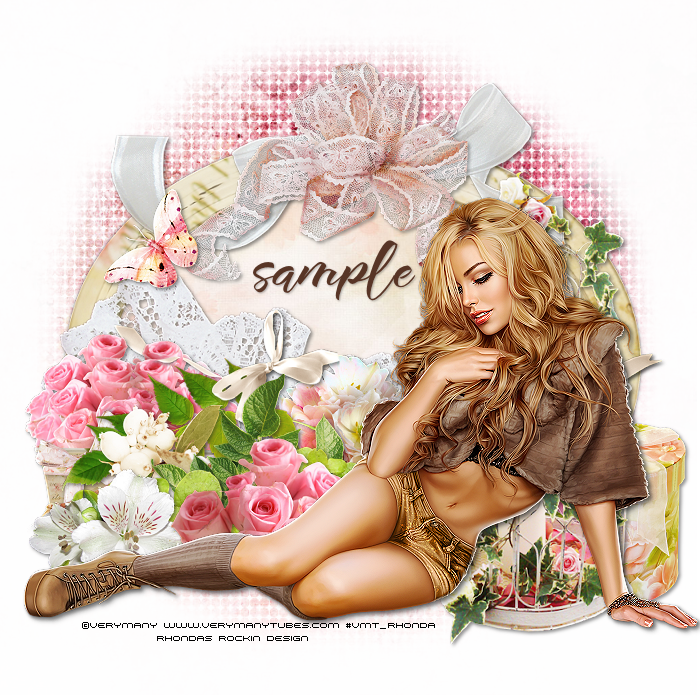
This tutorial is written for those with knowledge of PSP
Supplies Needed:
Tube of choice: Im using the wonderful art work of VeryMany
Which you must obtain a license to use HERE
PTU Scrap Kit by A Space Between called "La Vie En Rose"
You can purchase this awesome kit at DeesSign Depot HERE
Mask of choice
Ok Lets get Started:
Open blank 700x700 image
Open element 2 & paste as new layer
Rotate frame 90 degrees to left
Grab the magic wand and click inside frame
Selections modify expand by 10
Add new layer under frame
Open paper 2 & paste into selections
Selection none
Place your tube in front
Apply Xero Radiance with settings of choice
Now time to add our elements
I used the following:
Element 4
Element 6
Element 8
Element 11
Element 12
Element 13
Element 14
Element 18
Element 40
Element 45
Element 46
Element 50
Element 52
Element 53
Element 54
Merge your layers
Open paper of choice & apply mask
Place your name where you like it
Add the Copyright and your License Number for the tube
Resize to your liking and save as PNG
This tutorial was created on January 23,2016 by Rhonda
Any resemblance to another Tag or Tutorial is purely coincidenta
Thursday, January 21, 2016
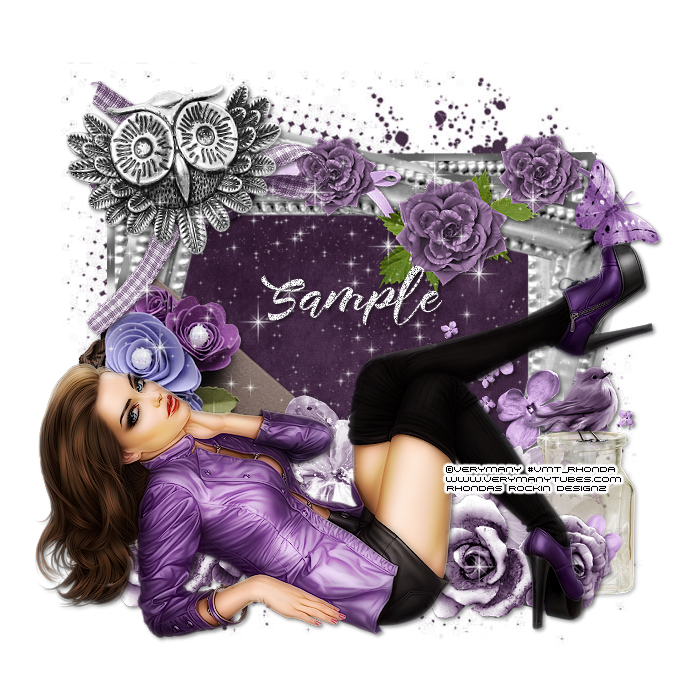
This tutorial is written for those with knowledge of PSP
Supplies Needed:
Tube of choice: I'm using the wonderful art work of VeryMany
You must obtain a license to use HERE
FTU Scrapkit from Niqui's Designs HERE
Mask of choice
Ok Lets get Started:
Resize elements to your liking
This is a very quick and easy tutorial
Open blank canvas 700x700
Open element - resize to your liking
Duplicate and rotate a little to the right (see my tag for example)
Click inside with magic wand & expand by 10
Open paper 5 and paste as new layer
Selections invert delete
Move paper under frame
Place your main tube & build around it
Now time to add our elements
I used the following:
Element 9
Element 12
Element 14
Element 19
Element 20
Element 21
Element 22
Element 25
Element 30
Element 32
Element 33
Element 34
Merge layers
Open paper of choice and apply mask
Place your name where you like it
Add the Copyright and your License Number for the tube
Resize to your liking and save as PNG
This tutorial was created on January 21,2016 by Rhonda
Any resemblance to another Tag or Tutorial is purely coincidental
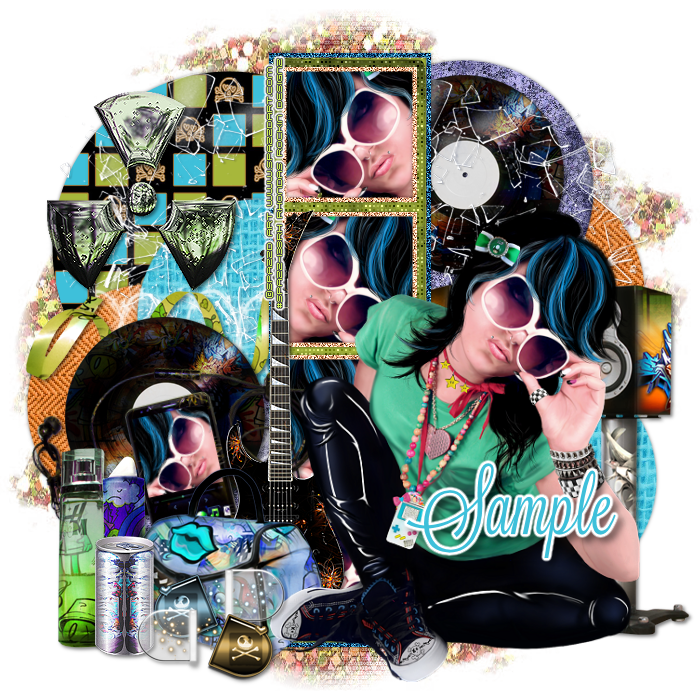
This tutorial is written for those with knowledge of PSP
Supplies Needed:
Tube of choice: I'm using the wonderful art work of Spazzd Art
Which you must obtain a license to use HERE
FTU Scrapkit by Tasha's Playground called Urban Glam HERE
Template #344 by Seraph Creations HERE
Mask of choice
Don't forget to leave a thank you when downloading
Ok Lets get Started:
Open template - Shift D to duplicate then close out original
Canvas 700x700
deleted copyright
Click on L&R circle 1 selections,select all, float,defloat
paste a paper of choice from the kit - I used paper4
selection invert delete
select none delete the original
Click on L&R circle 2 selections,select all, float,defloat
paste a paper of choice from the kit - I used paper3
selection invert delete
select none delete the original
Click on L&R circle 3 selections,select all, float,defloat
paste a paper of choice from the kit - I used paper1
selection invert delete
select none delete the original
Click on rectangle background selections,select all, float,defloat
paste a paper of choice from the kit - I used paper10
selection invert delete
select none delete the original
Click on rectangle border selections,select all, float,defloat
I cahned the color to lighter blue & added noise
selection invert delete
select none delete the original
Click on square backgrounds selections,select all, float,defloat
paste a close-up of tube inside squares
selection invert delete
select none delete the original
Click on square borders
add noise
I added a circle to left upper side and flood filled with paper6
Place your tube
Xero Radiance with settings of choice
Now add any other elements of choice
I used the following:
Broken Glass
Can
Guitar
Lipstick
Music Player
Perfume
Pills
Purse
Record
Ribbon
Toxic
Merge your layers
Open paper of choice & apply mask
Place your name where you like it
Add the Copyright and your License Number for the tube
Resize to your liking and save as PNG
This tutorial was created on January 18,2016 by Rhonda
Any resemblance to another Tag or Tutorial is purely coincidental
Sunday, January 17, 2016


Monday, January 11, 2016
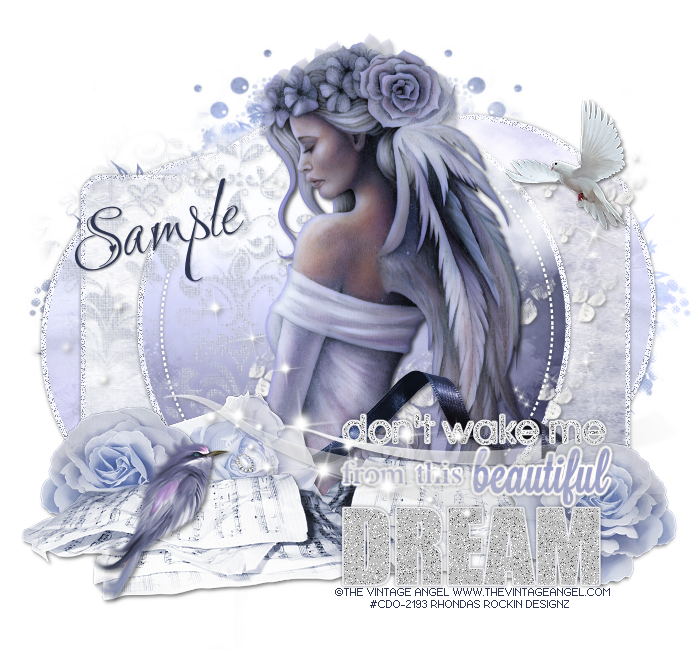
This tutorial is written for those with knowledge of PSP
Supplies Needed:
Tube of choice: Im using the wonderful art work of The Vintage Angel
You can purchase this work at CDO HERE
Matching kit by Chichi Designz at store HERE
Template #624 by Millie HERE
Mask of choice
Ok Lets get Started:
Open template - Shift D to duplicate then close out original
Canvas size 700x650
Deleted copyright & layers 4&7
Click on layer 1&2 selections,select all, float,defloat
paste a paper of choice from the kit - I used paper5
selection invert delete
select none delete the original
add border with noise
Click on layer 3 selections,select all, float,defloat
paste a paper of choice from the kit - I used paper1
selection invert delete
select none delete the original
add border with noise
Click on layer 5 selections,select all, float,defloat
paste a paper of choice from the kit - I used paper8
selection invert delete
select none delete the original
add border with noise
Decorate wordart to your liking
Place your main tube to right of tag
Xero Porcelin with settings of choice
Now time to add our elements
I used the following:
Bird
Box
Brush
Brush Sparkle
Cloud
Dove
Music Sheets
Ribbon
Sparkle
Merge your layers
Open paper of choice and apply mask
Place your name where you like it
Add the Copyright and your License Number for the tube
Resize to your liking and save as PNG
This tutorial was created on January 11,2016 by Rhonda
Any resemblance to another Tag or Tutorial is purely coincidental
Subscribe to:
Posts
(Atom)
Grab My Blinkie

I CT For

Blogs I Visit