Showing posts with label GraphFreaks. Show all posts
Showing posts with label GraphFreaks. Show all posts
Wednesday, July 15, 2015
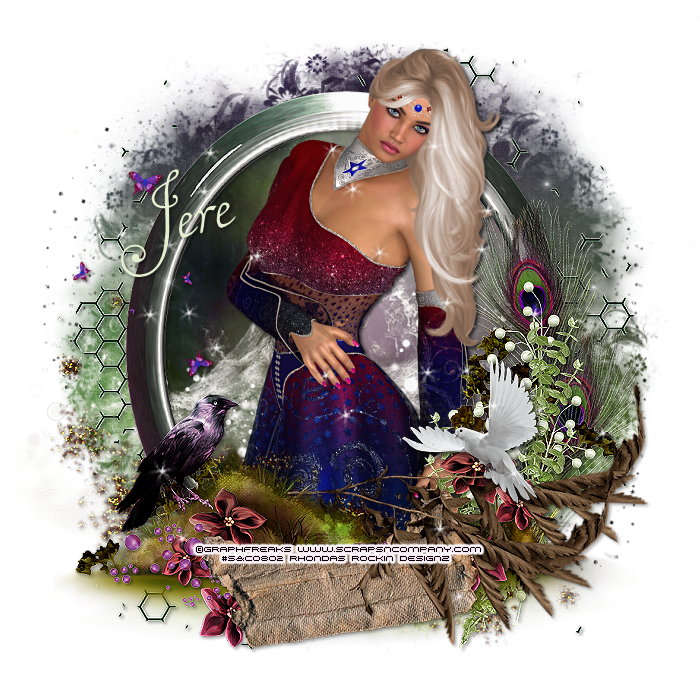
This tutorial is written for those with knowledge of PSP
Supplies Needed:
Tube of choice: I'm using the wonderful art work of GraphFreaks
You must obtain a license to use this art at S&Co HERE
PTU Scrapkit from Devilish Dezines which is also available for purchase at S&Co HERE
Mask of choice
Ok Lets get Started:
This is a very quick and easy tutorial
Open blank canvas 700x700
Open cluster 2 & place in center
Grab the freehand tool & draw around frame
Selections modify expand by 10
Add new layer under frame
Open paper 2 & paste into selections
Select none
Place tube in center of tag
Add any other elements you want from the kit
I used:
Element 6
Element 14
Element 17
Element 29
Element 43
Merge layers
Open paper 1 & apply mask of choice
Place your name where you like it
Add the Copyright and your License Number for the tube
Resize to your liking and save as PNG
This tutorial was created on July 15,2015 by Rhonda
Any resemblance to another Tag or Tutorial is purely coincidental
Tuesday, July 7, 2015

This tutorial is written for those with knowledge of PSP
Supplies Needed:
Tube of choice: I'm using the wonderful art work of GraphFreaks
You must obtain a license to use this art at S&Co HERE
PTU Scrap Kit from Chili Designz called "Empire of Elizabeth"
Kit can be purchased at S&CO HERE
Mask of choice
Ok Lets get Started:
Resize elements to your liking
This is a very quick and easy tutorial
Open blank canvas 700x700
Open frame 6 & place in center of tag
Grab the magic wand & click inside frame
Selections modify expand by 10
Open paper 15 and paste as new layer
Move paper under frame
Place your main tube & build around it
Now time to add our elements
I used the following:
Bow 2
All Flowers
Harp
Jewel 3
Ribbon
Sparkle 3
Vase
Watch
Merge layers
Open paper 7 and apply mask
Place your name where you like it
Add the Copyright and your License Number for the tube
Resize to your liking and save as PNG
This tutorial was created on July 6,2015 by Rhonda
Any resemblance to another Tag or Tutorial is purely coincidental
Wednesday, June 10, 2015
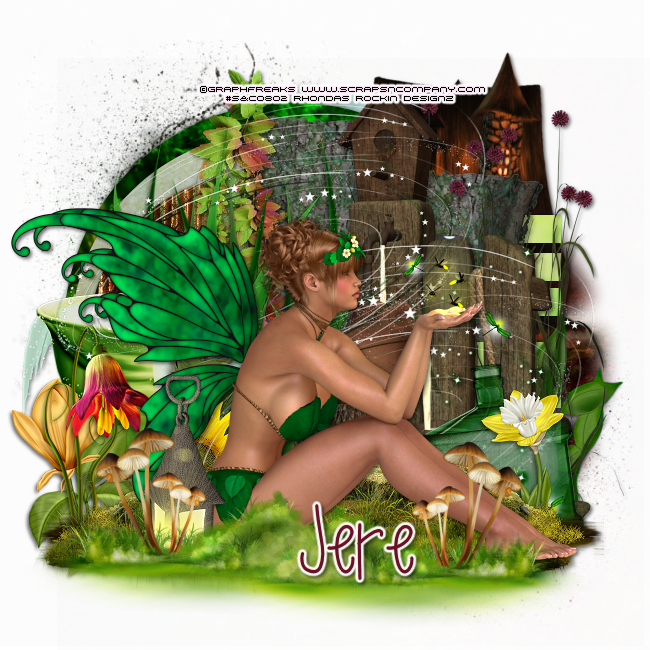
This tutorial is written for those with knowledge of PSP
Supplies Needed:
Tube of choice: I'm using the wonderful art work of GraphFreaks
You must obtain a license to use this art at S&Co HERE
PTU Scrap Kit from Ginnibug Designz called "Fireflight"
Kit can be purchased at S&CO HERE
Template #762 by Millie HERE
Mask 116 by Millie HERE
Ok lets get started:
Open template - Shift D to duplicate then close out original
Canvas size 650x650
Delete copyright
Click on raster 1 selections,select all, float,defloat
paste a paper of choice from the kit - I used paper7
selection invert delete
select none delete the original
Click on raster 2 selections,select all, float,defloat
paste a paper of choice from the kit - I used paper15
selection invert delete
select none delete the original
Click on raster 3 selections,select all, float,defloat
paste a paper of choice from the kit - I used paper4
selection invert delete
select none delete the original
Click on raster 4&5 selections,select all, float,defloat
paste a paper of choice from the kit - I used paper8
selection invert delete
select none delete the original
Click on raster 6 selections,select all, float,defloat
paste a paper of choice from the kit - I used paper13
selection invert delete
select none delete the original
Place top to center
Now time to add our elements
I used the following:
Element 1
Element 5
Element 9
Element 12
Element 23
Element 26
Element 33
Element 39
Element 40
Element 41
Element 42
Element 67
Element 72
Element 78
Merge layers
Open paper 1 and apply mask
Place your name where you like it
Add the Copyright and your License Number for the tube
Resize to your liking and save as PNG
This tutorial was created on June 10,2015 by Rhonda
Any resemblance to another Tag or Tutorial is purely coincidental
Monday, June 1, 2015

This tutorial is written for those with knowledge of PSP
Supplies Needed:
Tube of choice: I'm using the wonderful art work of GraphFreaks
You must obtain a license to use this art at S&Co HERE
PTU Scrap Kit from Ginnibug Designz from Hot orange Summer Collab
Kit can be purchased at S&CO HERE
Template by Ashley's Addiction HERE
Mask of choice
Ok Lets get Started:
Open template - Shift D to duplicate then close out original
Delete copyright, word art and 3 long lines
Resize all layers 125%
Increase canvas to 700x700
Click on right & left square selections,select all, float,defloat
paste a paper of choice from the kit - I used paper4
selection invert delete
select none delete the original
Click on left & right circle selections,select all, float,defloat
paste a paper of choice from the kit - I used paper3
selection invert delete
select none delete the original
Click on large circle selections,select all, float,defloat
paste a paper of choice from the kit - I used paper6
selection invert delete
select none delete the original
Place tube to center of tag
Now time to add our elements
I used the following:
Element 1
Element 4
Element 6
Element 13
Element 15
Element 18
Element 34
Element 38
Element 41
Element 44
Element 45
Element 54
Element 60
Element 62
Element 65
Element 69
Element 70
Element 71
Element 72
Element 73
Merge layers
Open paper 7 and apply mask
Place your name where you like it
Add the Copyright and your License Number for the tube
Resize to your liking and save as PNG
This tutorial was created on June 1,2015 by Rhonda
Any resemblance to another Tag or Tutorial is purely coincidental
Thursday, May 21, 2015

This tutorial is written for those with knowledge of PSP
Supplies Needed:
Tube of choice: I'm using the wonderful art work of GraphFreaks
You must obtain a license to use this art at S&Co HERE
PTU Scrap Kit from CCDesigns Scraps called "Breezy Summer"
Kit can be purchased at S&CO HERE
Template #20 by Wendy HERE
Mask #12 by Brutal Designs HERE
Ok lets get started:
Open template - Shift D to duplicate then close out original
Increase canvas size to 700x700
delete copyright
Click on circle selections,select all, float,defloat
paste a paper of choice from the kit - I used paper1
selection invert delete
select none delete the original
Click on big rectangle selections,select all, float,defloat
paste a paper of choice from the kit - I used paper6
selection invert delete
select none delete the original
add border with noise
Click on small rectangles selections,select all, float,defloat
paste a paper of choice from the kit - I used paper5
selection invert delete
select none delete the original
add border with noise
Click on circle bkg left & right selections,select all, float,defloat
paste a paper of choice from the kit - I used paper12
selection invert delete
select none delete the original
Add close-up of tube inside circles
apply Xero Porcelin
Click on circle frame left & right selections,select all, float,defloat
paste a paper of choice from the kit - I used paper2
selection invert delete
select none delete the original
add noise
Place your main tube
Now time to add our elements
I used the following:
Bird
Bling 2&4
Bottle
Dog
Flowers 1-10
Heart 1
Pot 2
Watercan
Wreath 1
Merge your layers
Open paper 10 & apply mask of choice
Place your name where you like it
Add the Copyright and your License Number for the tube
Resize to your liking and save as PNG
This tutorial was created on May 20,2015 by Rhonda
Any resemblance to another Tag or Tutorial is purely coincidental
Saturday, May 9, 2015
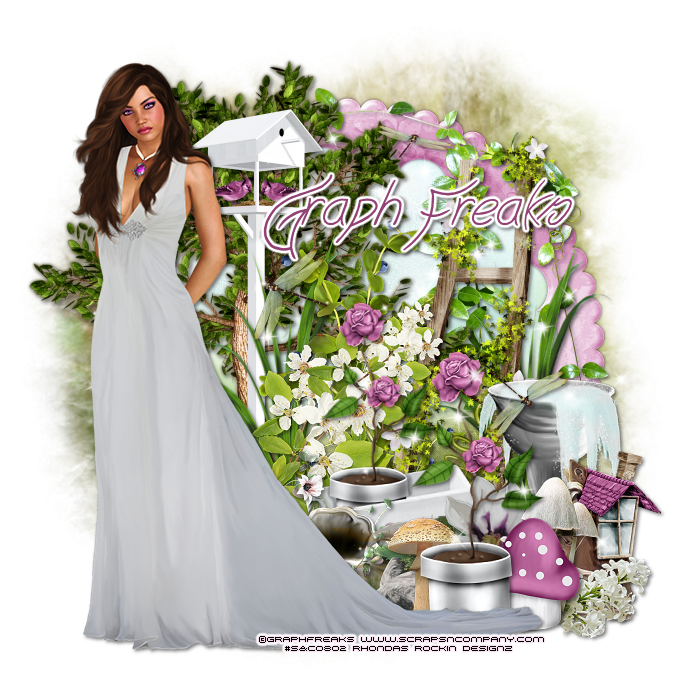
This tutorial is written for those with knowledge of PSP
Supplies Needed:
Tube of choice: Im using the wonderful art work of GraphFreaks
You must obtain a license to use this art at S&Co HERE
PTU Scrap Kit from Lizquis Scraps called "Lily"
Kit can be purchased at S&CO HERE
Mask of choice
Ok lets get started:
Resize elements to your liking
This is a very quick and easy tutorial
Open blank canvas 700x700
Open frame 3 & place in center of tag
Grab the magic wand & click inside frame
Selections modify expand by 10
Add new layer under frame
Open paper 1 and paste into selection
Select none
Now time to add our elements
I used the following:
Berries
Birdfeeder
Boot House
Lily Branch 1&2
Decor 1
Dragonflies
Flower 4
Flowers 1&4
Ladder
Leaves 1
Mushroom 1,2&3
Rocks
Roses Cart
Roses
Sources
Sparkles 3
Merge layers
Open paper 8 and apply mask
Place your name where you like it
Add the Copyright and your License Number for the tube
Resize to your liking and save as PNG
This tutorial was created on May 9,2015 by Rhonda
Any resemblance to another Tag or Tutorial is purely coincidental
Subscribe to:
Posts
(Atom)
Grab My Blinkie

I CT For



Blogs I Visit
























