Showing posts with label Hania Design. Show all posts
Showing posts with label Hania Design. Show all posts
Saturday, May 27, 2023


Sunday, November 28, 2021


Thursday, October 14, 2021

Wednesday, September 15, 2021

Wednesday, February 24, 2021

This tutorial is written for those with knowledge of PSP
Supplies Needed:
Tube of choice: I'm using the wonderful art work of Abbey Dawn
Tube was included in kit
PTU Scrapkit from Hania's Design called Tea Party
Kit can be purchased from PFD HERE
Mask of choice
Let's get started:
Open 700x700 canvas
Open element 123 & place to center
Click inside frame and expand by 12
Open new layer under frame and paste paper of choice
Place tube to tag and start building
Use any elements from kit to complete tag
I used the following:
Element 3
Element 4
Element 5
Element 6
Element 7
Element 8
Element 9
Element 11
Element 25
Element 27
Element 30
Element 31
Element 32
Element 36
Element 37
Element 51
Element 54
Element 84
Element 86
Element 88
Element 90
Element 92
Element 100
Element 106
Element 108
Element 112
Merge your layers
Open paper of choice & apply mask
Place your name where you like it
Add the Copyright and your License Number for the tube
Resize to your liking and save as PNG
This tutorial was created on February 24,2021 by Rhonda
Any resemblance to another Tag or Tutorial is purely coincidental
Saturday, July 28, 2018

Supplies Needed:
Tube of choice: I'm using the wonderful art work of Stella
Which you must obtain a license to use HERE
FTU Scrapkit by Toxic Desirez called Summer Sweetness HERE
Template #603 by Millie HERE
Mask of choice
Ok Lets get Started:
Open template - Shift D to duplicate then close out original
Canvas size 700x700
Delete copyright
Click on layer 1 selections,select all, float,defloat
paste a paper of choice from the kit - I used paper6
selection invert delete
select none delete the original
add border with noise
Click on layer 2 selections,select all, float,defloat
paste a paper of choice from the kit - I used paper3
selection invert delete
select none delete the original
add border with noise
Click on layer 3&4 selections,select all, float,defloat
paste a paper of choice from the kit - I used paper12
selection invert delete
select none delete the original
add border with noise
Click on layer 5&6 selections,select all, float,defloat
paste a paper of choice from the kit - I used paper10
selection invert delete
select none delete the original
add border with noise
Click on layer 7&8 selections,select all, float,defloat
paste a paper of choice from the kit - I used paper11
selection invert delete
select none delete the original
add border with noise
I added gradient glow to my word art
Place your tube where desired
Now time to add our elements
I used the following:
Ribbon
Sparkles
Splatter
Sun
Surfboard
Merge your layers
Open paper of choice and apply mask
Place your name where you like it
Add the Copyright and your License Number for the tube
Resize to your liking and save as PNG
This tutorial was created on July 28,2018 by Rhonda
Any resemblance to another Tag or Tutorial is purely coincidental

Friday, November 10, 2017

This tutorial is written for those with knowledge of PSP
Supplies Needed:
Tube of choice: I'm using the wonderful art work of Alehandra Vanhek
You can purchase this work at Hania's Design HERE
PTU Scrapkit by Hania Designs "Gobble Gobble"
Kit can be purchased at Hania's Design HERE
If you buy the bundle you get 2 tubes plus kit
Template #163 by HorsePlay's Pasture HERE
Mask of choice
Ok Lets get Started:
Open template - Shift D to duplicate then close out original
Delete copyright, layers 4&6
Click on layer 1 selections,select all, float,defloat
paste a paper of choice from the kit - I used paper1
selection invert delete
select none delete the original
add border with noise
Click on layer 2 selections,select all, float,defloat
paste a paper of choice from the kit - I used paper2
selection invert delete
select none delete the original
add border with noise
Click on layer 3 selections,select all, float,defloat
paste a paper of choice from the kit - I used paper8
selection invert delete
select none delete the original
add border with noise
Click on layer 5 selections,select all, float,defloat
paste a paper of choice from the kit - I used paper7
selection invert delete
select none delete the original
add border with noise
Place tube
Now time to add our elements
I used the following:
Element 1
Element 8
Element 34
Element 37
Element 45
Element 48
Element 50
Element 55
Element 56
Element 60
Element 69
Element 88
Element 89
Element 90
Element 104
Element 112
Merge your layers
Open paper of choice and apply mask
Place your name where you like it
Add the Copyright and your License Number for the tube
Resize to your liking and save as PNG
This tutorial was created on November 9,2017 by Rhonda
Any resemblance to another Tag or Tutorial is purely coincidental

Tuesday, September 12, 2017

This tutorial is written for those with knowledge of PSP
Supplies Needed:
Tube of choice: I'm using the wonderful art work of Disco Science
You can purchase this work HERE
FTU kit by TopcatsTagz HERE
Template #2 by Rissa HERE
Mask of choice
Ok Lets get Started:
Open template - Shift D to duplicate then close out original
Canvas size 700x700
Deleted copyright
Click on layer 2 selections,select all, float,defloat
paste a paper of choice from the kit - I used paper4
selection invert delete
select none delete the original
add border with noise
Click on layer 3 selections,select all, float,defloat
paste a paper of choice from the kit - I used paper21
selection invert delete
select none delete the original
add border with noise
Click on layer 4 selections,select all, float,defloat
paste a paper of choice from the kit - I used paper14
selection invert delete
select none delete the original
add border with noise
Repeat directions for copy of raster 4
Click on layer 5 selections,select all, float,defloat
paste a paper of choice from the kit - I used paper1
selection invert delete
select none delete the original
Place your tube
Now time to add our elements
I used the following:
Element 4
Element 5
Element 7
Element 8
Element 11
Element 13
Element 18
Element 22
Element 25
Element 47
Element 51
Element 54
Element 59
Merge your layers
Open paper of choice and apply mask
Place your name where you like it
Add the Copyright and your License Number for the tube
Resize to your liking and save as PNG
This tutorial was created on September 10,2017 by Rhonda
Any resemblance to another Tag or Tutorial is purely coincidental
Saturday, July 15, 2017

This tutorial is written for those with knowledge of PSP
Supplies Needed:
Tube of choice: I'm using the wonderful art work of Eskada
You can purchase this tube at Hania's Design HERE
PTU Scrapkit by Hania's Design called Sweet Honey HERE
Template #399 from Missy HERE
Link is to left of blog
Mask of choice
Ok Lets get Started:
Open template - Shift D to duplicate then close out original
Canvas size 700x700
Delete copyright & word art
Click on rectangle selections,select all, float,defloat
paste a paper of choice from the kit - I used paper9
selection invert delete
select none delete the original
Click on circle 2 selections,select all, float,defloat
paste a paper of choice from the kit - I used paper2
selection invert delete
select none delete the original
Click on circle selections,select all, float,defloat
paste a paper of choice from the kit - I used paper5
selection invert delete
select none delete the original
Click on square 1&2 selections,select all, float,defloat
paste a paper of choice from the kit - I used paper8
selection invert delete
select none delete the original
Frame 1&2 add noise
Click on thin rectangle 1&2 selections,select all, float,defloat
paste a paper of choice from the kit - I used paper1
selection invert delete
select none delete the original
Click on rectangle selections,select all, float,defloat
paste a paper of choice from the kit - I used paper10
selection invert delete
select none delete the original
Place your tube
Now time to add our elements
I used the following:
Element 8
Element 11
Element 12
Element 15
Element 20
Element 26
Element 30
Element 34
Element 35
Element 36
Element 40
Element 41
Element 46
Element 48
Element 54
Element 60
Element 75
Element 79
Element 93
Element 125
Merge your layers
Open paper of choice and apply mask
Place your name where you like it
Add the Copyright and your License Number for the tube
Resize to your liking and save as PNG
This tutorial was created on July 15,2017 by Rhonda
Any resemblance to another Tag or Tutorial is purely coincidental

Saturday, July 8, 2017

This tutorial is written for those with knowledge of PSP
Supplies Needed:
Tube of choice: I'm using the wonderful art work of Marc Duval
Which you must obtain a license to use HERE
PTU Scrapkit by Jens Sweet Temptations called "Boardwalk By The Beach"
Kit and Clusters will soon be available in her stores
Blog with stores can be found HERE
Jen also has tons of freebies so check them out!!!!!
Template #74 by Drama Bomb Designs HERE
You will need to download bundle
Mask of choice
Ok Lets get Started:
Open template - Shift D to duplicate then close out original
Resize to your liking
Delete copyright
Click on layer 1 selections,select all, float,defloat
paste a paper of choice from the kit - I used paper1
selection invert delete
select none delete the original
Click on layer 2 selections,select all, float,defloat
paste a paper of choice from the kit - I used paper2
selection invert delete
select none delete the original
Click on layer 3 selections,select all, float,defloat
paste a paper of choice from the kit - I used paper7
selection invert delete
select none delete the original
Click on layer 4 selections,select all, float,defloat
paste a paper of choice from the kit - I used paper6
selection invert delete
select none delete the original
Click on layer 5 selections,select all, float,defloat
paste a paper of choice from the kit - I used paper4
selection invert delete
select none delete the original
Click on layer 6 selections,select all, float,defloat
paste a paper of choice from the kit - I used paper5
selection invert delete
select none delete the original
Place your tube
Xero Radiance with settings of choice
Now time to add our elements
I used the following:
Element 15
Element 18
Element 23
Element 25
Element 26
Element 28
Element 37
Element 38
Element 39
Element 40
Element 41
Element 57
Element 60
Element 66
Element 76
Element 81
Element 90
Element 94
Merge your layers
Open paper of choice and apply mask
Place your name where you like it
Add the Copyright and your License Number for the tube
Resize to your liking and save as PNG
This tutorial was created on July 8,2017 by Rhonda
Any resemblance to another Tag or Tutorial is purely coincidental
Sunday, July 2, 2017

This tutorial is written for those with knowledge of PSP
Supplies Needed:
Tube of choice: I'm using the wonderful art work of Celinart Pinup
Which you must obtain a license to use HERE
FTU Scrapkit by Melissaz Creationz HERE
Mask of choice
Ok Lets get Started:
Open template - Shift D to duplicate then close out original
Canvas size 700x700
Delete copyright
Click on layer 1 selections,select all, float,defloat
paste a paper of choice from the kit - I used paper6
selection invert delete
select none delete the original
Click on layer 2,3 &8 add extra noise
Click on layer 4&5 selections,select all, float,defloat
paste a paper of choice from the kit - I used paper3
selection invert delete
select none delete the original
Click on layer 6 selections,select all, float,defloat
paste a paper of choice from the kit - I used paper2
selection invert delete
select none delete the original
Click on layer 7 selections,select all, float,defloat
paste a paper of choice from the kit - I used paper9
selection invert delete
select none delete the original
Click on layer 9 selections,select all, float,defloat
paste a paper of choice from the kit - I used paper7
selection invert delete
select none delete the original
Click on layer 10 selections,select all, float,defloat
paste a paper of choice from the kit - I used paper11
selection invert delete
select none delete the original
Decorate word art to your liking
Place your tube
Now time to add our elements
I used the following:
Element 3
Element 5
Element 11
Element 16
Element 17
Element 20
Element 22
Element 27
Element 30
Element 31
Element 34
Merge your layers
Open paper of choice and apply mask
Place your name where you like it
Add the Copyright and your License Number for the tube
Resize to your liking and save as PNG
This tutorial was created on July 2,2017 by Rhonda
Any resemblance to another Tag or Tutorial is purely coincidental
Tuesday, June 13, 2017

Tube by Vinegar & Matching kit byGimptastic Scraps

Saturday, June 18, 2016
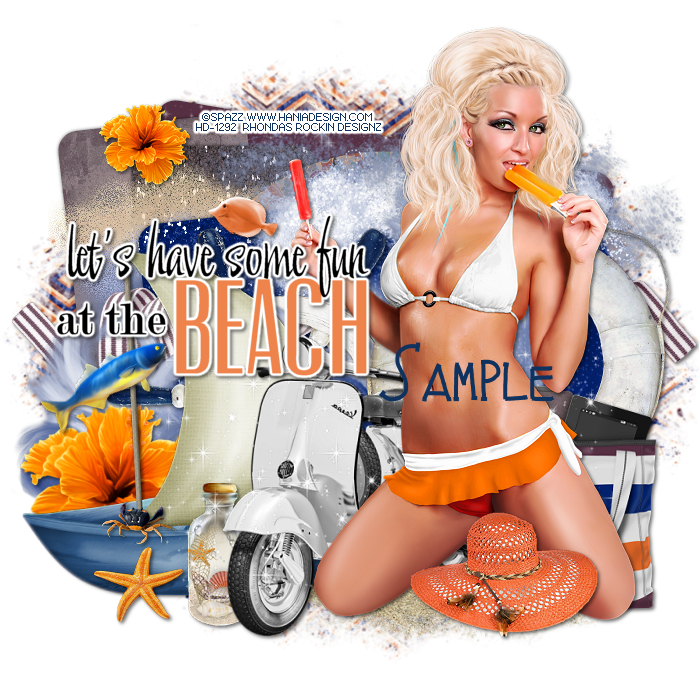
This tutorial is written for those with knowledge of PSP
Supplies Needed:
Tube of choice: I'm using the wonderful art work of Stella
Which you must obtain a license to use HERE
FTU Scrapkit by Melissaz Creationz HERE
Template #611 by Millie HERE
Mask of choice
Ok Lets get Started:
Open template - Shift D to duplicate then close out original
Canvas size 700x700
Delete copyright
Click on layer 1 selections,select all, float,defloat
paste a paper of choice from the kit - I used paper9
selection invert delete
select none delete the original
Click on layer 2 selections,select all, float,defloat
paste a paper of choice from the kit - I used paper7
selection invert delete
select none delete the original
Click on layer 3 selections,select all, float,defloat
paste a paper of choice from the kit - I used paper4
selection invert delete
select none delete the original
Click on layer 4 selections,select all, float,defloat
paste a paper of choice from the kit - I used paper2
selection invert delete
select none delete the original
Click on layer 5 selections,select all, float,defloat
paste a paper of choice from the kit - I used paper11
selection invert delete
select none delete the original
I left my word art as it was and added a border
Place your tube
Xero Radiance with settings of choice
Now time to add our elements
I used the following:
Element 1
Element 2
Element 4
Element 5
Element 6
Element 9
Element 10
Element 11
Element 13
Element 14
Element 15
Element 20
Element 21
Element 27
Merge your layers
Open paper of choice and apply mask
Place your name where you like it
Add the Copyright and your License Number for the tube
Resize to your liking and save as PNG
This tutorial was created on June 18,2016 by Rhonda
Any resemblance to another Tag or Tutorial is purely coincidental


This tutorial is written for those with knowledge of PSP
Supplies Needed:
Tube of choice: I'm using the wonderful art work of Stella
Which you must obtain a license to use HERE
PTU Scrapkit by Hania's Design called Wicked
You can purchase this awesome kit HERE
Template #1 by Brutal Designs HERE
Mask #6 by Allison's Addiction HERE
Ok Lets get Started:
Open template - Shift D to duplicate then close out original
Canvas size 700x700
Delete copyright,wordart & white rectangle
Click on green circle R&L selections,select all, float,defloat
paste a paper of choice from the kit - I used paper2
selection invert delete
select none delete the original
Click on green rounded rect selections,select all, float,defloat
paste a paper of choice from the kit - I used paper5
selection invert delete
select none delete the original
Click on blk rounded rect selections,select all, float,defloat
paste a paper of choice from the kit - I used paper7
selection invert delete
select none delete the original
Click on grey rounded rect selections,select all, float,defloat
paste a paper of choice from the kit - I used paper6
selection invert delete
select none delete the original
Place your tube
Xero Radiance with settings of choice
Now time to add our elements
I used the following:
Element 11
Element 13
Element 17
Element 18
Element 19
Element 27
Element 28
Element 42
Element 54
Element 61
Element 62
Element 64
Element 65
Element 68
Element 77
Element 86
Merge your layers
Open paper of choice and apply mask
Place your name where you like it
Add the Copyright and your License Number for the tube
Resize to your liking and save as PNG
This tutorial was created on June 18,2016 by Rhonda
Any resemblance to another Tag or Tutorial is purely coincidental
Friday, June 17, 2016
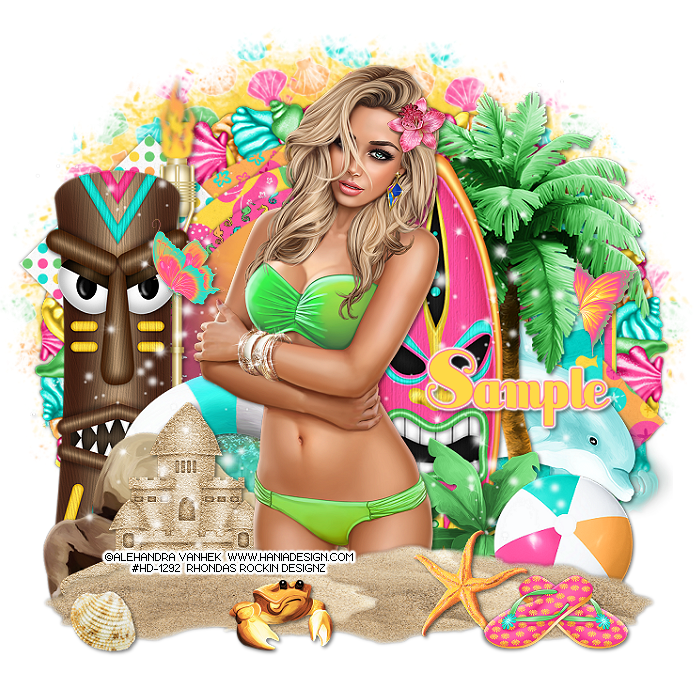
This tutorial is written for those with knowledge of PSP
Supplies Needed:
Tube of choice: I'm using the wonderful art work of Alehandra Vanhek
Which you must obtain a license to use HERE
PTU Scrapkit by Toxic Desirez called Tiki Party
You can purchase this awesome kit HERE
Template #184 by Gimptastic Tuts HERE
Mask #5 by Allison's Addiction HERE
Ok Lets get Started:
Open template - Shift D to duplicate then close out original
Resize all layers 124%
Canvas size 700x700
Delete copyright and wordart
Click on raster 9 selections,select all, float,defloat
paste a paper of choice from the kit - I used paper10
selection invert delete
select none delete the original
Click on raster 7&8 selections,select all, float,defloat
paste a paper of choice from the kit - I used paper13
selection invert delete
select none delete the original
Click on raster 6 selections,select all, float,defloat
paste a paper of choice from the kit - I used paper5
selection invert delete
select none delete the original
Click on raster 5 selections,select all, float,defloat
paste a paper of choice from the kit - I used paper12
selection invert delete
select none delete the original
Click on raster 4 selections,select all, float,defloat
paste a paper of choice from the kit - I used paper11
selection invert delete
select none delete the original
Click on raster 3 selections,select all, float,defloat
paste a paper of choice from the kit - I used paper3
selection invert delete
select none delete the original
Click on raster 2 selections,select all, float,defloat
paste a paper of choice from the kit - I used paper7
selection invert delete
select none delete the original
Click on raster 1 selections,select all, float,defloat
paste a paper of choice from the kit - I used paper frame background
selection invert delete
select none delete the original
Place your tube
Xero Radiance with settings of choice
Now time to add our elements
I used the following:
Beach Ball
Butterfly 1&2
Crab
Dolphin
Flip Flop
Frame 2
Life Ring
Plant
Rock
Sandcastle
Sand
Shell 1
Sparkles
StarFish
Surf Board
Tiki Totem
Torch
Tree 2
Waves
Merge your layers
Open paper of choice and apply mask
Place your name where you like it
Add the Copyright and your License Number for the tube
Resize to your liking and save as PNG
This tutorial was created on June 17,2016 by Rhonda
Any resemblance to another Tag or Tutorial is purely coincidental
Subscribe to:
Posts
(Atom)
Grab My Blinkie

I CT For



Blogs I Visit
























