Showing posts with label School. Show all posts
Showing posts with label School. Show all posts
Saturday, September 5, 2020

This tutorial is written for those with knowledge of PSP
Supplies Needed:
Tube of choice: I'm using the wonderful art work of Misticheskaya
You can purchase her tubes at PFD HERE
PTU scrapkit by Purple Dreams Scraps HERE
Mask of choice
Resize elements to your liking
Ok Lets get Started:
Place your tube on canvas
Now add any other elements of choice
I used the following:
Element 2
Element 3
Element 12
Element 17
Element 19
Element 27
Element 38
Element 68
Element 69
Element 70
Element 79
Element 96
Merge your layers
Apply any mask of choice
Place your name where you like it
Add the Copyright and your License Number for the tube
Resize to your liking and save as PNG
This tutorial was created on September 5,2020 by Rhonda
Any resemblance to another Tag or Tutorial is purely coincidental
Monday, August 13, 2018

Supplies Needed:
Tube of choice: I'm using the wonderful art work of Robert Alvarado
Which you must obtain a license to use at CDO HERE
FTU Scrapkit by Wicked Princess HERE
Collab Template #3 by Millie & Rissa's Design HERE
Mask of choice
Ok lets get started:
Open template - Shift D to duplicate then close out original
Resize template to your liking
Canvas size 700x700
Delete copyright and layer 10
Click on layer 1 selections,select all, float,defloat
paste a paper of choice from the kit - I used paper10
selection invert delete
select none delete the original
Click on layer 2 selections,select all, float,defloat
paste a paper of choice from the kit - I used paper14
selection invert delete
select none delete the original
Click on layer 3 selections,select all, float,defloat
paste a paper of choice from the kit - I used paper7
selection invert delete
select none delete the original
Click on layer 5 selections,select all, float,defloat
paste a paper of choice from the kit - I used paper23
selection invert delete
select none delete the original
Click on layer 6 selections,select all, float,defloat
paste a paper of choice from the kit - I used paper8
selection invert delete
select none delete the original
Click on layer 7 selections,select all, float,defloat
paste a paper of choice from the kit - I used paper19
selection invert delete
select none delete the original
Click on layer 8&9 selections,select all, float,defloat
add a layer and flood fill with solid color of choice
selections invert delete
select none delete original
Place your tube
Now time to add our elements
I used the following:
Book 1,2,3,5
Ereader 1
Flowers
Glasses 1
Laptop 1
Mouse 1
Stars 2&4
Merge your layers
Open paper of choice and apply mask
Place your name where you like it
Add the Copyright and your License Number for the tube
Resize to your liking and save as PNG
This tutorial was created on August 13,2018 by Rhonda
Any resemblance to another Tag or Tutorial is purely coincidental

Wednesday, August 9, 2017

This tutorial is written for those with knowledge of PSP
Supplies Needed:
Tube of choice: I'm using the wonderful art work of OrkusArt
You must obtain a license to use at PFD HERE
FTU kit by MMeli Crea Designz HERE
Mask of choice
Ok Lets get Started:
This is a very quick and easy tutorial
Open blank canvas 700x700
Open frame 1 and place to center
Click inside frame with magic wand - expand by 10
Open new layer under frame
Open paper 1 and paste into selection
Select none
Place tube to bottom of frame
Add any elements you want from the kit
I used:
Element 2
Element 5
Element 15
Element 25
Element 43
Element 45
Element 47
Element 50
Element 52
Element 56
Merge layers
Open paper of choice and apply mask
Place your name where you like it
Add the Copyright and your License Number for the tube
Resize to your liking and save as PNG
This tutorial was created on August 9,2017 by Rhonda
Any resemblance to another Tag or Tutorial is purely coincidental

Monday, July 31, 2017

This tutorial is written for those with knowledge of PSP
Supplies Needed:
Tube of choice: I'm using the wonderful art work of Maryline Cazenave
I purchased the tube from CDO HERE
Matching Scrapkit by Gimptactic Scraps at CDO HERE
Template #73 by Drama Bomb Designs HERE
Mask of choice
Ok Lets get Started:
Open template - Shift D to duplicate then close out original
Resize template to your liking
Deleted copyright
Click on layer 1 selections,select all, float,defloat
paste a paper of choice from the kit - I used paper4
selection invert delete
select none delete the original
Click on layer 2 selections,select all, float,defloat
paste a paper of choice from the kit - I used paper5
selection invert delete
select none delete the original
Click on layer 3 selections,select all, float,defloat
paste a paper of choice from the kit - I used paper2
selection invert delete
select none delete the original
Click on layer 4 selections,select all, float,defloat
paste a paper of choice from the kit - I used paper3
selection invert delete
select none delete the original
Click on layer 5 selections,select all, float,defloat
paste a paper of choice from the kit - I used paper1
selection invert delete
select none delete the original
Click on layer 6 selections,select all, float,defloat
paste a paper of choice from the kit - I used paper3
selection invert delete
select none delete the original
Add close-up of tube then add border with noise
Place your tube to right of tag
Now time to add our elements
I used the following:
Element 1
Element 2
Element 5
Element 8
Element 9
Element 10
Element 13
Element 14
Element 17
Element 18
Element 21
Frame 1&2
Wordart
Merge your layers
Open paper of choice and apply mask
I used 2 months on my tag
Place your name where you like it
Add the Copyright and your License Number for the tube
Resize to your liking and save as PNG
This tutorial was created on July 31,2017 by Rhonda
Any resemblance to another Tag or Tutorial is purely coincidental
Monday, August 29, 2016

This tutorial is written for those with knowledge of PSP
Supplies Needed:
Tube of choice: I'm using the wonderful art work of Joe Cano
You can purchase his work at his store HERE
PTU Scrap Kit by Reineke Designs called Schoolgirl 2
Kit cam also be purchased at Cano Store HERE
Kit and tube match and can be purchased as 1 item
Template #5 by Melissaz Creationz HERE
Scroll down a look to right side of blog for zipped files
Mask of choice
Ok Lets get Started:
Open template - Shift D to duplicate then close out original
Resize template 122% all layers
Cancas size 700x700
Deleted copyright
Click on semi circle selections,select all, float,defloat
paste a paper of choice from the kit - I used paper6
selection invert delete
select none delete the original
Click on dark rectangle selections,select all, float,defloat
paste a paper of choice from the kit - I used paper3
selection invert delete
select none delete the original
Click on light rectangle selections,select all, float,defloat
paste a paper of choice from the kit - I used paper9
selection invert delete
select none delete the original
Click on dotted rectangle selections,select all, float,defloat
paste a paper of choice from the kit - I used paper10
selection invert delete
select none delete the original
Click on circle selections,select all, float,defloat
paste a paper of choice from the kit - I used paper5
selection invert delete
select none delete the original
Click on dotted circle selections,select all, float,defloat
paste a paper of choice from the kit - I used paper8
selection invert delete
select none delete the original
Click on circle frame selections,select all, float,defloat
paste a paper of choice from the kit - I used paper1
selection invert delete
select none delete the original
Click on frame background selections,select all, float,defloat
paste a paper of choice from the kit - I used paper9
selection invert delete
select none delete the original
Paste close-up of tube to each frame
selection invert delete
select none delete the original
apply Xero Radiance with setings of choice
apply PhotoEffex Scanlines to tubes
Click on frames selections,select all, float,defloat
paste a paper of choice from the kit - I used paper8
selection invert delete
select none delete the original
add noise with settings of choice
Place your tube
Xero Radiance with settings of choice
Now time to add our elements
I used the following:
Element 4
Element 5
Element 6
Element 8
Element 9
Element 11
Element 16
Element 17
Element 18
Element 26
Element 28
Element 29
Element 31
Element 32
Element 34
Merge your layers
Open paper of choice and apply mask
Place your name where you like it
Add the Copyright and your License Number for the tube
Resize to your liking and save as PNG
This tutorial was created on August 28,2016 by Rhonda
Any resemblance to another Tag or Tutorial is purely coincidental

Friday, February 5, 2016
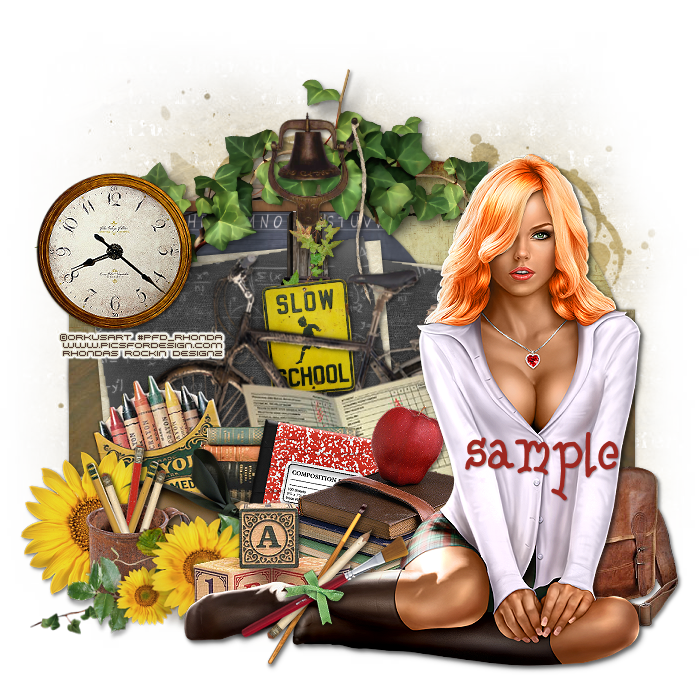
This tutorial is written for those with knowledge of PSP
Supplies Needed:
Tube of choice: I'm using the wonderful art work of OrkusArt
You can purchase this tube at PFD HERE
FTU Scrap Kit by Digital Designs by Carolina HERE
Template #167 by HorsePlays Pasture HERE
Don't forget to leave a thank you when downloading
Ok Lets get Started:
Open template - Shift D to duplicate then close out original
Canvas size 700x700
Delete copyright
Click on layer 1 selections,select all, float,defloat
paste a paper of choice from the kit - I used paper7
selection invert delete
select none delete the original
Click on layer 2 selections,select all, float,defloat
paste a paper of choice from the kit - I used paper4
selection invert delete
select none delete the original
Click on layers 3 selections,select all, float,defloat
paste a paper of choice from the kit - I used paper7
selection invert delete
select none delete the original
Click on layer 4 selections,select all, float,defloat
paste a paper of choice from the kit - I used paper5
selection invert delete
select none delete the original
Click on layers 5&7 selections,select all, float,defloat
paste a paper of choice from the kit - I used paper2
selection invert delete
select none delete the original
Click on layer 6 selections,select all, float,defloat
paste a paper of choice from the kit - I used paper3
selection invert delete
select none delete the original
Place your tube
apply Xero radiance with settings of choice
Now add any other elements of choice
I used the following:
Element 1
Element 6
Element 9
Element 12
Element 20
Element 22
Element 23
Element 25
Element 27
Element 29
Element 44
Element 48
Element 50
Element 52
Element 54
Merge your layers
Open paper of choice and apply mask
Place your name where you like it
Add the Copyright and your License Number for the tube
Resize to your liking and save as PNG
This tutorial was created on Feburary 5,2016 by Rhonda
Any resemblance to another Tag or Tutorial is purely coincidental

Monday, August 31, 2015

This tutorial is written for those with knowledge of PSP
Supplies Needed:
Tube of choice: I'm using the wonderful art work of Zlata_M
Which you must obtain a license to use HERE
PTU Scrap Kit by Jen from Sweet Temptations called "Old School"
You an purchase this awesome kit HERE
Template #211 by Kristin HERE
Mask of choice
Don't forget to leave a thank you when downloading
Ok Lets get Started:
Open template - Shift D to duplicate then close out original
Resize template all layers 86%
Canvas size 700x700
Delete copyright & hearts
Click on raster 8 & copy of selections,select all, float,defloat
paste a paper of choice from the kit - I used paper2
selection invert delete
select none delete the original
Click on raster 6 & copy of selections,select all, float,defloat
paste a paper of choice from the kit - I used paper3
selection invert delete
select none delete the original
Click on raster 7 & copy of selections,select all, float,defloat
paste a paper of choice from the kit - I used paper6
selection invert delete
select none delete the original
Click on raster 3 selections,select all, float,defloat
paste a paper of choice from the kit - I used paper8
selection invert delete
select none delete the original
Click on copy of raster 3 selections,select all, float,defloat
paste a paper of choice from the kit - I used paper9
selection invert delete
select none delete the original
Click on raster 5 selections,select all, float,defloat
paste a paper of choice from the kit - I used paper1
selection invert delete
select none delete the original
Click on copy of raster 5 selections,select all, float,defloat
paste a paper of choice from the kit - I used paper7
selection invert delete
select none delete the original
Click on raster 9 & copy of selections,select all, float,defloat
add new layer and flood fill with solid color of choice
select none delete the original
add noise with settings of choice
Click on copy of raster 2 selections,select all, float,defloat
add new layer and flood fill with solid color of choice
select none delete the original
add noise with settings of choice
Click on raster 2 selections,select all, float,defloat
paste a paper of choice from the kit - I used paper4
selection invert delete
select none delete the original
Place your main tube
Xero Radiance with settings of choice
Now time to add our elements
I used the following:
Alarm Clock
Bag
Binder
Books
Calculator
Chalkboard 1
Frame 1&2
Hat
Open Book
Planner
Stapler
Merge your layers
Open paper of choice and apply mask
Place your name where you like it
Add the Copyright and your License Number for the tube
Resize to your liking and save as PNG
This tutorial was created on August 31,2015 by Rhonda
Any resemblance to another Tag or Tutorial is purely coincidental
Sunday, August 30, 2015

This tutorial is written for those with knowledge of PSP
Supplies Needed:
Tube of choice: I'm using the wonderful art work of Vi Nina
You must obtain a license to use this art at S&Co HERE
PTU Scrapkit from Disturbed Scraps called "School Days"
You can purchase this awesome kit at S&Co HERE
Kit matches tube!!!!!
Mask of choice
Ok Lets get Started:
Open blank canvas 700x700
Open element 71 resize and place to center of canvas
Click insie with magic wand
Selections modify and expand by 10
Add new layer under frame and select all
Open paper 5 and paste into selections
Select none
Place your tube
Now time to add our elements
I used the following:
Element 4
Element 6
Element 8
Element 10
Element 12
Element 15
Element 17
Element 19
Element 21
Element 30
Element 41
Element 42
Element 46
Element 49
Element 81
Merge layers
Open paper of choice and apply a mask
Place your name where you like it
Add the Copyright and your License Number for the tube
Resize to your liking and save as PNG
This tutorial was created on August 29,2015 by Rhonda
Any resemblance to another Tag or Tutorial is purely coincidental
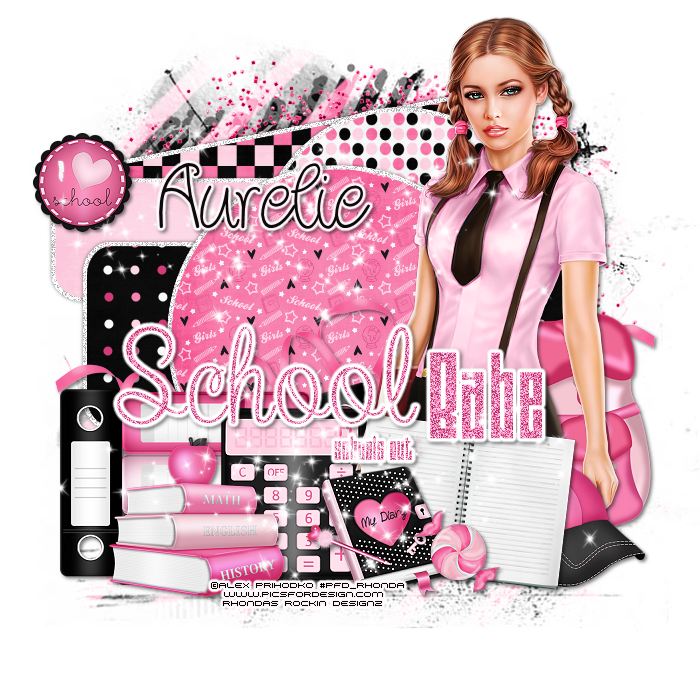
This tutorial is written for those with knowledge of PSP
Supplies Needed:
Tube of choice: I'm using the wonderful art work of Alex Prihodko
Which you must obtain a license to use at PFD HERE
PTU Scrap Kit by Aurelie from Purple Dreams Scraps HERE
Template by Sparkle Design HERE
Mask of choice
Ok Lets get Started:
Open template - Shift D to duplicate then close out original
Increase canvas to 700x700
Delete copyright
Click on raster 1 selections,select all, float,defloat
paste a paper of choice from the kit - I used paper9
selection invert delete
select none delete the original
Add border if desired
Click on raster 3 selections,select all, float,defloat
paste a paper of choice from the kit - I used paper8
selection invert delete
select none delete the original
add border if desired
Click on raster 2 selections,select all, float,defloat
paste a paper of choice from the kit - I used paper3
selection invert delete
select none delete the original
add border if desired
Click on raster 4 selections,select all, float,defloat
paste a paper of choice from the kit - I used paper5
selection invert delete
select none delete the original
add border if desired
Click on raster 5 selections,select all, float,defloat
paste a paper of choice from the kit - I used paper10
selection invert delete
select none delete the original
add border if desired
Click on raster 6 selections,select all, float,defloat
paste a paper of choice from the kit - I used paper6
selection invert delete
select none delete the original
add noise and eyecandy gradient
Place your main tube
Xero Radiance with settings of choice
Now time to add our elements
I used the following:
Element 2
Element 3
Element 5
Element 19
Element 20
Element 21
Element 32
Element 36
Element 38
Element 49
Element 50
Merge your layers
Open paper 14 and apply mask
Place your name where you like it
Add the Copyright and your License Number for the tube
Resize to your liking and save as PNG
This tutorial was created on August 29,2015 by Rhonda
Any resemblance to another Tag or Tutorial is purely coincidental
Saturday, August 15, 2015

This tutorial is written for those with knowledge of PSP
Supplies Needed:
Tube of choice: I'm using the wonderful art work of Keith Garvey
You must obtain a license to use his art HERE
FTU Scrapkit by Melissaz Creationz HERE
Template #2 by Fired By Flamin HERE
Mask of choice
Don't forget to leave a thank you when downloading
Ok Lets get Started:
Open template - Shift D to duplicate then close out original
Deleted copyright, wordart, small red circles and dotted circles
Click on red circle selections,select all, float,defloat
paste a paper of choice from the kit - I used paper1
selection invert delete
select none delete the original
Click on yellow circle selections,select all, float,defloat
paste a paper of choice from the kit - I used paper8
selection invert delete
select none delete the original
Click on yellow rectangle selections,select all, float,defloat
paste a paper of choice from the kit - I used paper5
selection invert delete
select none delete the original
Click on right grey rectangle selections,select all, float,defloat
add color of choice on new layer
select none delete the original
apply Filters Unliminted Fine Canvas
Repeat for left grey rectangle but use a different color
Paste close-up of tube inside rectangles
apply Xero Porcelin with settings of choice
Click on right green border selections,select all, float,defloat
add color of choice on new layer
select none delete the original
apply noise with settings of choice
Place your main tube in center
Xero Radiance with settings of choice
Now time to add our elements
I used the following:
Element 3
Element 10
Element 17
Element 25
Element 26
Element 28
Element 29
Element 30
Element 34
Element 35
Element 36
Merge your layers
Open paper 6 & apply mask of choice
Place your name where you like it
Add the Copyright and your License Number for the tube
Resize to your liking and save as PNG
This tutorial was created on August 15,2015 by Rhonda
Any resemblance to another Tag or Tutorial is purely coincidental
Monday, August 10, 2015

This tutorial is written for those with knowledge of PSP
Supplies Needed:
Tube of choice: I'm using the wonderful art work of Ismael Rac
You can purchase his work at his store HERE
PTU Scrapkit by Sandys Design called School Hottie HERE
Tube and kit can be purchased together
Template #673 by Millie HERE
Mask#2 by Rocked by Rachel HERE
Don't forget to leave a thank you when downloading
Ok Lets get Started:
Open template - Shift D to duplicate then close out original
Canvas size 700x700
Deleted copyright
Click on raster 1 selections,select all, float,defloat
paste a paper of choice from the kit - I used paper7
selection invert delete
select none delete the original
Click on raster 2&5 selections,select all, float,defloat
paste a paper of choice from the kit - I used paper13
selection invert delete
select none delete the original
Click on raster 3&4 selections,select all, float,defloat
paste a paper of choice from the kit - I used paper6
selection invert delete
select none delete the original
Click on raster 6 selections,select all, float,defloat
paste a paper of choice from the kit - I used paper11
selection invert delete
select none delete the original
Click on raster 7 selections,select all, float,defloat
paste a paper of choice from the kit - I used paper3
selection invert delete
select none delete the original
Click on raster 8 selections,select all, float,defloat
paste a paper of choice from the kit - I used paper9
selection invert delete
select none delete the original
Click on raster 9 selections,select all, float,defloat
paste a paper of choice from the kit - I used paper1
selection invert delete
select none delete the original
Place your main tube
Now time to add our elements
I used the following:
World Globe
Book
Calculator
Flower 1
Glue 2
Paint Pallet 1
Paper Clips
School Bag
Sparkles 1&2
Merge your layers
Open paper 10 and apply mask
Place your name where you like it
Add the Copyright and your License Number for the tube
Resize to your liking and save as PNG
This tutorial was created on August 7,2015 by Rhonda
Any resemblance to another Tag or Tutorial is purely coincidental
Sunday, August 2, 2015

This tutorial is written for those with knowledge of PSP
Supplies Needed:
Tube of choice: I'm using the wonderful art work of Keith Garvey
Which you must obtain a license to use HERE
FTU Scrap Kit by Annaica's Place HERE
Template #194 by Gimptastic HERE
Mask of choice
Don't forget to leave a thank you when downloading
Ok Lets get Started:
Open template - Shift D to duplicate then close out original
Resize template 120% all layers
Canvas size 700x700
delete copyright,wordart & hearts
Click on layers 12 & 13 selections,select all, float,defloat
paste a paper of choice from the kit - I used paper5
selection invert delete
select none delete the original
Add border with noise
Click on layers 9&11 selections,select all, float,defloat
paste a paper of choice from the kit - I used paper12
selection invert delete
select none delete the original
Add noise to layers 8&10
Click on layers 6&7 selections,select all, float,defloat
paste a paper of choice from the kit - I used paper9
selection invert delete
select none delete the original
Click on layer 5 selections,select all, float,defloat
paste a paper of choice from the kit - I used paper8
selection invert delete
select none delete the original
Add noise to layer 4
Place your main tube
Now time to add our elements:
Elements 1
Elements 3
Elements 4
Elements 5
Elements 6
Elements 9
Elements 10
Elements 11
Elements 13
Elements 15
Elements 16
Elements 20
Elements 24
Elements 27
Elements 28
Elements 29
Elements 33
Frame 3
Word Art
Merge your layers
Open paper 10 & apply mask
Place your name where you like it
Add the Copyright and your License Number for the tube
Resize to your liking and save as PNG
This tutorial was created on August 2,2015 by Rhonda
Any resemblance to another Tag or Tutorial is purely coincidental
Thursday, June 4, 2015
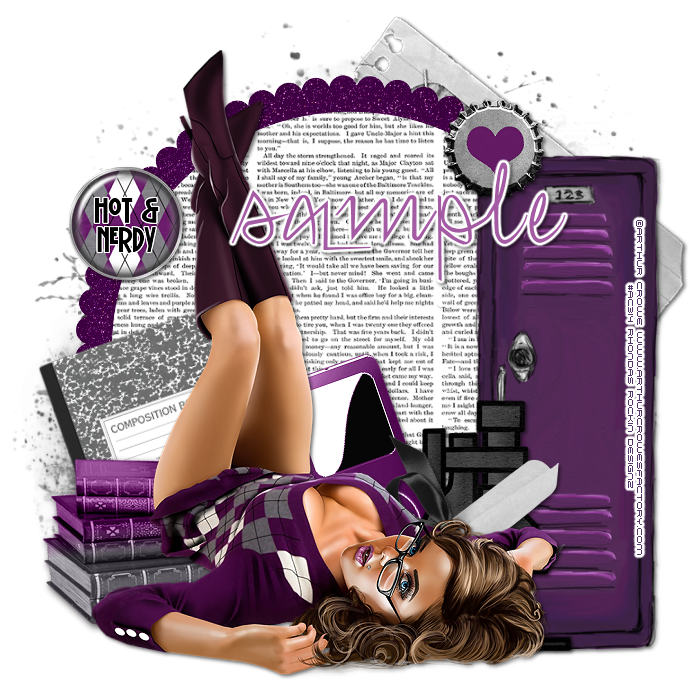
This tutorial is written for those with knowledge of PSP
Supplies Needed:
Tube of choice: I'm using the wonderful art work of Arthur Crowe
You must obtain a license to use this art HERE
FTU Scrap Kit by Gimptastic Scraps HERE
Mask of choice
Resize elements to your liking
Ok lets get started:
This is a very quick and easy tutorial
Open frame 3 & place in center of tag
Grab the magic wand & click inside frame
Selections modify expand by 10
Add new layer under frame
Open doily and paste into selection
Selections none
Place your main tube
Now time to add our elements
I used the following:
Books
Bottlecaps
Brad 2
Comp Book
Diploma
Frame 5
Ipod
Locker
Microscope
Merge your layers
Open paper of choice & apply mask
Place your name where you like it
Add the Copyright and your License Number for the tube
Resize to your liking and save as PNG
This tutorial was created on June 4,2015 by Rhonda
Any resemblance to another Tag or Tutorial is purely coincidental
Friday, August 8, 2014

This tutorial is written for those with knowledge of PSP
Supplies Needed:
Tube of choice: I'm using the wonderful art work of Keith Garvey
You can find his art HERE
PTU Scrap Kit by Jen from Sweet Temptations called "Hall Pass"
You an purchase this awesome kit HERE
Template #269 by Millie HERE
Bulk downloads can be found on left hand side of blog
Mask of choice
Don't forget to leave a thank you when downloading
Xero Fritillary
Xero Radiance
Open template - Shift D to duplicate then close out original
delete copyright,wordart and layer 4
paste a paper of choice from the kit - I used paper9
selection invert delete
select none delete the original
paste a paper of choice from the kit - I used paper9
selection invert delete
select none delete the original
paste a paper of choice from the kit - I used paper5
selection invert delete
select none delete the original
paste a paper of choice from the kit - I used paper10
selection invert delete
select none delete the original
add new layer and flood fill with black
select none delete the original
apply Xero Fritillary
I added a border also with noise
add close-up of tube inside squares
select none delete the original
apply Xero Radiance
I added a border here also with noise
apply Xero Radiance again
I used the following:
Book 1
Books
Box
Chalkboard
Frame 3
Locker 1
MP3 Player
Phone
Planner
Open paper 8 & apply mask of choice
Add the Copyright and your License Number for the tube
Resize to your liking and save as PNG
This tutorial was created on August 8,2014 by Rhonda
Any resemblance to another Tag or Tutorial is purely coincidental

Friday, August 1, 2014

This tutorial is written for those with knowledge of PSP
Supplies Needed:
Tube of choice: I'm using the wonderful art work of Danny Lee
Which you must obtain a license to use at S&Co HERE
You an purchase this awesome kit at S&Co HERE
Template by StyleLicious HERE
Mask of choice
Don't forget to leave a thank you when downloading
Xero Fritillary
Xero Porcelin
Open template - Shift D to duplicate then close out original
Resize all layers 90%
Canvas size 700x670
delete copyright,wordart and raster 8
add new layer & flood fill with solid color
select none delete the original
apply Xero Fritillary
add new layer & flood fill with solid color
select none delete the original
apply noise with settings of choice
paste a paper of choice from the kit - I used paper2
selection invert delete
select none delete the original
paste close up of tube inside circle
selection invert delete
select none delete the original
apply Xero Porcelin with settings of choice
apply Xero Porcelinn again
I used the following:
Element 5
Element 16
Element 17
Element 23
Element 32
Element 33
Element 43
Element 48
Element 50
Element 51
Element 53
Element 55
Element 57
Open paper of choice and apply mask
Add the Copyright and your License Number for the tube
Resize to your liking and save as PNG
This tutorial was created on August 1,2014 by Rhonda
Any resemblance to another Tag or Tutorial is purely coincidental
Monday, May 19, 2014

This tutorial is written for those with knowledge of PSP
Supplies Needed:
Tube of choice: I'm using the wonderful art work of Keith Garvey
Which you must obtain a license to use HERE
PTU Scrap Kit by Purple Dream Scraps called School Girls
You can purchase this awesome kit HERE
Template #254 by Millie HERE
Mask of choice
Open template - Shift D to duplicate then close out original
Canvas size 700x700
delete copyright
paste a paper of choice from the kit - I used paper8
selection invert delete
select none delete the original
paste a paper of choice from the kit - I used paper10
selection invert delete
select none delete the original
paste a paper of choice from the kit - I used paper4
selection invert delete
select none delete the original
paste a paper of choice from the kit - I used paper13
selection invert delete
select none delete the original
paste a paper of choice from the kit - I used paper9
selection invert delete
select none delete the original
paste a paper of choice from the kit - I used paper3
selection invert delete
select none delete the original
paste a paper of choice from the kit - I used paper12
selection invert delete
select none delete the original
paste a paper of choice from the kit - I used paper3
selection invert delete
select none delete the original
I used the following:
Element 1
Element 3
Element 4
Element 5
Element 16
Element 19
Element 21
Element 25
Element 27
Element 35
Element 36
Element 40
Element 42
Open paper 14 and apply mask of choice
Add the Copyright and your License Number for the tube
Resize to your liking and save as PNG
This tutorial was created on May 19,2014 by Rhonda
Any resemblance to another Tag or Tutorial is purely coincidental
Friday, October 11, 2013

Supplies Needed:
Tube of choice: Im using the wonderful art work of Arthur Crowe
You must obtain a license to use his art HERE
PTU Scrap Kit from Pimp'd Designz called "Geek Babe"
You an purchase this awesome kit at Pimp My Tags With Scraps HERE
Mask #88 by AquaRebel315 Designz HERE
Xero Radiance
Open blank canvas 700x700
Open frame and place to right of canvas
Click inside frame with magic wand
Selections modify expand by 8
Open paper 2 & paste as new layer
Selections invert delete
Move paper under frame
Place closeup of tube inside frame
apply Xero Radiance with settings of choice
apply Xero Radiance again
I used:
Book
Flower 1,2,3&4
Folded Paper
Lace 1
Ribbon 1
Ribbon 4
Ruler
Open paper 1 & apply mask of choice
Add the Copyright and your License Number for the tube
Resize to your liking and save as PNG
This tutorial was created on October 11,2013 by Rhonda
Any resemblance to another Tag or Tutorial is purely coincidental
Tuesday, September 3, 2013

Supplies Needed:
Tube of choice: I'm using the wonderful art work of Ismael Rac
Which you must obtain a license to use at his store HERE
PTU Scrap Kit from Designs by Sarah called "Hot For Teacher"
You an purchase this awesome kit at Pimp My Tags With Scraps HERE
Mask #5 from Redefined Designs HERE
Xero Radiance
Open blank canvas 700x700
Open frame 3 resize 85% & position in center
Grab the magic wand and click inside frame
Selections modify expand by 8
Open paper 2 and place under frame
Selections invert delete
Apply Xero Radiance with settings of choice
I used:
Apple
Books
Button 1
Flower 1,3&4
Greenery
Note 3
Ribbon 2
Smear 2
Stapler
Star 1&2
Wordart 1
Open paper 5 & apply mask
Place your name where you like it
Add the Copyright and your License Number for the tube
Resize to your liking and save as PNG
This tutorial was created on September 3,2013 by Rhonda
Any resemblance to another Tag or Tutorial is purely coincidental

Supplies Needed:
Tube of choice: Im using the wonderful art work of Ismael Rac
Which you must obtain a license to use at his store HERE
PTU kit by Jen from Sweet Temptations called "Making the Grade"
You can purchase her kits HERE
Just place your elements where you want them
Open blank canvas 700x700
These are the elements I used in my tag
Apple
Bookbag 1
Books
Calculator
Chalkboard 1
Globe
Glue
Gumball Machine
Label
Label 1
Locker
Lunch
Notebook 1&2
Paperclip
Pen 1
Pencil
Open paper 7 and apply mask of choice
Add the Copyright and your License Number for the tube
Resize to your liking and save as PNG
This tutorial was created on September 3,2013 by Rhonda
Any resemblance to another Tag or Tutorial is purely coincidental
Thursday, August 29, 2013

Supplies Needed:
Tube of choice: Im using the wonderful art work of Ted Hammond
This tube was purchased at CILM which has closed
You must obtain a license to use his art at CDO HERE
PTU Scrap Kit from Designs by Sarah called "Nerdy Cutie"
You an purchase this awesome kit at Pimp My Tags With Scraps HERE
Xero Radiance
Open blank canvas 700x700
Open frame 1 resize & position in center
Grab the magic wand and click inside frame
Selections modify expand by 6
Open paper 3 and place under frame
Selections invert delete
Apply Xero Radiance with settings of choice
I used:
Books
Button 1
Camera
Flower 4
Heart
Phone
String 2
Open backdrop 2 duplicate & mirror
Open Print 1&3 and apply to backdrop
Add the Copyright and your License Number for the tube
Resize to your liking and save as PNG
This tutorial was created on August 27,2013 by Rhonda
Any resemblance to another Tag or Tutorial is purely coincidental
Subscribe to:
Posts
(Atom)
Grab My Blinkie

I CT For



Blogs I Visit
























