Showing posts with label Inzpired Creationz Store. Show all posts
Showing posts with label Inzpired Creationz Store. Show all posts
Wednesday, November 29, 2017

This tutorial is written for those with knowledge of PSP
Supplies Needed:
Tube of choice: I'm using the wonderful art work of Trinita
You must obtain a license to use at PFD HERE
PTU Scrapkit by Nicky from Inzpired Creationz called "Sweet Steampunked"
Nicky no longer is selling her kits but I was on her CT and have tons of them
I will treasure her forever, she was the first designer that allowed me to use her kits when I started writing tutorial
I still use her kits and still publish my tags for all to see
Nicky I hope you come back soon. I miss you
Mask of choice
Ok Lets get Started:
This is a very quick and easy tutorial
Open blank canvas 700x700
Open frame 3 and place to center
Click inside with magic wand and expand by 10
Add new layer under frame
Open paper of choice and paste into selection
Select none
Place tube to center of frame
Add any elements you want from the kit
I used the following:
Butterfly 1
Button 3
Clock 2
Dragonfly
Flower 1&2
Luggage
Petals 1&2
Ribbon 1,2&3
Roses 4
Shell
Merge layers
Open paper of choice and apply mask
Place your name where you like it
Add the Copyright and your License Number for the tube
Resize to your liking and save as PNG
This tutorial was created on November 29,2017 by Rhonda
Any resemblance to another Tag or Tutorial is purely coincidental

Thursday, April 16, 2015
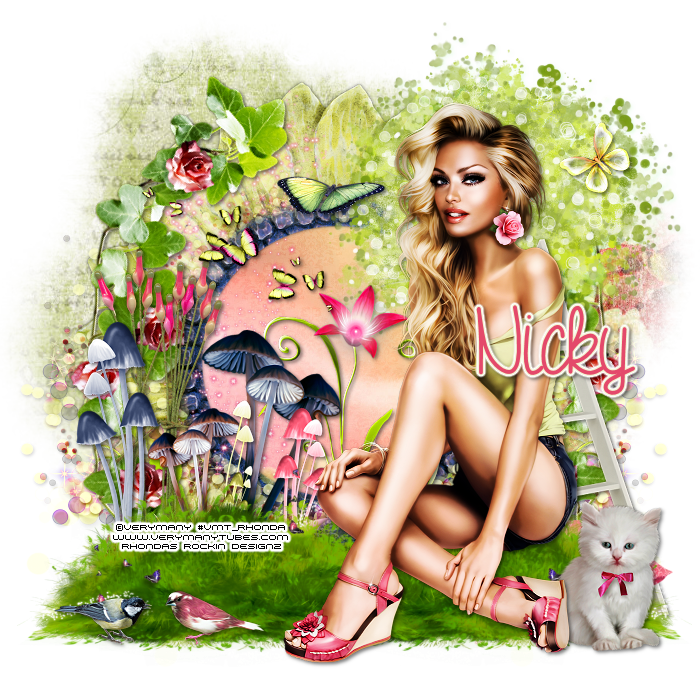
This tutorial is written for those with knowledge of PSP
Supplies Needed:
Tube of choice: Im using the wonderful art work of VeryMany
You must obtain a license to use this art HERE
PTU Scrapkit by Nicky from Inzpired Creationz called "Lilly's Garden"
You can purchase this kit at her store HERE
Mask of choice
Ok lets get started:
This is a very quick and easy tutorial
Open blank 700x700 canvas
Open frame 2 & paste as a new layer
Click inside frame with magic wand
Selections modify expand by 10
Open paper 5 from kit and paste as new layer
Selections invert delete
Move paper under frame
Place your tube where you want it and build around it
Add any other elements you want from the kit
I used:
Bird 1&2
Branch
Butterfly 1&2
Butterflies 3
Doddle 1
Flowers 1
Grass 3
Kitten
Ladder
Mushrooms 1&3
Pillows
Sparkles 3
Tree
Wax Stems 2&3
Merge layers
Open paper 1 & apply mask
Place your name where you like it
Add the Copyright and your License Number for the tube
Resize to your liking and save as PNG
This tutorial was created on April 16,2015 by Rhonda
Any resemblance to another Tag or Tutorial is purely coincidental
Wednesday, April 15, 2015

This tutorial is written for those with knowledge of PSP
Supplies Needed:
Tube of choice: Im using the wonderful art work of Alehandra Vanhek
You can purchase these tubes at ICZ Store HERE
PTU Scrap Kit by Nicky from Inzpired Creationz called "Midnight Atlantis"
You an purchase this awesome kit from ICZ Store HERE
Template #281 by Missy HERE
Mask of choice
Ok lets get started:
Open template - Shift D to duplicate then close out original
Canvas 700x700
Delete copyright, stars & word art
Click on oval selections,select all, float,defloat
paste a paper of choice from the kit - I used paper5
selection invert delete
select none delete the original
Click on circle selections,select all, float,defloat
paste a paper of choice from the kit - I used paper12
selection invert delete
select none delete the original
Click on shape selections,select all, float,defloat
paste a paper of choice from the kit - I used paper7
selection invert delete
select none delete the original
decrease opacity to 30%
Place your main tube
Now add any other elements of choice
I used the following:
Anchor
Bow 2
Coral
Fish 1&2
Flower 1&2
Flowers 1,2&3
Jellyfish 2
Pelican
Pillar
Plant 2
Rock
Sea Flower
Shell 6,7,8&9
Splash 2
Sponges
Star Fish 1,3&4
Treasure Chest
Merge your layers
Open paper 13 and apply mask
Place your name where you like it
Add the Copyright and your License Number for the tube
Resize to your liking and save as PNG
This tutorial was created on April 15, 2015 by Rhonda
Any resemblance to another Tag or Tutorial is purely coincidental
Sunday, April 12, 2015
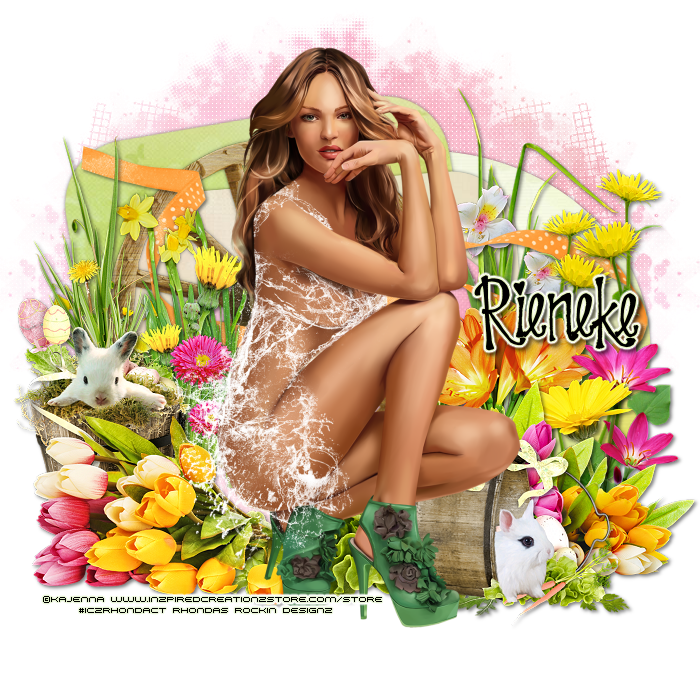
This tutorial is written for those with knowledge of PSP
Supplies Needed:
Tube of choice: Im using the wonderful art work of Kajenna
You can purchase these tubes at ICZ Store HERE
PTU Scrap Kit by Rieneke Designs called "Spring Garden"
You an purchase this awesome kit from ICZ Store HERE
Template #743 by Millie HERE
Mask of choice
Ok Lets get Started:
Open template - Shift D to duplicate then close out original
Canvas 700x700
Delete copyright & wordart
Click on raster 1 selections,select all, float,defloat
paste a paper of choice from the kit - I used paper8
selection invert delete
select none delete the original
Click on raster 2 selections,select all, float,defloat
paste a paper of choice from the kit - I used paper5
selection invert delete
select none delete the original
Click on raster 7 selections,select all, float,defloat
paste a paper of choice from the kit - I used paper9
selection invert delete
select none delete the original
Click on raster 3 selections,select all, float,defloat
paste a paper of choice from the kit - I used paper6
selection invert delete
select none delete the original
Click on raster 4 selections,select all, float,defloat
paste a paper of choice from the kit - I used paper14
selection invert delete
select none delete the original
Click on raster 5 selections,select all, float,defloat
paste a paper of choice from the kit - I used paper13
selection invert delete
select none delete the original
Place your main tube
Now add any other elements of choice
I used the following:
Element 1
Element 11
Element 25
Element 28
Element 32
Element 35
Element 44
Element 45
Element 46
Element 50
Element 51
Element 52
Element 56
Element 73
Element 78
Element 99
Element 101
Element 102
Element 120
Element 121
Element 129
Element 130
Merge your layers
Open paper 9 and apply mask
Place your name where you like it
Add the Copyright and your License Number for the tube
Resize to your liking and save as PNG
This tutorial was created on April 12, 2015 by Rhonda
Any resemblance to another Tag or Tutorial is purely coincidental

Saturday, April 11, 2015

This tutorial is written for those with knowledge of PSP
Supplies Needed:
Tube of choice: Im using the wonderful art work of Salisan Al_Gaib
You can purchase these tubes at ICZ Store HERE
PTU Scrap Kit by Nicky from Inzpired Creationz called "Glam Girl"
You an purchase this awesome kit from ICZ Store HERE
Mask of choice
Ok lets get started:
Open blank canvas 700x700
Open frame 2 & place in center
Click inside with magic wand
Selections modify expand by 10
Open new layer under frame
Open paper 1 and paste into selections
Place your main tube
Now add any other elements of choice
I used the following:
Balloons
Bow 2
Cookies 1
Cupcake 1&2
Diary Pen 1
Diary 1
Flower Cluster 1
Flower Cluster 3
Flower 1&2
Flowers 1&2
Perfume 3
Rose 1&2
Scattered Hearts 1&3
Tulle 2
Merge your layers
Open paper 9 and apply mask
Place your name where you like it
Add the Copyright and your License Number for the tube
Resize to your liking and save as PNG
This tutorial was created on April 11,2015 by Rhonda
Any resemblance to another Tag or Tutorial is purely coincidental
Tuesday, April 7, 2015
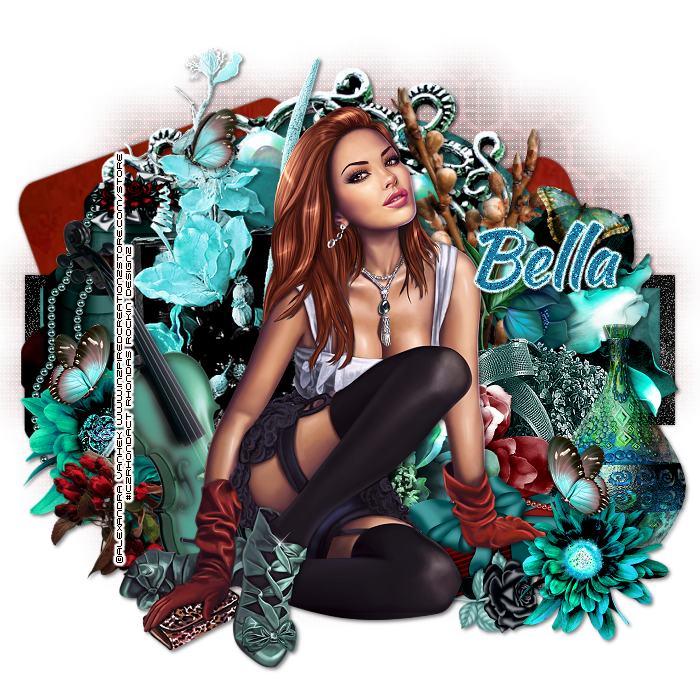
This tutorial is written for those with knowledge of PSP
Supplies Needed:
Tube of choice: Im using the wonderful art work of Alexandra Vanhek
You must obtain a license to use this art at ICZ Store HERE
PTU Scrapkit by Bella Caribena Designs called "Jenny"
This is a collab kit with Tiny Turtle
You can purchase this kit at ICZ Store HERE
Template #90 by Scrap it Studio HERE
Mask of choice
Ok Lets get Started:
Open template - Shift D to duplicate then close out original
Delete copyright & layer 3
Click on layer 1&2 selections,select all, float,defloat
paste a paper of choice from the kit - I used paper14
selection invert delete
select none delete the original
Click on layer 4 selections,select all, float,defloat
paste a paper of choice from the kit - I used paper3
selection invert delete
select none delete the original
Click on layer 5 selections,select all, float,defloat
paste a paper of choice from the kit - I used paper5
selection invert delete
select none delete the original
Click on layer 6 selections,select all, float,defloat
paste a paper of choice from the kit - I used paper6
selection invert delete
select none delete the original
Click on layer 8 selections,select all, float,defloat
paste a paper of choice from the kit - I used paper9
selection invert delete
select none delete the original
add noise
Click on layer 9 selections,select all, float,defloat
paste a paper of choice from the kit - I used paper7
selection invert delete
select none delete the original
Click on layer 10 selections,select all, float,defloat
paste a paper of choice from the kit - I used paper11
selection invert delete
select none delete the original
Place your main tube
Now time to add our elements
I used the following:
Elements 1
Elements 40
Elements 44
Elements 49
Elements 55
Elements 57
Elements 58
Elements 65
Elements 69
Elements 71
Elements 76
Elements 77
Elements 78
Elements 82
Elements 89
Elements 101
Elements 102
Merge your layers
Open paper of choice and apply mask
Place your name where you like it
Add the Copyright and your License Number for the tube
Resize to your liking and save as PNG
This tutorial was created on April 7,2015 by Rhonda
Any resemblance to another Tag or Tutorial is purely coincidental
Thursday, April 2, 2015

This tutorial is written for those with knowledge of PSP
Supplies Needed:
Tube of choice: Im using the wonderful art work of Kajenna
You can purchase these tubes at ICZ Store HERE
PTU Scrap Kit by Nicky from Inzpired Creationz called "Sassie's Garden"
You an purchase this awesome kit from ICZ Store HERE
Template #4 by TwyztedT's Playroom HERE
Mask #32 by Brutal Designs HERE
Ok Lets get Started:
Open template - Shift D to duplicate then close out original
Image resize 86% all layers
Canvas 700x700
Delete copyright,dotted lines,hearts,wordart and shadowed layers
Click on raster 5 selections,select all, float,defloat
paste a paper of choice from the kit - I used paper1
selection invert delete
select none delete the original
Click on raster 6 selections,select all, float,defloat
paste a paper of choice from the kit - I used paper3
selection invert delete
select none delete the original
Click on raster 7 selections,select all, float,defloat
paste a paper of choice from the kit - I used paper6
selection invert delete
select none delete the original
Click on raster 2 & copy of 2 selections,select all, float,defloat
paste a paper of choice from the kit - I used paper8
selection invert delete
select none delete the original
Click on circle2 selections,select all, float,defloat
paste a paper of choice from the kit - I used paper4
selection invert delete
select none delete the original
Place your main tube
Now add any other elements of choice
I used the following:
Butterflies 1
Butterfly 1,273
Clouds 1
Flower Branch 1
Flower Pot 1
Flower 2,3,9&10
Flowers 1&2
Grass 1&2
Leaves 2
Sign 1
Sparkles 2
Water Can 1
Wheel Barrel 1
Wheel 1
Merge your layers
Open paper 9 and apply mask
Place your name where you like it
Add the Copyright and your License Number for the tube
Resize to your liking and save as PNG
This tutorial was created on April 2, 2015 by Rhonda
Any resemblance to another Tag or Tutorial is purely coincidental
Saturday, March 28, 2015

This tutorial is written for those with knowledge of PSP
Supplies Needed:
Tube of choice: Im using the wonderful art work of Selisan Al_Gaib
You must obtain a license to use this art at ICZ Store HERE
PTU Scrapkit by Scrappin With Lil Ole Me called "Karrot Patch"
You can purchase this kit at ICZ Store HERE
Template #4 by Rocked by Rachel HERE
Mask of choice
Ok Lets get Started:
Open template - Shift D to duplicate then close out original
Resize all layers 85%
Increase canvas 700x700
Delete copyright
Click on layer 1 selections,select all, float,defloat
paste a paper of choice from the kit - I used paper13
selection invert delete
select none delete the original
Click on layer 2 selections,select all, float,defloat
paste a paper of choice from the kit - I used paper16
selection invert delete
select none delete the original
Click on layer 3 selections,select all, float,defloat
paste a paper of choice from the kit - I used paper12
selection invert delete
select none delete the original
Click on layer 4 selections,select all, float,defloat
paste a paper of choice from the kit - I used paper11
selection invert delete
select none delete the original
Click on layer 5 selections,select all, float,defloat
paste a paper of choice from the kit - I used paper10
selection invert delete
select none delete the original
Click on layer 6 selections,select all, float,defloat
paste a paper of choice from the kit - I used paper8
selection invert delete
select none delete the original
Add noise to layer 7
Place your main tube
Now time to add our elements
I used the following:
Elements 3
Elements 16
Elements 20
Elements 24
Elements 25
Elements 26
Elements 40
Elements 48
Elements 49
Elements 54
Elements 64
Elements 65
Elements 66
Elements 70
Elements 74
Elements 76
Elements 95
Elements 96
Elements 99
Elements 101
Elements 103
Elements 110
Elements 111
Elements 117
Elements 118
Elements 127
Elemebts 140
Merge your layers
Open paper of choice and apply mask
Place your name where you like it
Add the Copyright and your License Number for the tube
Resize to your liking and save as PNG
This tutorial was created on March 28,2015 by Rhonda
Any resemblance to another Tag or Tutorial is purely coincidental
Thursday, March 26, 2015

This tutorial is written for those with knowledge of PSP
Supplies Needed:
Tube of choice: I'm using the wonderful art work of Alexandra Vanhek
You must obtain a license to use this art at ICZ Store HERE
PTU Scrapkit by Amy Marie called "The Carrot Patch"
You can purchase this kit at ICZ Store HERE
Template #154 by Scrappy Bit of Fun HERE
Mask of choice
Ok Lets get Started:
Open template - Shift D to duplicate then close out original
Resize all layers 90%
Canvas size 700x700
Delete copyright, word art and hearts
Click on raster 7 selections,select all, float,defloat
paste a paper of choice from the kit - I used paper20
selection invert delete
select none delete the original
add border with noise
Click on raster 8 selections,select all, float,defloat
paste a paper of choice from the kit - I used paper21
selection invert delete
select none delete the original
add border with noise
Click on raster 3 selections,select all, float,defloat
paste a paper of choice from the kit - I used paper4
selection invert delete
select none delete the original
add border with noise
Click on copy of raster 3 selections,select all, float,defloat
paste a paper of choice from the kit - I used paper9
selection invert delete
select none delete the original
add border with noise
Click on raster 4 selections,select all, float,defloat
paste a paper of choice from the kit - I used paper7
selection invert delete
select none delete the original
add border with noise
Place your main tube
Now add any other elements of choice
I used the following:
Element 2
Element 4
Element 8
Element 12
Element 18
Element 19
Element 20
Element 21
Element 28
Element 29
Element 32
Element 39
Element 63
Element 67
Element 68
Element 69
Element 71
Element 74
Element 75
Element 77
Element 78
Element 79
Element 81
Element 82
Merge your layers
Add paper of choice & apply mask
Place your name where you like it
Add the Copyright and your License Number for the tube
Resize to your liking and save as PNG
This tutorial was created on March 26,2015 by Rhonda
Any resemblance to another Tag or Tutorial is purely coincidental
Friday, March 20, 2015
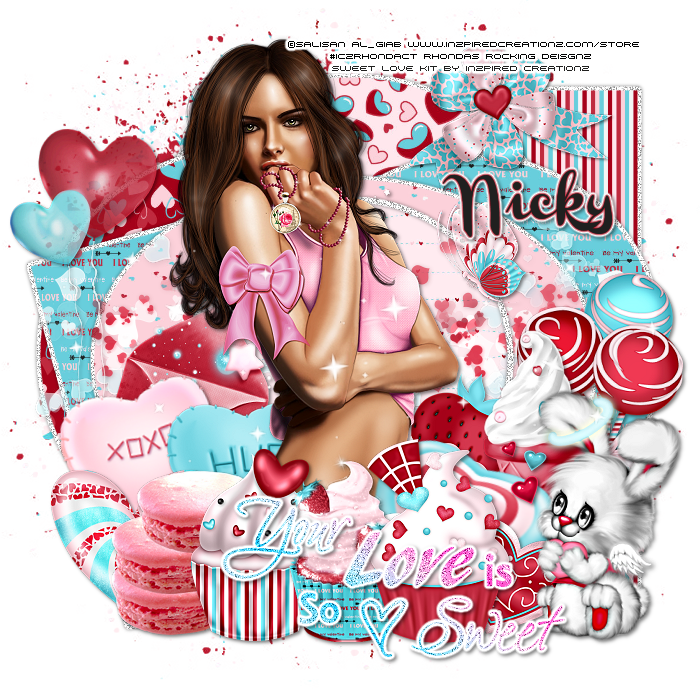
This tutorial is written for those with knowledge of PSP
Supplies Needed:
Tube of choice: I'm using the wonderful art work of Selisan Al_Gaib
You can purchase this tube at ICZ Store HERE
PTU Scrap Kit by Nicky from Inzpired Creationz called "Sweet Love"
You an purchase this awesome kit from her store HERE
Template #133 by Addictive Templates HERE
Word art by Blame Beaches Tutorials HERE
Mask of choice
Don't forget to leave a thank you when downloading
Ok Lets get Started:
Open template - Shift D to duplicate then close out original
Resize template all layers 86%
Canvas size 700x700
Delete copyright, word art and layer 9
Click on layer 7 selections,select all, float,defloat
paste a paper of choice from the kit - I used paper20
selection invert delete
select none delete the original
add border with noise
Click on layer 6 selections,select all, float,defloat
paste a paper of choice from the kit - I used paper17
selection invert delete
select none delete the original
add border with noise
Click on layer 2 selections,select all, float,defloat
paste a paper of choice from the kit - I used paper19
selection invert delete
select none delete the original
add border with noise
Click on layer 4 selections,select all, float,defloat
paste a paper of choice from the kit - I used paper16
selection invert delete
select none delete the original
add border with noise
Click on layer 8 selections,select all, float,defloat
paste a paper of choice from the kit - I used paper19
selection invert delete
select none delete the original
add border with noise
Click on layer 1 selections,select all, float,defloat
paste a paper of choice from the kit - I used paper6
selection invert delete
select none delete the original
add border with noise
Click on layer 15 selections,select all, float,defloat
paste a paper of choice from the kit - I used paper2
selection invert delete
select none delete the original
Add noise to circle
Place your main tube
Now add any other elements of choice
I used the following:
Balloons 1
Bow 3
Bunny 1
Butterfly 1
Candies 3
Candy Heart 1&2
Candy 2
Cookies 1&2
Cupcake 1,2&3
Hearts 1&2
Ice Cream 1
Letter 1
Lollis 1
Sparkles 3
Strawberry 1
Merge your layers
Open paper of choice and apply mask
Place your name where you like it
Add the Copyright and your License Number for the tube
Resize to your liking and save as PNG
This tutorial was created on March 20,2015 by Rhonda
Any resemblance to another Tag or Tutorial is purely coincidental
Sunday, March 15, 2015

This tutorial is written for those with knowledge of PSP
Supplies Needed:
Tube of choice: I'm using the wonderful art work of Tony Tzanoukakis
You can find this artist work at his store HERE
PTU Scrap Kit by Jen from Sweet Temptations called "Clover"
You can purchase this kit from one of her stores HERE
Template by Rachel HERE
Mask #1 by Rosie HERE
Don't forget to leave a thank you when downloading
Ok Lets get Started:
Open template - Shift D to duplicate then close out original
Resize template all layers
Canvas size 700x700
Delete copyright
Click on circle selections,select all, float,defloat
paste a paper of choice from the kit - I used paper6
selection invert delete
select none delete the original
add border with noise
Click on rec 1 selections,select all, float,defloat
paste a paper of choice from the kit - I used paper10
selection invert delete
select none delete the original
add border with noise
Click on rect 2 selections,select all, float,defloat
paste a paper of choice from the kit - I used paper4
selection invert delete
select none delete the original
add border with noise
Click on small rectangles selections,select all, float,defloat
paste a solid color or gradient
selection invert delete
select none delete the original
apply blinds effect
Click on dotted circle selections,select all, float,defloat
paste a solid color
selection invert delete
select none delete the original
Place your main tube
Xero Radiance with settings of choice
Now time to add our elements
I used the following:
Bear
Cake
Calendar
Hat n Coins
Leprachaun
Pot of Gold 1
Ribbon 2
Spray
Swirl
Whiskey Barrel
Wreath
Merge your layers
Open paper 8 & apply mask
Place your name where you like it
Add the Copyright and your License Number for the tube
Resize to your liking and save as PNG
This tutorial was created on March 15,2015 by Rhonda
Any resemblance to another Tag or Tutorial is purely coincidental
Saturday, March 14, 2015
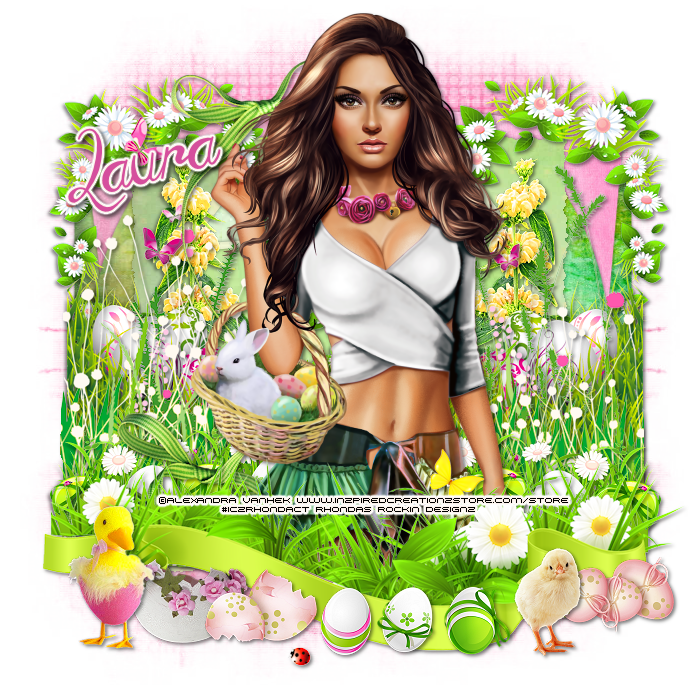
This tutorial is written for those with knowledge of PSP
Supplies Needed:
Tube of choice: Im using the wonderful art work of Alexandra Vanhek
You must obtain a license to use this art at ICZ Store HERE
PTU Scrapkit by Tina Turtle Designs called "Spring Bunnies"
You can purchase this kit at ICZ Store HERE
Template #264 by BeckyP's Creations HERE
Mask of choice
Ok Lets get Started:
Open template - Shift D to duplicate then close out original
Increase canvas 700x700
Delete copyright,trim lines & center frame trim
Click on big rectangle selections,select all, float,defloat
paste a paper of choice from the kit - I used paper4
selection invert delete
select none delete the original
Click on left & right rectangles selections,select all, float,defloat
paste a paper of choice from the kit - I used paper28
selection invert delete
select none delete the original
Click on raster 12 selections,select all, float,defloat
paste a paper of choice from the kit - I used paper25
selection invert delete
select none delete the original
Click on center square selections,select all, float,defloat
paste a paper of choice from the kit - I used paper6
selection invert delete
select none delete the original
Click on frame fill selections,select all, float,defloat
paste a paper of choice from the kit - I used paper8
selection invert delete
select none delete the original
Click on center frame selections,select all, float,defloat
paste a paper of choice from the kit - I used paper5
selection invert delete
select none delete the original
Click on left & right frame fill selections,select all, float,defloat
paste a paper of choice from the kit - I used paper26
selection invert delete
select none delete the original
Click on left & right frame selections,select all, float,defloat
paste a paper of choice from the kit - I used paper9
selection invert delete
select none delete the original
Place your main tube
Now time to add our elements
I used the following:
Elements 7
Elements 8
Elements 9
Elements 64
Elements 65
Elements 68
Elements 82
Elements 84
Elements 86
Elements 95
Elements 113
Elements 119
Elements 120
Merge your layers
Open paper of choice and apply mask
Place your name where you like it
Add the Copyright and your License Number for the tube
Resize to your liking and save as PNG
This tutorial was created on March 14,2015 by Rhonda
Any resemblance to another Tag or Tutorial is purely coincidental
Monday, March 9, 2015
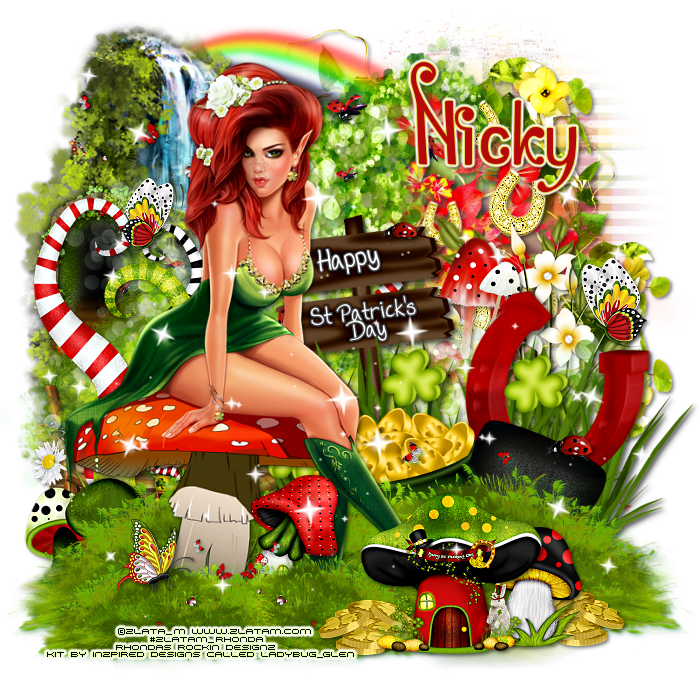
This tutorial is written for those with knowledge of PSP
Supplies Needed:
Tube of choice: I'
You must obtain a license to use this art HERE
PTU Scrapkit by Nicky from Inzpired Creationz called "Ladybug_Glen"
You can purchase this kit at her store HERE
Mask of choice
Ok Lets get Started:
This is a very quick and easy tutorial
Add any elements you want from the kit
I used:
Basket 1
Butterfly 1&2
Cluster 1&2
Coins 2
Doodle 3
Flowers 2,3&4
Grass 1&3
Horseshoes 1
Ladybug 2
Mushroom House 172
Mushroom 3
Mushrooms 1
Rainbow 1
Sparkles 1
Tree 2
Waterfall 1
Merge layers
Open paper of choice and apply mask
Place your name where you like it
Add the Copyright and your License Number for the tube
Resize to your liking and save as PNG
This tutorial was created on March 9,2015 by Rhonda
Any resemblance to another Tag or Tutorial is purely coincidental
Thursday, March 5, 2015

This tutorial is written for those with knowledge of PSP
Supplies Needed:
Tube of choice: Im using the wonderful art work of Salisan Al_Giab
You must obtain a license to use this art at ICZ Store HERE
FTU Scrapkit by Nicky from Inzpired Creationz called "Irish Pub"
To get this freebie you MUST register at the store
You can purchase this kit at her store HERE
Ok Lets get Started:
This is a very quick and easy tutorial
Open frame 1 from kit & place as a new layer
Grab the magic wand and click inside frame
Selections modify expand by 9
Open paper 1 from kit and paste as new layer
Selections invert delete
Move paper under frame
I duplicated the frame several times to get the effect I wanted
Place main tube to right of tag
Add any other elements you want from the kit
I used:
Bear 1
Bow Mini 1
Coins 1
Elf 1
Grass 1
Harp 1
Irish Pub 1
Irish Whiskey 1
Scattered Clovers 2&3
Shamrock 1
Place your name where you like it
Add the Copyright and your License Number for the tube
Resize to your liking and save as PNG
This tutorial was created on March 5,2015 by Rhonda
Any resemblance to another Tag or Tutorial is purely coincidental
Monday, March 2, 2015

This tutorial is written for those with knowledge of PSP
Supplies Needed:
Tube of choice: I'm using the wonderful art work of Kajenna
You can purchase this tube at Inzpired Creationz Store HERE
PTU Scrap Kit by Irish Princess Designs from Inzpired Creationz Store called "Roses and Clover"
You an purchase this awesome kit from the store HERE
Mask of choice
Ok Lets get Started:
Open blank 700x700 canvas
Open frame & place in center of canvas
Click inside frame with magic wand
Selections modify expand by 10
Add new layer under frame
Select all
Open paper 2 and paste into selection
Select none
Place your main tube in center
Now time to add our elements
I used the following:
Beer
Bow 1
Coins
Cuppy
Dove
Grass
Harps & Clovers
Hat
Horseshoe
Rose
Sparkles
Vine
Whiskey
Merge your layers
Open paper of choice and apply mask
Place your name where you like it
Add the Copyright and your License Number for the tube
Resize to your liking and save as PNG
This tutorial was created on March 2,2015 by Rhonda
Any resemblance to another Tag or Tutorial is purely coincidental
Saturday, February 28, 2015

This tutorial is written for those with knowledge of PSP
Supplies Needed:
Tube of choice: Im using the wonderful art work of Selisan Al_Gaib
You must obtain a license to use her art at ICZ Store HERE
You can purchase this kit HERE
Mask of choice
Ok Lets get Started:
This is a very quick and easy tutorial
Open blank 700x700 canvas
Open frame 4 & paste as a new layer
Click inside each circle of the frame
Modify by 2 and add papers from kit
Place tube to center
Add any other elements yo want from the kit
I used:
Element 4
Element 18
Element 22
Element 23
Element 32
Element 33
Element 37
Element 41
Element 44
Element 45
Element 57
Element 67
Element 80
Element 82
Element 83
Element 95
Element 96
Place your name where you like it
Add the Copyright and your License Number for the tube
Resize to your liking and save as PNG
This tutorial was created on Feburary 28,2015 by Rhonda
Any resemblance to another Tag or Tutorial is purely coincidental
Thursday, February 26, 2015

This tutorial is written for those with knowledge of PSP
Supplies Needed:
Tube of choice: Im using the wonderful art work of Denis Prenzel
You must obtain a license to use this art at Inzpired Creationz Store HERE
PTU Scrapkit by Nicky from Inzpired Creationz called "Simplicity"
You can purchase this kit at her store HERE
Mask of choice
Ok Lets get Started:
This is a very quick and easy tutroial
Open blank canvas 700x700
Open frame 1 from kit & place as a new layer
Grab the magic wand and click inside frame
Selections modify expand by 9
Open paper 5 from kit and paste as new layer
Selections invert delete
Move paper under frame
Place main tube to left of tag
Add any other elements yo want from the kit
I used:
Butterflies 2
Flowers 1
Leaves 1
Mask 1
Paper 1
Ribbon 2
Roses 1,2&3
Sparkles 1
Tab 1
Violin 1
Window 1
Merge layers
Open paper of choice and apply mask
Place your name where you like it
Add the Copyright and your License Number for the tube
Resize to your liking and save as PNG
This tutorial was created on Feburary 26,2015 by Rhonda
Any resemblance to another Tag or Tutorial is purely coincidental
Monday, February 23, 2015

This tutorial is written for those with knowledge of PSP
Supplies Needed:
Tube of choice: Im using the wonderful art work of Kajenna
You can purchase this tube at Inzpired Creationz Store HERE
PTU Scrap Kit by Niquis Designs from Inzpired Creationz Store called "Lucky Me"
Template by Tina from Misfits blog HERE
Mask #1 by Rocked by Rachel HERE
Don't forget to leave a thank you when downloading
Plugins Used:
Xero Fritillary
Photo Effex Scanlines
Ok Lets get Started:
Open template - Shift D to duplicate then close out original
Increase canvas size 700x700
I deleted copyright
Click on right & left half selections,select all, float,defloat
paste a paper of choice from the kit - I used paper5
selection invert delete
select none delete the original
Click on dotted circles selections,select all, float,defloat
paste a paper of choice from the kit - I used paper11
selection invert delete
select none delete the original
Click on circle selections,select all, float,defloat
paste a paper of choice from the kit - I used paper8
selection invert delete
select none delete the original
Click on left square selections,select all, float,defloat
paste a paper of choice from the kit - I used paper12
selection invert delete
select none delete the original
add close-up of tube inside square
apply PhotoEffex Scanlines
Repeat same above instructions for right square
Click on frames selections,select all, float,defloat
paste a paper of choice from the kit - I used paper4
selection invert delete
select none delete the original
add noise with settings of choice
Click on square selections,select all, float,defloat
paste a paper of choice from the kit - I used paper10
selection invert delete
select none delete the original
apply Xero Fritillary with settings of choice
Place your main tube in the center
Now add any other elements of choice
I used the following:
Element 9
Element 10
Element 21
Element 23
Element 26
Element 27
Element 30
Element 38
Element 43
Element 56
Element 58
Merge your layers
Open paper of choice and apply mask
Place your name where you like it
Add the Copyright and your License Number for the tube
Resize to your liking and save as PNG
This tutorial was created on Feburary 21,2015 by Rhonda
Any resemblance to another Tag or Tutorial is purely coincidental

This tutorial is written for those with knowledge of PSP
Supplies Needed:
Tube of choice: Im using the wonderful art work of Maryline Cazenave
You must obtain a license to use this art at CDO HERE
PTU Scrapkit by Nicky from Inzpired Creationz called "Puppy Love"
You can purchase this kit at her store HERE
Mask of choice
Ok Lets get Started:
This is a very quick and easy tutorial
Open frame 2 from kit & place as a new layer
Grab the magic wand and click inside frame
Selections modify expand by 9
Open paper 15 from kit and paste as new layer
Selections invert delete
Move paper under frame
Place main tube to right of tag
Add any other elements yo want from the kit
I used:
Bow 2
Candies 1
Candy Kisses 1,2&3
Cherry Blossom 1
Cupcake 1&3
Doodle 3
Gift 1
Gifts 1
Letter 1
Merge layers
Open paper of choice and apply mask
Place your name where you like it
Add the Copyright and your License Number for the tube
Resize to your liking and save as PNG
This tutorial was created on Feburary 23,2015 by Rhonda
Any resemblance to another Tag or Tutorial is purely coincidental

Saturday, February 21, 2015
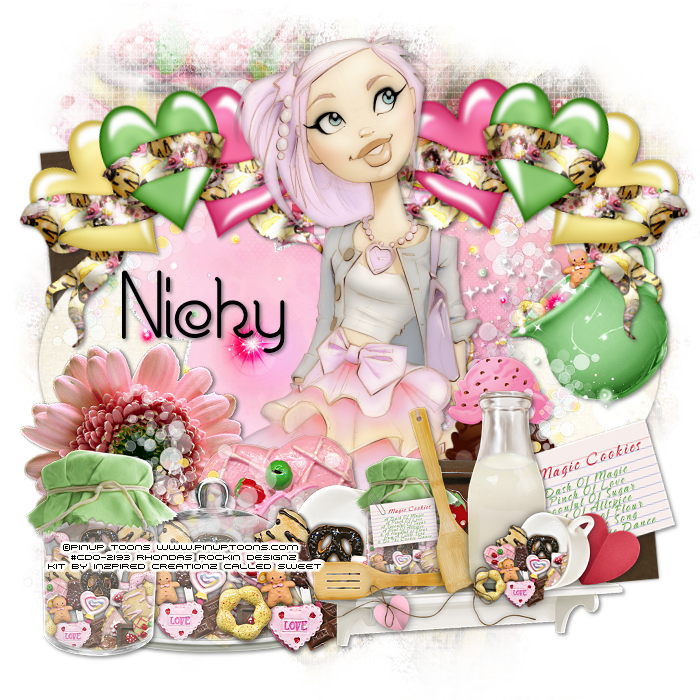
This tutorial is written for those with knowledge of PSP
Supplies Needed:
Tube of choice: Im using the wonderful art work of Pinup Toons
You must obtain a license to use this art HERE
PTU Scrapkit by Nicky from Inzpired Creationz called "Sweet"
You can purchase this kit at her store HERE
Template #319 by Toxic Desires HERE
Mask of choice
Ok Lets get Started:
Open template - Shift D to duplicate then close out original
Resize template 86% all layers
Canvas size 700x700
Delete copyright, rasters 8&9
Click on raster 7 & copy of 7 selections,select all, float,defloat
paste a paper of choice from the kit - I used paper13
selection invert delete
select none delete the original
Click on raster 6 & copy of 6 selections,select all, float,defloat
paste a paper of choice from the kit - I used paper8
selection invert delete
select none delete the original
Click on raster 5 & copy of 5 selections,select all, float,defloat
paste a paper of choice from the kit - I used paper14
selection invert delete
select none delete the original
Click on raster 4 & copy of 4 selections,select all, float,defloat
paste a paper of choice from the kit - I used paper17
selection invert delete
select none delete the original
Click on raster 3 & copy of 3 selections,select all, float,defloat
paste a paper of choice from the kit - I used paper7
selection invert delete
select none delete the original
Click on raster 2 selections,select all, float,defloat
paste a paper of choice from the kit - I used paper11
selection invert delete
select none delete the original
Place your main tube
Xero porcelin with settings of choice
Now add any other elements of choice
I used the following:
Candypot 1
Chocolate 2
Cookie 12
Cup 1
Doodle 2
IceCream 3
Mason Jar 1
Platter 1
Recipe Card 1
Shelf 1
Sparkles 1
Merge your layers
Open paper of choice and apply mask
Place your name where you like it
Add the Copyright and your License Number for the tube
Resize to your liking and save as PNG
This tutorial was created on Feburary 20,2015 by Rhonda
Any resemblance to another Tag or Tutorial is purely coincidental
Subscribe to:
Posts
(Atom)
Grab My Blinkie

I CT For



Blogs I Visit
























