Showing posts with label Inzpired Creationz. Show all posts
Showing posts with label Inzpired Creationz. Show all posts
Sunday, January 10, 2021

This tutorial is written for those with knowledge of PSP
Supplies Needed:
Tube of choice: I'm using the wonderful art work of Eskada
Tube purchased from PFD HERE
FTU Scrapkit from Inzpired Creationz called Sweet Steampunk
Nicky has retired but permission given to use her kits in my tutorials
You ARE NOT allowed to share or upload this kit to any other site
Kit can ONLY be used for this tutorial
Download HERE
Mask by ieZombie Graphics HERE
Let's get started:
Open 700x700 canvas
Place tube of choice to canvas
Use any elements from kit to complete tag
I used the following:
Antiseptic
Bling 2
Bow 2
Button 3
Camera
Clock 2
Cog 3&4
Flower 1
Flowers 3
Frame 4
Luggage
Ribbon 2
Roses 3&4
Sparkles 3
Merge your layers
Open paper of choice & apply mask
Place your name where you like it
Add the Copyright and your License Number for the tube
Resize to your liking and save as PNG
This tutorial was created on January 10,2021 by Rhonda
Any resemblance to another Tag or Tutorial is purely coincidental
Thursday, October 29, 2020

This tutorial is written for those with knowledge of PSP
Supplies Needed:
Tube of choice: I'm using the wonderful art work of Popeye Wong
FTU tube called "Smooth and Cold" which can be downloaded HERE
FTU kit by Inzpired Creationz.Nicky has given me permission to use kits in my tutorials
Do not share this kit PLEASE. Download HERE
Mask of choice
Ok Lets get Started:
Open blank canvas 700x700
Place your tube to center
Add elements around your tube
Here are the ones I used:
Bird 1
Frame 1
Frame Circles
Grunge Smears 1,2&3
Heart 1
Motorcycle
Snake 2
Sparkles 2
Merge your layers
Open paper of choice & apply mask
Place your name where you like it
Add the Copyright and your License Number for the tube
Resize to your liking and save as PNG
This tutorial was created on October 29,2020 by Rhonda
Any resemblance to another Tag or Tutorial is purely coincidental
Friday, August 21, 2020

This tutorial is written for those with knowledge of PSP
Supplies Needed:
Tube of choice: I'm using the wonderful work of Misticheskanya
You can purchase her tubes from PFD HERE
FTU kit from Inzpired Creationz called "Enchanted Dreams"
Nicky isn't creating kits and this time and blog has been removed
She has given me permission to continue using her kits in tutorials
This kit CAN NOT be uploaded to any other site
You can download kit HERE
Mask of choice
This is a very simple and easy tut
Just place your elements where you want them
Resize if needed
Ok Lets get Started:
Open blank canvas 700x700
Open frame 2 and place in center of canvas
Click inside frame with magic wand and expand by 15
Add new layer under frame and paste paper of choice into selected
Deselect
Place your tube where you desire
Add elements around the tube
Here are the ones I used:
Clouds 1
Flower 3
Moon 2
Owl
Pillows
Sparkle 2
Word Art 2
Merge your layers
Open paper of choice and apply mask
Place your name where you like it
Add the Copyright and your License Number for the tube
Resize to your liking and save as PNG
This tutorial was created on August 21,2020 by Rhonda
Any resemblance to another Tag or Tutorial is purely coincidental
Friday, September 8, 2017


Saturday, April 16, 2016
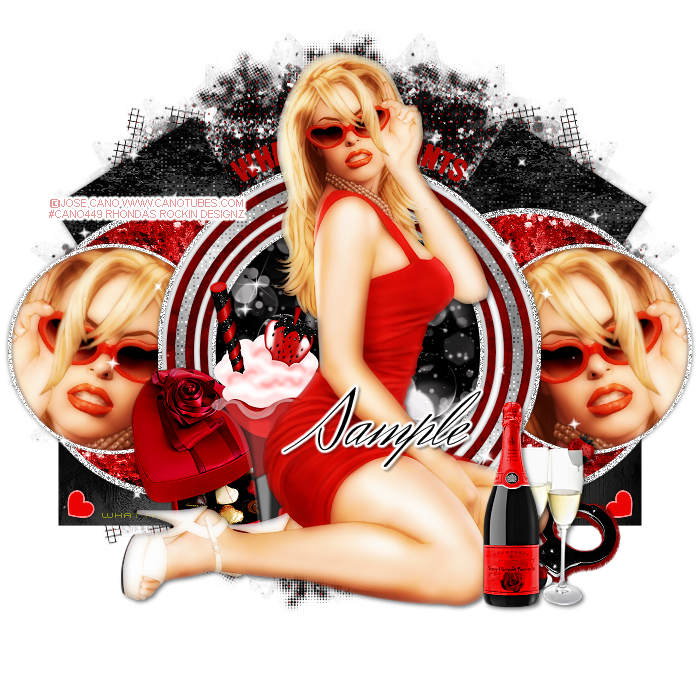
This tutorial is written for those with knowledge of PSP
Supplies Needed:
Tube of choice: I'm using the wonderful art work of Jose Cano
You must obtain a license to use his art HERE
Scrapkit by Nicky called Seduce Me.
Her kits are not available for download so use any kit you have
Template by Punky Butts HERE
Mask of choice
Don't forget to leave a thank you when downloading
Ok Lets get Started:
Open template - Shift D to duplicate then close out original
Canvas size 700x675
Deleted copyright
Click on left & right square selections,select all, float,defloat
paste a paper of choice from the kit - I used paper
selection invert delete
select none delete the original
apply Xero Fritillary with settings of choice
Click on left & right rectangle selections,select all, float,defloat
paste a paper of choice from the kit - I used paper12
selection invert delete
select none delete the original
Click on left & right large circle frame selections,select all, float,defloat
I used a gradient to fill
selection invert delete
select none delete the original
Click on left & right large circle selections,select all, float,defloat
paste a paper of choice from the kit - I used paper7
selection invert delete
select none delete the original
Click on left & right small circle selections,select all, float,defloat
paste a close-up of tube in each circle
selection invert delete
select none delete the original
apply Xero Radiance and Porcelin
Click on large white circle selections,select all, float,defloat
I used gradient again to fill
selection invert delete
select none delete the original
Click on center circle selections,select all, float,defloat
paste a paper of choice from the kit - I used paper2
selection invert delete
select none delete the original
Click on center pink frame selections,select all, float,defloat
paste a paper of choice from the kit - I used paper6
selection invert delete
select none delete the original
Click on center cyan frame selections,select all, float,defloat
I used a gradient and applied Xero Fritillary
selection invert delete
select none delete the original
Click on center cyam frame2 selections,select all, float,defloat
flood fill with white and apply noise with settings of choice
selection invert delete
select none delete the original
Colorize word art and hearts to your liking
Place your tube in center
Xero Radiance with settings of choice
Now time to add our elements
I used the following:
Merge your layers
Open paper of choice & apply mask
Place your name where you like it
Add the Copyright and your License Number for the tube
Resize to your liking and save as PNG
This tutorial was created on April 11,2016 by Rhonda
Any resemblance to another Tag or Tutorial is purely coincidental
Thursday, April 16, 2015
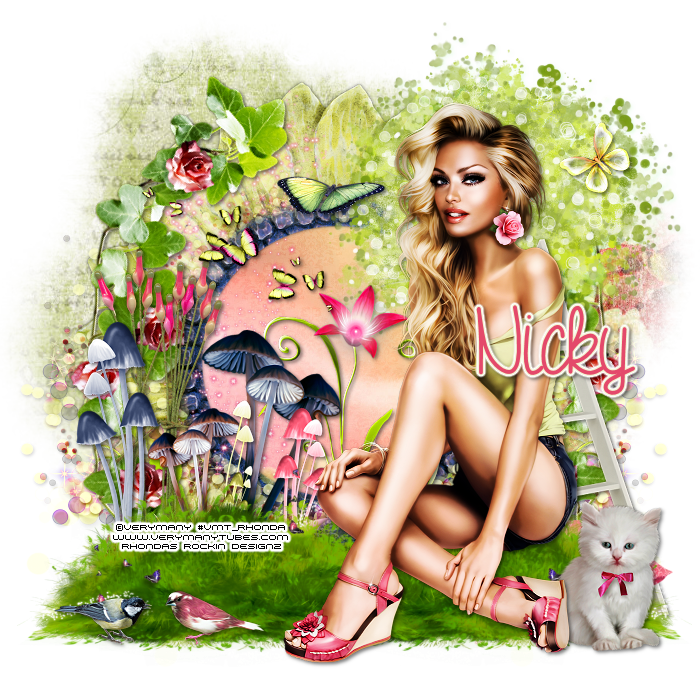
This tutorial is written for those with knowledge of PSP
Supplies Needed:
Tube of choice: Im using the wonderful art work of VeryMany
You must obtain a license to use this art HERE
PTU Scrapkit by Nicky from Inzpired Creationz called "Lilly's Garden"
You can purchase this kit at her store HERE
Mask of choice
Ok lets get started:
This is a very quick and easy tutorial
Open blank 700x700 canvas
Open frame 2 & paste as a new layer
Click inside frame with magic wand
Selections modify expand by 10
Open paper 5 from kit and paste as new layer
Selections invert delete
Move paper under frame
Place your tube where you want it and build around it
Add any other elements you want from the kit
I used:
Bird 1&2
Branch
Butterfly 1&2
Butterflies 3
Doddle 1
Flowers 1
Grass 3
Kitten
Ladder
Mushrooms 1&3
Pillows
Sparkles 3
Tree
Wax Stems 2&3
Merge layers
Open paper 1 & apply mask
Place your name where you like it
Add the Copyright and your License Number for the tube
Resize to your liking and save as PNG
This tutorial was created on April 16,2015 by Rhonda
Any resemblance to another Tag or Tutorial is purely coincidental
Wednesday, April 15, 2015

This tutorial is written for those with knowledge of PSP
Supplies Needed:
Tube of choice: Im using the wonderful art work of Alehandra Vanhek
You can purchase these tubes at ICZ Store HERE
PTU Scrap Kit by Nicky from Inzpired Creationz called "Midnight Atlantis"
You an purchase this awesome kit from ICZ Store HERE
Template #281 by Missy HERE
Mask of choice
Ok lets get started:
Open template - Shift D to duplicate then close out original
Canvas 700x700
Delete copyright, stars & word art
Click on oval selections,select all, float,defloat
paste a paper of choice from the kit - I used paper5
selection invert delete
select none delete the original
Click on circle selections,select all, float,defloat
paste a paper of choice from the kit - I used paper12
selection invert delete
select none delete the original
Click on shape selections,select all, float,defloat
paste a paper of choice from the kit - I used paper7
selection invert delete
select none delete the original
decrease opacity to 30%
Place your main tube
Now add any other elements of choice
I used the following:
Anchor
Bow 2
Coral
Fish 1&2
Flower 1&2
Flowers 1,2&3
Jellyfish 2
Pelican
Pillar
Plant 2
Rock
Sea Flower
Shell 6,7,8&9
Splash 2
Sponges
Star Fish 1,3&4
Treasure Chest
Merge your layers
Open paper 13 and apply mask
Place your name where you like it
Add the Copyright and your License Number for the tube
Resize to your liking and save as PNG
This tutorial was created on April 15, 2015 by Rhonda
Any resemblance to another Tag or Tutorial is purely coincidental
Saturday, April 11, 2015

This tutorial is written for those with knowledge of PSP
Supplies Needed:
Tube of choice: Im using the wonderful art work of Salisan Al_Gaib
You can purchase these tubes at ICZ Store HERE
PTU Scrap Kit by Nicky from Inzpired Creationz called "Glam Girl"
You an purchase this awesome kit from ICZ Store HERE
Mask of choice
Ok lets get started:
Open blank canvas 700x700
Open frame 2 & place in center
Click inside with magic wand
Selections modify expand by 10
Open new layer under frame
Open paper 1 and paste into selections
Place your main tube
Now add any other elements of choice
I used the following:
Balloons
Bow 2
Cookies 1
Cupcake 1&2
Diary Pen 1
Diary 1
Flower Cluster 1
Flower Cluster 3
Flower 1&2
Flowers 1&2
Perfume 3
Rose 1&2
Scattered Hearts 1&3
Tulle 2
Merge your layers
Open paper 9 and apply mask
Place your name where you like it
Add the Copyright and your License Number for the tube
Resize to your liking and save as PNG
This tutorial was created on April 11,2015 by Rhonda
Any resemblance to another Tag or Tutorial is purely coincidental

Thursday, April 2, 2015

This tutorial is written for those with knowledge of PSP
Supplies Needed:
Tube of choice: Im using the wonderful art work of Kajenna
You can purchase these tubes at ICZ Store HERE
PTU Scrap Kit by Nicky from Inzpired Creationz called "Sassie's Garden"
You an purchase this awesome kit from ICZ Store HERE
Template #4 by TwyztedT's Playroom HERE
Mask #32 by Brutal Designs HERE
Ok Lets get Started:
Open template - Shift D to duplicate then close out original
Image resize 86% all layers
Canvas 700x700
Delete copyright,dotted lines,hearts,wordart and shadowed layers
Click on raster 5 selections,select all, float,defloat
paste a paper of choice from the kit - I used paper1
selection invert delete
select none delete the original
Click on raster 6 selections,select all, float,defloat
paste a paper of choice from the kit - I used paper3
selection invert delete
select none delete the original
Click on raster 7 selections,select all, float,defloat
paste a paper of choice from the kit - I used paper6
selection invert delete
select none delete the original
Click on raster 2 & copy of 2 selections,select all, float,defloat
paste a paper of choice from the kit - I used paper8
selection invert delete
select none delete the original
Click on circle2 selections,select all, float,defloat
paste a paper of choice from the kit - I used paper4
selection invert delete
select none delete the original
Place your main tube
Now add any other elements of choice
I used the following:
Butterflies 1
Butterfly 1,273
Clouds 1
Flower Branch 1
Flower Pot 1
Flower 2,3,9&10
Flowers 1&2
Grass 1&2
Leaves 2
Sign 1
Sparkles 2
Water Can 1
Wheel Barrel 1
Wheel 1
Merge your layers
Open paper 9 and apply mask
Place your name where you like it
Add the Copyright and your License Number for the tube
Resize to your liking and save as PNG
This tutorial was created on April 2, 2015 by Rhonda
Any resemblance to another Tag or Tutorial is purely coincidental
Friday, March 20, 2015
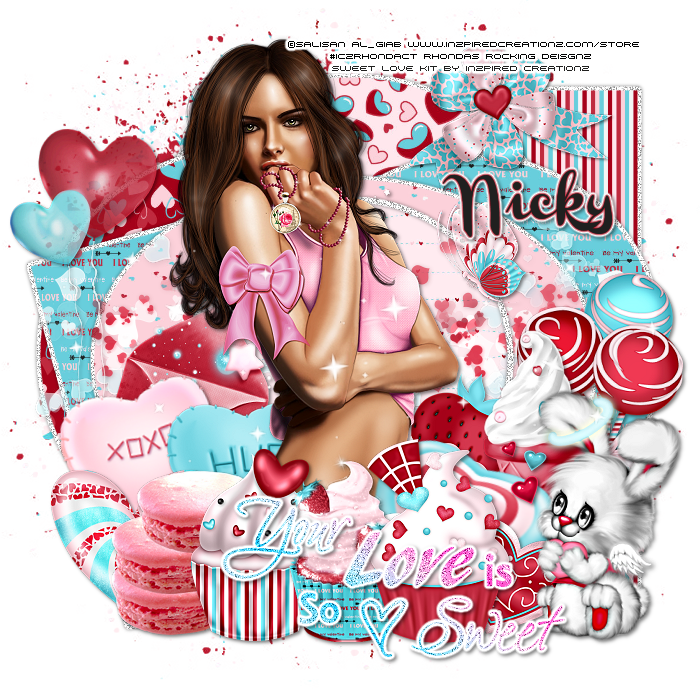
This tutorial is written for those with knowledge of PSP
Supplies Needed:
Tube of choice: I'm using the wonderful art work of Selisan Al_Gaib
You can purchase this tube at ICZ Store HERE
PTU Scrap Kit by Nicky from Inzpired Creationz called "Sweet Love"
You an purchase this awesome kit from her store HERE
Template #133 by Addictive Templates HERE
Word art by Blame Beaches Tutorials HERE
Mask of choice
Don't forget to leave a thank you when downloading
Ok Lets get Started:
Open template - Shift D to duplicate then close out original
Resize template all layers 86%
Canvas size 700x700
Delete copyright, word art and layer 9
Click on layer 7 selections,select all, float,defloat
paste a paper of choice from the kit - I used paper20
selection invert delete
select none delete the original
add border with noise
Click on layer 6 selections,select all, float,defloat
paste a paper of choice from the kit - I used paper17
selection invert delete
select none delete the original
add border with noise
Click on layer 2 selections,select all, float,defloat
paste a paper of choice from the kit - I used paper19
selection invert delete
select none delete the original
add border with noise
Click on layer 4 selections,select all, float,defloat
paste a paper of choice from the kit - I used paper16
selection invert delete
select none delete the original
add border with noise
Click on layer 8 selections,select all, float,defloat
paste a paper of choice from the kit - I used paper19
selection invert delete
select none delete the original
add border with noise
Click on layer 1 selections,select all, float,defloat
paste a paper of choice from the kit - I used paper6
selection invert delete
select none delete the original
add border with noise
Click on layer 15 selections,select all, float,defloat
paste a paper of choice from the kit - I used paper2
selection invert delete
select none delete the original
Add noise to circle
Place your main tube
Now add any other elements of choice
I used the following:
Balloons 1
Bow 3
Bunny 1
Butterfly 1
Candies 3
Candy Heart 1&2
Candy 2
Cookies 1&2
Cupcake 1,2&3
Hearts 1&2
Ice Cream 1
Letter 1
Lollis 1
Sparkles 3
Strawberry 1
Merge your layers
Open paper of choice and apply mask
Place your name where you like it
Add the Copyright and your License Number for the tube
Resize to your liking and save as PNG
This tutorial was created on March 20,2015 by Rhonda
Any resemblance to another Tag or Tutorial is purely coincidental
Monday, March 9, 2015
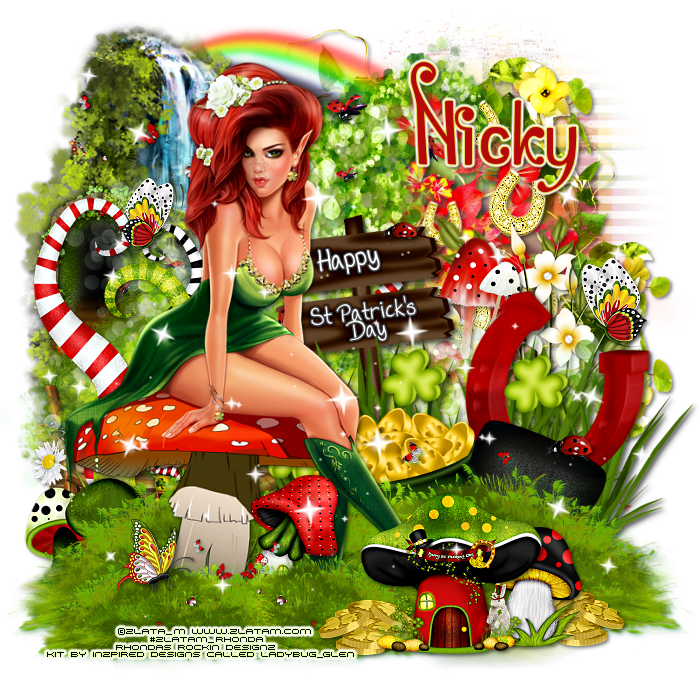
This tutorial is written for those with knowledge of PSP
Supplies Needed:
Tube of choice: I'
You must obtain a license to use this art HERE
PTU Scrapkit by Nicky from Inzpired Creationz called "Ladybug_Glen"
You can purchase this kit at her store HERE
Mask of choice
Ok Lets get Started:
This is a very quick and easy tutorial
Add any elements you want from the kit
I used:
Basket 1
Butterfly 1&2
Cluster 1&2
Coins 2
Doodle 3
Flowers 2,3&4
Grass 1&3
Horseshoes 1
Ladybug 2
Mushroom House 172
Mushroom 3
Mushrooms 1
Rainbow 1
Sparkles 1
Tree 2
Waterfall 1
Merge layers
Open paper of choice and apply mask
Place your name where you like it
Add the Copyright and your License Number for the tube
Resize to your liking and save as PNG
This tutorial was created on March 9,2015 by Rhonda
Any resemblance to another Tag or Tutorial is purely coincidental
Friday, March 6, 2015
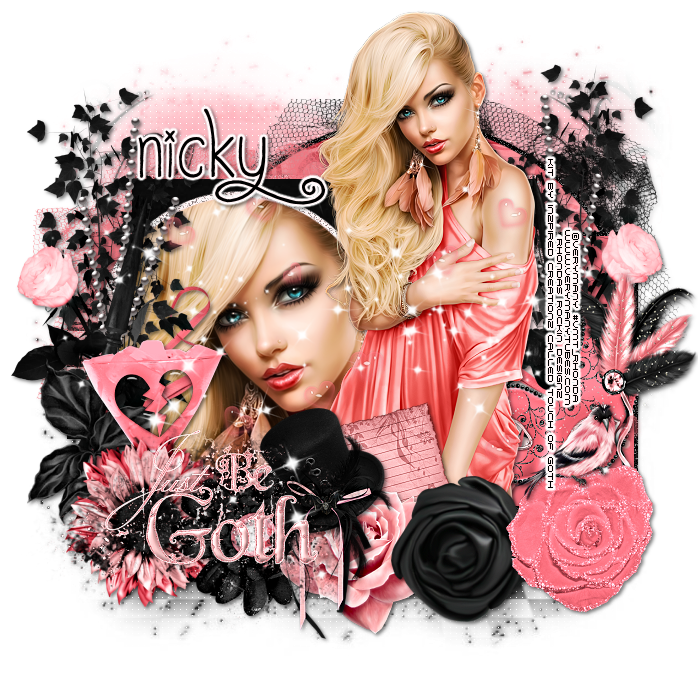
This tutorial is written for those with knowledge of PSP
Supplies Needed:
Tube of choice: Im using the wonderful art work of VeryMany
You can purchase their tubes HERE
PTU Scrap Kit by Nicky from Inzpired Creationz called "Touch of Goth"
You an purchase this awesome kit from her store HERE
Template by Rawkin Designs HERE
Mask 1 by Melissa HERE
Don't forget to leave a thank you when downloading
Plugins Used:
Xero Radiance
Eyecandy Gradient Glow
Ok Lets get Started:
Open template - Shift D to duplicate then close out original
Canvas size 700x700
delete copyright & all boxes at bottom
Click on large circle selections,select all, float,defloat
paste a paper of choice from the kit - I used paper6
selection invert delete
select none delete the original
add border with noise
Click on black rectangle selections,select all, float,defloat
paste a paper of choice from the kit - I used paper11
selection invert delete
select none delete the original
Click on light pink rectangle selections,select all, float,defloat
paste a paper of choice from the kit - I used paper1
selection invert delete
select none delete the original
Click on black stripes selections,select all, float,defloat
paste a paper of choice from the kit - I used paper7
selection invert delete
select none delete the original
Click on dark pink stripes selections,select all, float,defloat
paste a paper of choice from the kit - I used paper8
selection invert delete
select none delete the original
Click on dark pink rectangle selections,select all, float,defloat
paste a paper of choice from the kit - I used paper5
selection invert delete
select none delete the original
Click on noised circles selections,select all, float,defloat
paste a paper of choice from the kit - I used paper8
selection invert delete
select none delete the original
add noise
Click on small circles selections,select all, float,defloat
paste a paper of choice from the kit - I used paper8
selection invert delete
select none delete the original
add close up of tube to far left
apply Xero Radiance with settings of choice
Place your main tube
Xero Radiance with settings of choice
Now add any other elements of choice
Bird
Cluster 1
Cocktail
Flower 2&3
Hat
Leaves 1
Mask
Notepaper
Rose 1,2&3
Scattered Hearts
Sparkle
Tulle 1&2
WA 1
Merge your layers
Open paper 3 & apply mask
Place your name where you like it
Add the Copyright and your License Number for the tube
Resize to your liking and save as PNG
This tutorial was created on March 6,2015 by Rhonda
Any resemblance to another Tag or Tutorial is purely coincidental
Thursday, March 5, 2015

This tutorial is written for those with knowledge of PSP
Supplies Needed:
Tube of choice: Im using the wonderful art work of Salisan Al_Giab
You must obtain a license to use this art at ICZ Store HERE
FTU Scrapkit by Nicky from Inzpired Creationz called "Irish Pub"
To get this freebie you MUST register at the store
You can purchase this kit at her store HERE
Ok Lets get Started:
This is a very quick and easy tutorial
Open frame 1 from kit & place as a new layer
Grab the magic wand and click inside frame
Selections modify expand by 9
Open paper 1 from kit and paste as new layer
Selections invert delete
Move paper under frame
I duplicated the frame several times to get the effect I wanted
Place main tube to right of tag
Add any other elements you want from the kit
I used:
Bear 1
Bow Mini 1
Coins 1
Elf 1
Grass 1
Harp 1
Irish Pub 1
Irish Whiskey 1
Scattered Clovers 2&3
Shamrock 1
Place your name where you like it
Add the Copyright and your License Number for the tube
Resize to your liking and save as PNG
This tutorial was created on March 5,2015 by Rhonda
Any resemblance to another Tag or Tutorial is purely coincidental
Thursday, February 26, 2015

This tutorial is written for those with knowledge of PSP
Supplies Needed:
Tube of choice: Im using the wonderful art work of Denis Prenzel
You must obtain a license to use this art at Inzpired Creationz Store HERE
PTU Scrapkit by Nicky from Inzpired Creationz called "Simplicity"
You can purchase this kit at her store HERE
Mask of choice
Ok Lets get Started:
This is a very quick and easy tutroial
Open blank canvas 700x700
Open frame 1 from kit & place as a new layer
Grab the magic wand and click inside frame
Selections modify expand by 9
Open paper 5 from kit and paste as new layer
Selections invert delete
Move paper under frame
Place main tube to left of tag
Add any other elements yo want from the kit
I used:
Butterflies 2
Flowers 1
Leaves 1
Mask 1
Paper 1
Ribbon 2
Roses 1,2&3
Sparkles 1
Tab 1
Violin 1
Window 1
Merge layers
Open paper of choice and apply mask
Place your name where you like it
Add the Copyright and your License Number for the tube
Resize to your liking and save as PNG
This tutorial was created on Feburary 26,2015 by Rhonda
Any resemblance to another Tag or Tutorial is purely coincidental
Monday, February 23, 2015

This tutorial is written for those with knowledge of PSP
Supplies Needed:
Tube of choice: Im using the wonderful art work of Maryline Cazenave
You must obtain a license to use this art at CDO HERE
PTU Scrapkit by Nicky from Inzpired Creationz called "Puppy Love"
You can purchase this kit at her store HERE
Mask of choice
Ok Lets get Started:
This is a very quick and easy tutorial
Open frame 2 from kit & place as a new layer
Grab the magic wand and click inside frame
Selections modify expand by 9
Open paper 15 from kit and paste as new layer
Selections invert delete
Move paper under frame
Place main tube to right of tag
Add any other elements yo want from the kit
I used:
Bow 2
Candies 1
Candy Kisses 1,2&3
Cherry Blossom 1
Cupcake 1&3
Doodle 3
Gift 1
Gifts 1
Letter 1
Merge layers
Open paper of choice and apply mask
Place your name where you like it
Add the Copyright and your License Number for the tube
Resize to your liking and save as PNG
This tutorial was created on Feburary 23,2015 by Rhonda
Any resemblance to another Tag or Tutorial is purely coincidental

Saturday, February 21, 2015
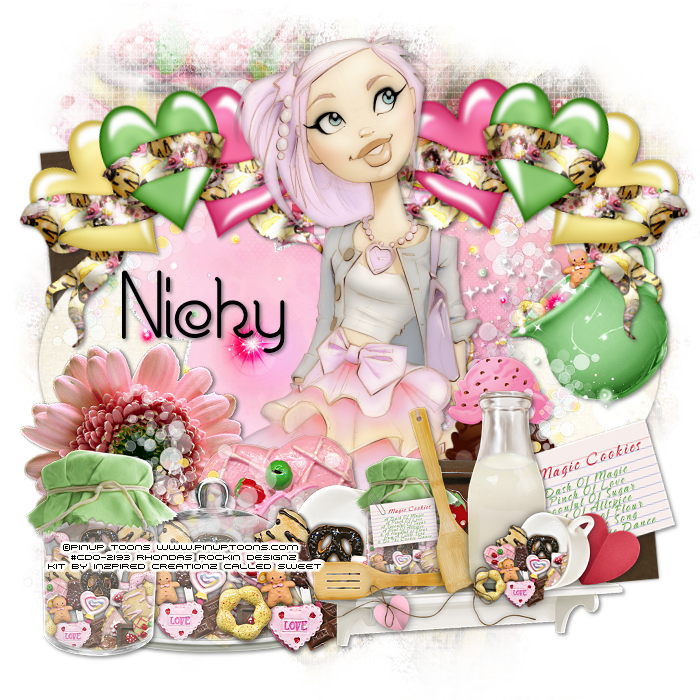
This tutorial is written for those with knowledge of PSP
Supplies Needed:
Tube of choice: Im using the wonderful art work of Pinup Toons
You must obtain a license to use this art HERE
PTU Scrapkit by Nicky from Inzpired Creationz called "Sweet"
You can purchase this kit at her store HERE
Template #319 by Toxic Desires HERE
Mask of choice
Ok Lets get Started:
Open template - Shift D to duplicate then close out original
Resize template 86% all layers
Canvas size 700x700
Delete copyright, rasters 8&9
Click on raster 7 & copy of 7 selections,select all, float,defloat
paste a paper of choice from the kit - I used paper13
selection invert delete
select none delete the original
Click on raster 6 & copy of 6 selections,select all, float,defloat
paste a paper of choice from the kit - I used paper8
selection invert delete
select none delete the original
Click on raster 5 & copy of 5 selections,select all, float,defloat
paste a paper of choice from the kit - I used paper14
selection invert delete
select none delete the original
Click on raster 4 & copy of 4 selections,select all, float,defloat
paste a paper of choice from the kit - I used paper17
selection invert delete
select none delete the original
Click on raster 3 & copy of 3 selections,select all, float,defloat
paste a paper of choice from the kit - I used paper7
selection invert delete
select none delete the original
Click on raster 2 selections,select all, float,defloat
paste a paper of choice from the kit - I used paper11
selection invert delete
select none delete the original
Place your main tube
Xero porcelin with settings of choice
Now add any other elements of choice
I used the following:
Candypot 1
Chocolate 2
Cookie 12
Cup 1
Doodle 2
IceCream 3
Mason Jar 1
Platter 1
Recipe Card 1
Shelf 1
Sparkles 1
Merge your layers
Open paper of choice and apply mask
Place your name where you like it
Add the Copyright and your License Number for the tube
Resize to your liking and save as PNG
This tutorial was created on Feburary 20,2015 by Rhonda
Any resemblance to another Tag or Tutorial is purely coincidental
Saturday, February 14, 2015
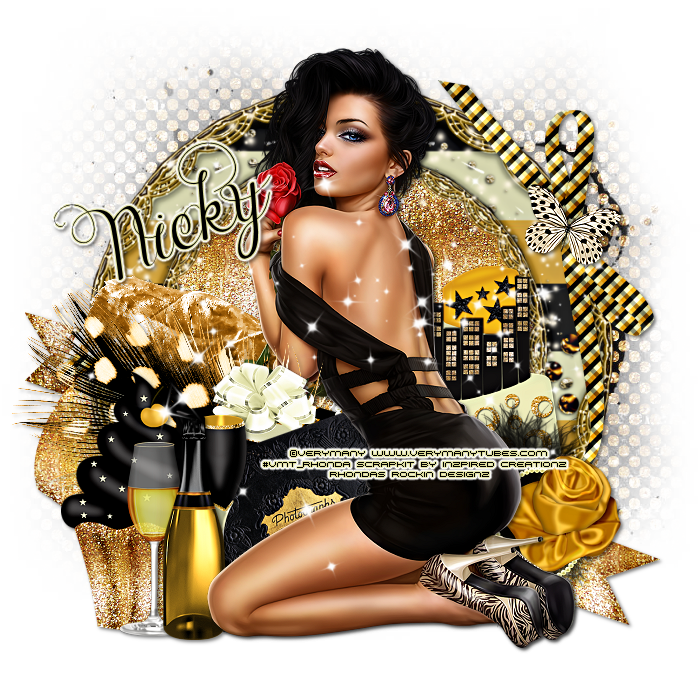
This tutorial is written for those with knowledge of PSP
Supplies Needed:
Tube of choice: Im using the wonderful art work of VeryMany
You must obtain a license to use their art HERE
PTU Scrapkit by Nicky from Inzpired Creationz called "Glitz"
You can purchase this kit at her store HERE
Mask of choice
Ok Lets get Started:
This is a very quick and easy tutorial
Open blank 700x700 canvas
Open frame 3 & paste as a new layer
Grab the freehand tool and draw around frame
Open paper 3 from kit and paste as new layer
Selections invert delete
Move paper under frame
Place tube to right of frame
Add any other elements yo want from the kit
I used:
Bow 3
Butterfly 1
Cake 1
Champagne Bottle 1
Champagne 1
Cupcake 2
Feather 2
Fireworks 3
Gift 1
Glass 1
Photo Album
Ribbon 3
Rose 2
Sparkles 3
Merge layers
Open paper 11 and apply mask of choice
Place your name where you like it
Add the Copyright and your License Number for the tube
Resize to your liking and save as PNG
This tutorial was created on Feburary 14,2015 by Rhonda
Any resemblance to another Tag or Tutorial is purely coincidental
Monday, February 9, 2015
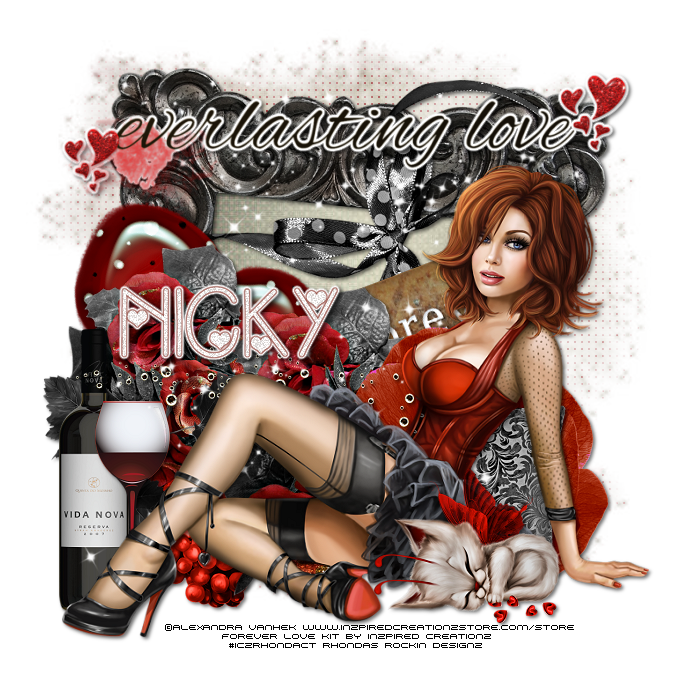
This tutorial is written for those with knowledge of PSP
Supplies Needed:
Tube of choice: I'm using the wonderful art work of Alexandra Vanhek
You must obtain a license to use this art HERE
PTU Scrapkit by Nicky from Inzpired Creationz called "Forever Love"
You can purchase this kit at her store HERE
Mask of choice
Ok Lets get Started:
This is a very quick and easy tutorial
Open blank 700x700 canvas
Open frame 4 & paste as a new layer
Grab the magik wand and click inside frame
Selections modify expand by 10
Open paper 4 from kit and paste as new layer
Selections invert delete
Move paper under frame
Place tube to right of frame
Add any other elements you want from the kit
I used:
Bling 1
Flower 3
Grapes 1
Heart 4
Kitty 1
Pillow 1
Ribbon 2
Roses 1
Sparkles 2
Tag 1
Wine Glass 1
Wine 1
Wordart 5
Place your name where you like it
Add the Copyright and your License Number for the tube
Resize to your liking and save as PNG
This tutorial was created on Feburary 7,2015 by Rhonda
Any resemblance to another Tag or Tutorial is purely coincidental
Monday, February 2, 2015
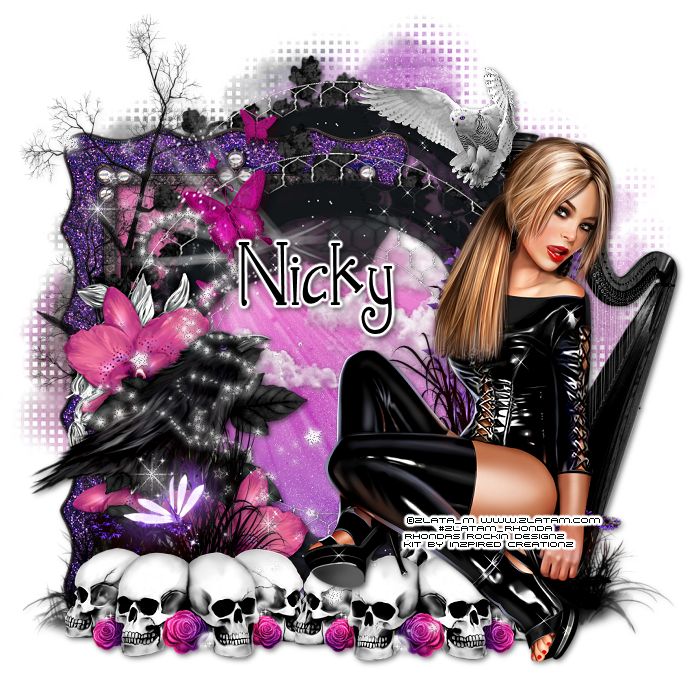
This tutorial is written for those with knowledge of PSP
Supplies Needed:
Tube of choice: Im using the wonderful art work of Zlata_M
You must obtain a license to use her art HERE
PTU Scrapkit by Nicky from Inzpired Creationz called "Enchanted Moonlight"
You can purchase this kit at her store HERE
Mask of choice
Ok Lets get Started:
This is a very quick and easy tutorial
Open blank 700x700 canvas
Open frame 1 & paste as a new layer
Grab the freehand tool and draw around frame
Open paper 7 from kit and paste as new layer
Selections invert delete
Move paper under frame
Open frame 2 &paste as new layer behind other frame
Click inside frame with magik wand
Selections modify expand 12
Open paper 6 and paste as new layer
Selections invert delete
Move paper under frame
Place tube to right of frame
Add any other elements yo want from the kit
I used:
Butterflies 1
Clouds 1
Grass 1
Harp 1
Owl 3
Skulls
Sparkles 1
Tree 2
Place your name where you like it
Add the Copyright and your License Number for the tube
Resize to your liking and save as PNG
This tutorial was created on January 31,2015 by Rhonda
Any resemblance to another Tag or Tutorial is purely coincidental
Thursday, July 3, 2014

This tutorial is written for those with knowledge of PSP
Supplies Needed:
Tube of choice: I'm using the wonderful art work of Elias Chatzoudis
This tube was purchased at MPT which has closed
You must obtain a license to use his art HERE
PTU Scrap Kit from Inzpired Creationz called "Lovely"
You an purchase this awesome kit at Pimp My Tags With Scraps HERE
Template #288 from Millie HERE
Mask of choice
Xero Radiance
Open template - Shift D to duplicate then close out original
Resize 90% all layers
Canvas size 700x700
delete copyright & layers 8,9,10&11
paste a paper of choice from the kit - I used paper11
selection invert delete
select none delete the original
paste a paper of choice from the kit - I used paper14
selection invert delete
select none delete the original
paste a paper of choice from the kit - I used paper3
selection invert delete
select none delete the original
paste a paper of choice from the kit - I used paper13
selection invert delete
select none delete the original
paste a paper of choice from the kit - I used paper6
selection invert delete
select none delete the original
paste a paper of choice from the kit - I used paper4
selection invert delete
select none delete the original
Xero Radiance with settings of choice
I used the following:
Button & Bow 1
Candies 1
Candle
Cupcake
Flower
Gift 1,2&3
Hearts 1
Rose 3
Sparkles 2
Add paper of choice and apply mask
Add the Copyright and your License Number for the tube
Resize to your liking and save as PNG
This tutorial was created on July 3,2014 by Rhonda
Any resemblance to another Tag or Tutorial is purely coincidental

Subscribe to:
Posts
(Atom)
Grab My Blinkie

I CT For



Blogs I Visit
























