Showing posts with label CC Excluisve. Show all posts
Showing posts with label CC Excluisve. Show all posts
Monday, March 3, 2014

This tutorial is an exclusive at Creative Chick Forum

Monday, November 25, 2013
Saturday, October 12, 2013

Sunday, September 15, 2013

Supplies Needed:
Tube of choice: Im using the wonderful art work of Celinart Pinups
You can purchase these tubes at SATC HERE
FTU Scrap Kit by MistyLynn found at our blog HERE
FTU Cluster frame that matches kit from Kim L's Creations HERE
Mask #218 by Gems HERE
Don't forget to leave a thank you when downloading
Xero Radiance
Open cluster frame - Shift D to duplicate then close out original
Canvas size 702x700
Grab freehand tool and draw around frame
Open paper 7 and place as new layer
Selections invert delete
Move paper under frame
Place tube in front of frame
Apply Xero radiance with settings of choice
I used the following:
Cupcake 1&2
Drink 2
Flower 3
Music Note Heart
Headphone
Sparkles 1&3
Open paper 5 & apply mask
Add the Copyright and your License Number for the tube
Resize to your liking and save as PNG
This tutorial was created on September 15,2013 by Rhonda
Any resemblance to another Tag or Tutorial is purely coincidental

Monday, September 9, 2013
Sunday, August 18, 2013

Supplies Needed:
No artist tube used
FTU Exclusive Scrap Kit by Jen from Sweets Temptations
You can download this awesome kit HERE
Template# 3 from Melissa which can be downloaded HERE
Exclusive mask from Vesta which can be downloaded HERE
Don't forget to leave a thank you when downloading
Open template - Shift D to duplicate then close out original
deleted copyright & dotted lines
we will working from the bottom up
paste a paper of choice from the kit - I used paper1
selection invert delete
select none delete the original
add solid color of choice
add noise with settings of choice
selection invert delete
select none delete the original
paste a paper of choice from the kit - I used paper7
selection invert delete
select none delete the original
add a new layer and flood fill with white
add noise with settings of choice
selection invert delete
select none delete the original
add a new layer and flood fill with solid color
add noise with settings of choice
selection invert delete
select none delete the original
Add noise to the stars layer
I used the following:
Bats
Books
Candy Pumpkin
Coffin
Cupcake
Ghost
Both Grims
Haunted House
Kitty
owl
Tree 2
Winged Skull
Add mask of choice
Resize to your liking and save as PNG
This tutorial was created on October 19,2012 by Rhonda
Any resemblance to another Tag or Tutorial is purely coincidental
Thursday, August 8, 2013

Supplies Needed:
Tube of choice: Im using the wonderful art work of The Hunter
This tube is an exclusive for The Creative Chicks Forum
You can purchase this artists work at SATC HERE
Exclusive Scrap Kit by Magik for The Creative Chick Forum HERE
Exclusive Template by Melissa for The Creative Chicks HERE
The kit & template are from the July 2013 monthly challange
Don't forget to leave a thank you when downloading
If you are not already a member of our forum we would love to have you join
You can find our home HERE
Xero Radiance
PhotoEffex Scanlines
Eyecandy 4000 Gradient Glow
Open template - Shift D to duplicate then close out original
Delete copyright,music notes,dotted circle & star
paste a paper of choice from the kit - I used paper3
selection invert delete
select none delete the original
open paper 13 & paste into selections
select none
open paper 8 & paste into selections
select none
open paper 14 & paste into selections
select none
paste closeup of tube you are using inside frame
selection invert delete
select none delete the original
apply Xero Radiance with setting of choice
apply PhotoEffex with settings of choice
paste a paper of choice from the kit - I used paper4
selection invert delete
select none delete the original
add noise with settings of choice
Add Xero Radiance with settings of choice
I used the following:
Cassette
Cupcake
Flower 3
Guitar
Keys
Mirror Ball
MP3 Player
Music Doodle
Sparkles
Speakers
Rainbow
Vinyl
Add the Copyright and your License Number for the tube
Resize to your liking and save as PNG
This tutorial was created on August 8,2013 by Rhonda
Any resemblance to another Tag or Tutorial is purely coincidental
Monday, April 15, 2013

This tutorial is written for those with knowledge of PSP
Supplies Needed:
Tube of choice: Im using the wonderful art work of Elias Chatzoudis
This is an exclusive tube to The Creative Chicks
Which you can find at The CC forum HERE
Scrap Kit By Kristin from Toxic Desirez called "Chicks Rock"
This kit is also an exclusive to The Creative Chicks
You an find this awesome kit also at the forum HERE
Template #99 by Kimberly of Scraps Rebellion HERE
Don't forget to leave a thank you when downloading these goodies
Plugins Used:
Xero Radiance
Ok Lets get Started:
Open template - Shift D to duplicate then close out original
Delete copyright
paste a paper of choice from the kit - I used paper6
selection invert delete
selections modify expand by 3
drop down a layer and add new layer
flood fill with gradient of choice
add noise with settings of choice
select none delete the original
repeat above steps
place closeup of tube you are using
Xero Radiance with settings of choice
selection invert delete
selections modify expand by 3
drop down a layer and add new layer
flood fill with gradient of choice
add noise with settings of choice
select none delete the original
repeat above steps
add new layer and add a light pink color
Effects - texture - blinds with settings of choice
select none delete the original
Click on copy of raster 3
repeat above steps
add new layer and flood fill with black
Xero Fritillary with settings of choice
select none delete the original
repeat above steps
paste a paper of choice from the kit - I used paper19
selection invert delete
select none delete the original
Xero Radinace with settings of choice
I used the following:
Brad 1&2
Guitar 2
Radio
Teddy Bear
VIP tag
Add the Copyright and your License Number for the tube
Resize to your liking and save as PNG
This tutorial was created on June 14,2012 by Rhonda
Any resemblance to another Tag or Tutorial is purely coincidental

This tutorial is written for those with knowledge of PSP
Supplies Needed:
Tube of choice: Im using the wonderful art work of Arthur Crowe
This is an exlusive tube and and can only be found at CC forum HERE]
FTU Scrap Kit By Kittz Kreationz called "Flirty"
You can this awesome kit HERE
Template #14 by Sylly Creationz HERE
Plugins Used:
Xero Radiance
Ok Lets get Started:
Open template - Shift D to duplicate then close out original
Canvas size 700x675
Delete copyright, large pink circle & large dotted circle
paste a paper of choice from the kit - I used paper7
selection invert delete
select none delete the original
paste a paper of choice from the kit - I used paper3
selection invert delete
select none delete the original
add new layer and flood fill with #CE0C8P
add noise with settings of choice
select none delete the original
paste a paper of choice from the kit - I used paper9
selection invert delete
select none delete the original
add new layer and flood fill with gradient of choice
Effects-texture-blinds with settings of choice
select none delete the original
I moved the rectangle layer to fit my tube
I used the following:
F-08
F-29
F-33
F-45
F-51
F-52
F-56
Add the Copyright and your License Number for the tube
Resize to your liking and save as PNG
This tutorial was created on June 16,2012 by Rhonda
Any resemblance to another Tag or Tutorial is purely coincidental

Supplies Needed:
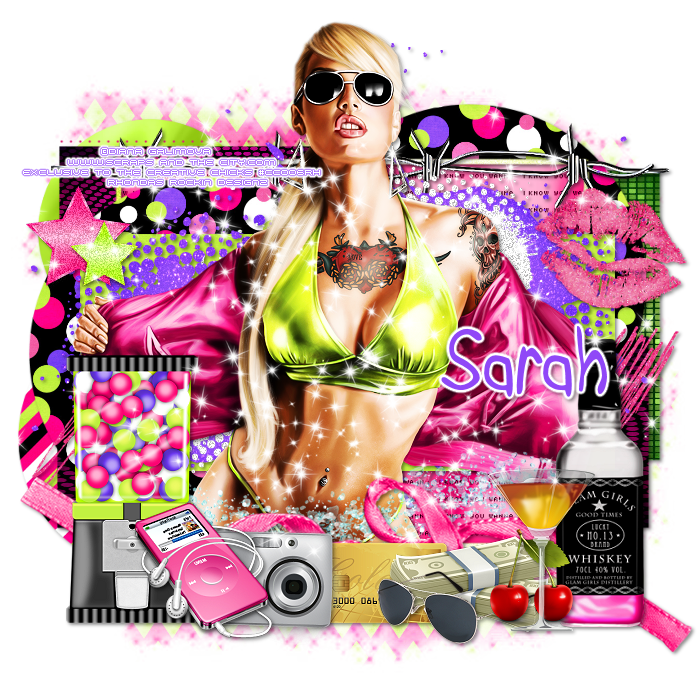
Tube of choice: Im using the wonderful art work of Elias Chatzoudis
You can purchase this tube at Elias Art Shop HERE
FTU Scrap Kit by Joanne
You an download this awesome kit at The CC blog HERE
Ain't No Drama template from MizAngel HERE
Don't forget to leave a thank you when downloading
Plugins Used:
Xero Radiance
Open template - Shift D to duplicate then close out original
Canvas size 700x700
Delete the copyright
leave all shadow layers as they are
paste a paper of choice from the kit - I used paper12
selection invert delete
select none delete the original
paste a paper of choice from the kit - I used paper10
selection invert delete
select none delete the original
Open element 39 - resize 75% - place in the circle
paste a paper of choice from the kit - I used paper8
selection invert delete
select none delete the original
paste a paper of choice from the kit - I used paper6
selection invert delete
select none delete the original
paste a paper of choice from the kit - I used paper9
selection invert delete
select none delete the original
Apply Xero Fritillary with settings of choice
paste a paper of choice from the kit - I used paper8
selection invert delete
select none delete the original
add noise with settings of choice
add new layer and flood fill with #F6006B
add blinds effect with settings of choice
select none delete the original
add new layer and flood fill with #BDFF06
select none delete the original
add weave effect with color of choice
select none delete the original
add new layer and flood fill with #00CCF0
add noise with settings of choice
select none delete the original
add weave effect with color of choice
select none delete the original
add new layer and flood fill with #F6006B
add blinds effect with settings of choice
select none delete the original
add new layer and flood fill with #BDFF06
select none delete the original
add new layer and flood fill with #00CCF0
add noise with settings of choice
select none delete the original
Xero radiance with settings of choice
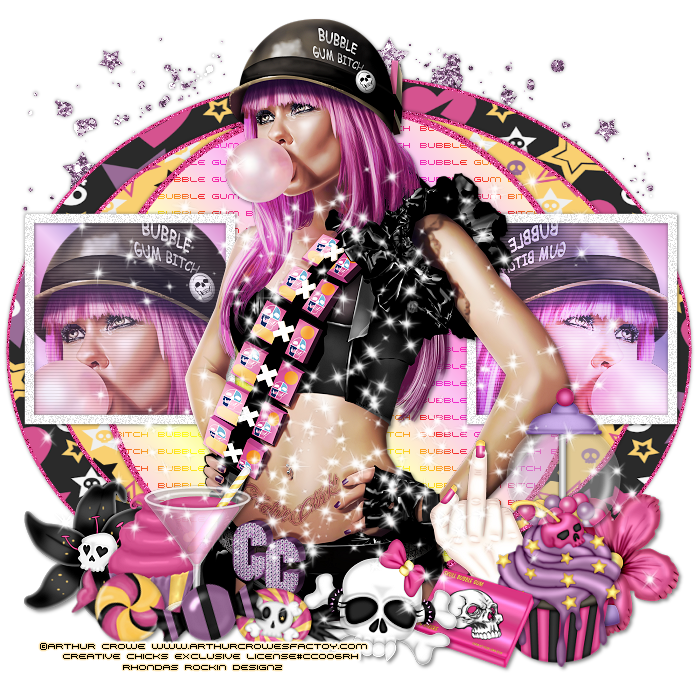
Open element 8 - resize 45% - position above BITCH wordart
Open element 32 - resize 52% - position on bottom left of tag
Open element 40 - resize 27% - position on bottom of tag next to green button
Open element 19 - resize 50% - position to right of tag next to BITCH wordart
Add the Copyright and your License Number for the tube
Resize to your liking and save as PNG
This tutorial was created on September 15,2012 by Rhonda
Any resemblance to another Tag or Tutorial is purely coincidental
Sunday, April 14, 2013

Supplies Needed:
Tube of choice: Im using the wonderful art work Arthur Crowe
This is an exclusive tube for the Creative Chicks
Exclusive Scrapkit by Kristin called "Chicks Rock"
You can purchase this awesome kit & tube at The Creative Chick forum shop
Template #156 by beth from Blissfully Beth HERE
Download link is on the left side
Don't forget to leave a thank you when downloading
Plugins Used:
Xero Radiance
Open template - Shift D to duplicate then close out original
Delete copyright layer
paste a paper of choice from the kit - I used paper6
selection invert delete
select none delete the original
I added a border with noise
paste a paper of choice from the kit - I used paper19
selection invert delete
select none delete the original
paste a paper of choice from the kit - I used paper5
selection invert delete
add noise with settings of choice
select none delete the original
add closeup of tube you are using
selection invert delete
select none
add Xero Radinace with settings of choice
add new layer & flood fill with gradient of choice
selection invert delete
add noise with settings of choice
Add Xero Radiance again
I used the following:
Brad 1
Cupcake
Flame
Guitar 2
Headphones
Notes
Radio
Notes
Soda Can
Teddy Bear
Wordart
Add the Copyright and your License Number for the tube
Resize to your liking and save as PNG
This tutorial was created on October 18, 2012 by Rhonda
Any resemblance to another Tag or Tutorial is purely coincidental

Supplies Needed:
Tube of choice: Im using the wonderful art work of Freya Langford-Sidebottom
This is an exclusive tube to The Creative Chicks
You can find his work HERE
PTU Scrap Kit by Jen from Sweet Temptations called "Hot in Pink"
You an purchase this awesome kit HERE
Template #107 by Millie's from Millies PSP Madness HERE
Don't forget to leave a thank you when downloading
Plugins Used:
Xero Radiance
Open template - Shift D to duplicate then close out original
Resize 90% all layers checked
Canvas size 700x670
delete copyright
paste a paper of choice from the kit - I used paper8
selection invert delete
select none delete the original
paste a paper of choice from the kit - I used paper9
selection invert delete
select none delete the original
add a new layer and flood fill with gradient of choice
select none delete the original
Add blinds effect again
paste a paper of choice from the kit - I used paper7
selection invert delete
select none delete the original
paste a paper of choice from the kit - I used paper7
selection invert delete
select none delete the original
I added a border with noise to the circle
Apply Xero Radiance with settings of choice
add a new layer and flood fill with white
add noise of choice
select none delete the original
Xero Radiance with settings of choice
I used the following:
Balloon 1
Bear
Candle
Cupcake 1&2
Goblet
Heart 1&2
Wine
Add mask of choice
Add the Copyright and your License Number for the tube
Resize to your liking and save as PNG
This tutorial was created on October 30, 2012 by Rhonda
Any resemblance to another Tag or Tutorial is purely coincidental
Supplies Needed:
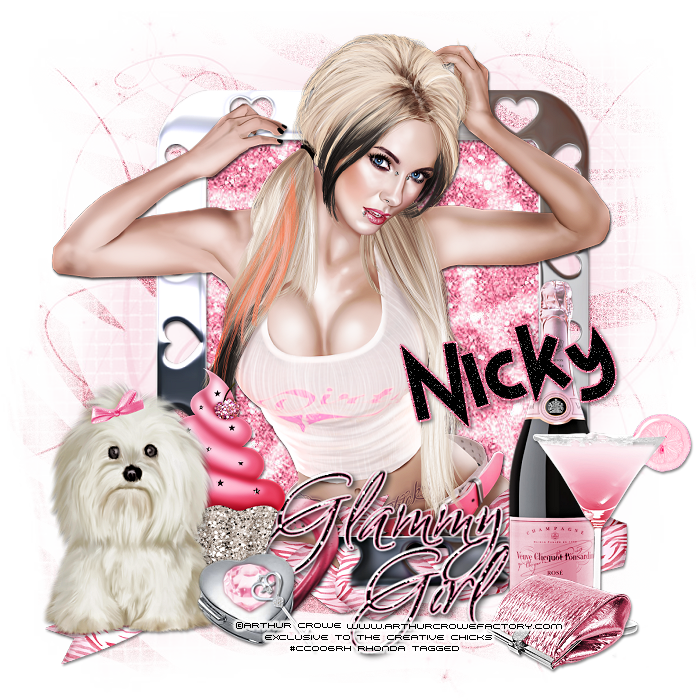
Tube of choice: Im using the wonderful art work of Arthur Crowe
This tube is an exclusive to The Creative Chicks Forum
You can find Crowe's awesome work HERE
PTU Scrapkit by Nicky from Inzpired Creationz called "Glammy Girl"
You can purchase this kit HERE
Mask #7 by Millie from Millie's PSP Madness HERE
Plugins Used:
Xero Radiance
This is a very quick and easy tutorial
Open a blank image 700x700
Open frame 4 from kit and place as a new layer
Grab the freehand selection tool and draw around frame
Paste paper 6 selections invert delete
Move paper under frame
Open tube and place inside frame
Apply Xero Radiance with settings of choice
Now lets add our elements
I used:
Box & Key
Champagne
Clutch
Cocktail 1
Cupcake 2
Doggy 1
Ribbon 3
Open paper 2 and apply mask
Add the Copyright and your License Number for the tube
Resize to your liking and save as PNG
This tutorial was created on November 11,2012 by Rhonda
Any resemblance to another Tag or Tutorial is purely coincidental
Saturday, April 13, 2013

This tutorial is written for those with knowledge of PSP
Supplies Needed:
Tube of choice: Im using the wonderful art work of Arthur Crowe
Which you must obtain a license to use at Arthur Crowe's Factory HERE
Exclusive Scrapkit at the CC Forum "Chicks Skull"
You must be a member at the forum to purchase this kit HERE
Template #156 by Kristin from Toxic Desirez HERE
Don't forget to leave a thank you when downloading
Plugins Used:
Xero Radiance
Xero Fritillary
Toadies Pool Shadow
Photo Effex Scanlines
Open template - Shift D to duplicate then close out original
Canvas size 700x700
delete copyright
paste a paper of choice from the kit - I used paper8
selection invert delete
select none delete the original
paste a paper of choice from the kit - I used paper3
selection invert delete
select none delete the original
add noise
paste a paper of choice from the kit - I used paper16
selection invert delete
select none delete the original
paste a paper of choice from the kit - I used paper1
selection invert delete
select none delete the original
add new layer and flood fill with a gradient
add noise of choice
select none delete the original
add close-up of tube you are using
selection invert delete
select none delete the original
apply Xero Radiance with settings of choice
change blend overlay to Luminance
apply Photo effex Scanlines
paste a paper of choice from the kit - I used paper3
selection invert delete
select none delete the original
paste a paper of choice from the kit - I used paper3
selection invert delete
select none delete the original
paste a paper of choice from the kit - I used paper3
selection invert delete
select none delete the original
apply Scanlines again
apply Toadies Pool Shadow
apply Xero Fritillary
Xero Radiance with settings of choice
I used the following:
Chain
Cupcake 1,2&3
Ribbon
Star
Add the Copyright and your License Number for the tube
Resize to your liking and save as PNG
This tutorial was created on Feburary 2,2013 by Rhonda
Any resemblance to another Tag or Tutorial is purely coincidental
Subscribe to:
Posts
(Atom)
Grab My Blinkie

I CT For



Blogs I Visit
























