Wednesday, April 29, 2015

This tutorial is written for those with knowledge of PSP
Supplies Needed:
Tube of choice: I'm using the wonderful art work of Celinart Pinup
You must obtain a license to use this art at S&Co HERE
PTU Scrap Kit from Ginnibug Designz called "Emo Chick"
You an purchase this awesome kit at S&Co HERE
Template by Cakes Creations HERE
Mask by Rocked by Rachel HERE
Ok lets get started:
Open template - Shift D to duplicate then close out original
Increase canvas to 700x700
Delete copyright
Click on layer 1 selections,select all, float,defloat
paste a paper of choice from the kit - I used paper8
selection invert delete
select none delete the original
add border with noise
Click on layer 2 selections,select all, float,defloat
paste a paper of choice from the kit - I used paper1
selection invert delete
select none delete the original
add border with noise
Click on layer 3 selections,select all, float,defloat
paste a paper of choice from the kit - I used paper16
selection invert delete
select none delete the original
Click on layer 4 selections,select all, float,defloat
paste a paper of choice from the kit - I used paper14
selection invert delete
select none delete the original
Place your main tube
Now time to add our elements
I used the following:
Element 3
Element 7
Element 9
Element 12
Element 17
Element 20
Element 39
Element 43
Element 44
Element 71
Element 79
Element 89
Element 94
Element 98
Element 99
Element 102
Element 110
Element 111
Merge your layers
Open paper 7 & apply mask of choice
Place your name where you like it
Add the Copyright and your License Number for the tube
Resize to your liking and save as PNG
This tutorial was created on April 29,2015 by Rhonda
Sunday, April 26, 2015
This tutorial is written for those with knowledge of PSP
Supplies Needed:
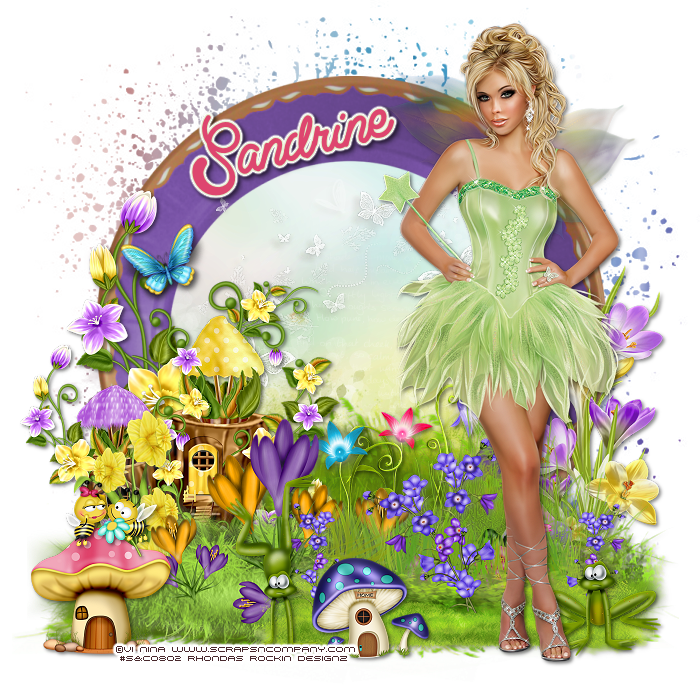
Tube of choice: I'm using the wonderful art work of Vi Nina
You must obtain a license to use this art at S&Co HERE
PTU Scrap Kit from Rebellious Scraps called "Fairy Forest"
You can purchase this awesome kit at S&Co HERE
Mask of choice
Ok lets get started:
This is a very quick and easy tutorial
Open frame 2 & place in center of tag
Grab the magic wand & click inside frame
Selections modify expand by 10
Add new layer under frame
Selections select all
Open paper 6 & paste into selections
Place your main tube
Now time to add our elements
I used the following:
Bees
Butterflies 3
Butterfly 1&2
Fairy House 3
Flowers 2,4.5&8
Frog 1&2
Grass
Grass Elements 1,2,3&4
Mushroom House 1&3
Snail
Merge your layers
Open paper of choice & apply mask
Place your name where you like it
Add the Copyright and your License Number for the tube
Resize to your liking and save as PNG
This tutorial was created on April 26,2015 by Rhonda
Any resemblance to another Tag or Tutorial is purely coincidental
Saturday, April 25, 2015
This tutorial is written for those with knowledge of PSP
Supplies Needed:
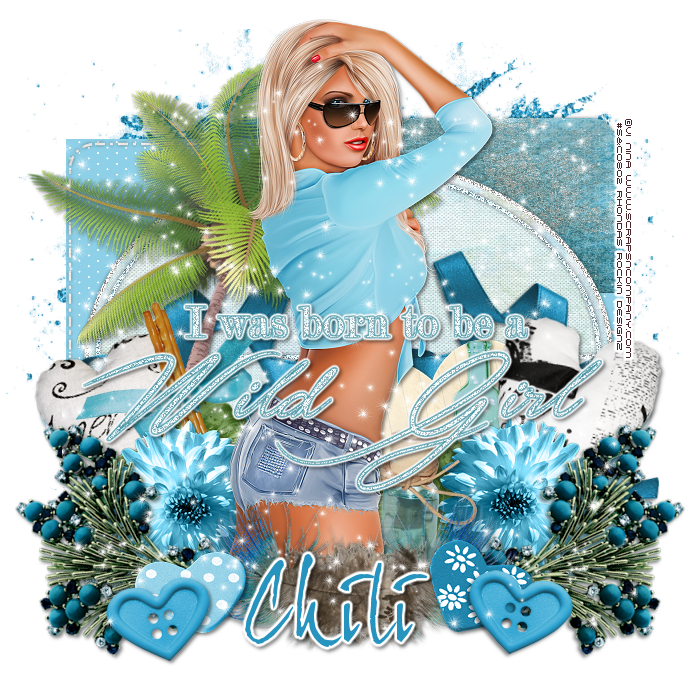
Tube of choice: Im using the wonderful art work of Vi Nina
You must obtain a license to use this art at S&Co HERE
PTU Scrap Kit from Chili Designz called "Blue Temptation"
You can purchase this awesome kit at S&Co HERE
Template #746 by Millie HERE
Ok Lets get Started:
Open template - Shift D to duplicate then close out original
Canvas size 700x700
Delete copyright
Click on raster 1&2 selections,select all, float,defloat
paste a paper of choice from the kit - I used paper3
selection invert delete
select none delete the original
Click on raster 3&5 selections,select all, float,defloat
paste a paper of choice from the kit - I used paper12
selection invert delete
select none delete the original
Click on raster 4&6 selections,select all, float,defloat
paste a paper of choice from the kit - I used paper7
selection invert delete
select none delete the original
Click on raster 7 selections,select all, float,defloat
paste a paper of choice from the kit - I used paper8
selection invert delete
select none delete the original
Click on raster 8 selections,select all, float,defloat
paste a paper of choice from the kit - I used paper11
selection invert delete
select none delete the original
Click on raster 9 selections,select all, float,defloat
paste a paper of choice from the kit - I used paper2
selection invert delete
select none delete the original
Click on raster 10&11 selections,select all, float,defloat
paste a paper of choice from the kit - I used paper1
selection invert delete
select none delete the original
Click on raster 12 selections,select all, float,defloat
paste a paper of choice from the kit - I used paper2
selection invert delete
select none delete the original
Color wordart of your choice and add noise
Place your main tube
Now time to add our elements
I used the following:
Bottle 1&3
Button 3
Deco 2
Feather
Flower 7
Glitter
Heart 1&2
Heart Pillow 1&2
Jewel 2
Leaf
Notepaper
Palm 2
Ribbon 2
Sparkles
Merge your layers
Place your name where you like it
Add the Copyright and your License Number for the tube
Resize to your liking and save as PNG
This tutorial was created on April 25,,2015 by Rhonda
Any resemblance to another Tag or Tutorial is purely coincidental
Friday, April 24, 2015
This tutorial is written for those with knowledge of PSP
Supplies Needed:
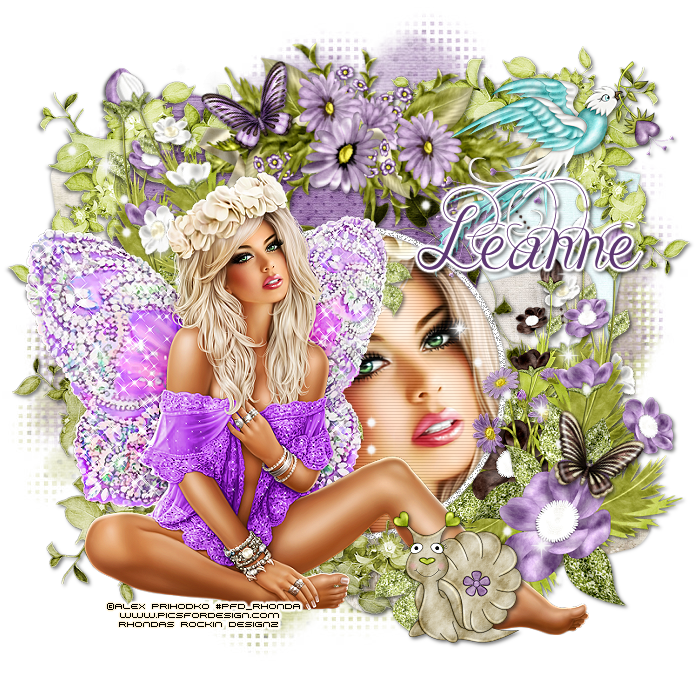
Tube of choice: I'm using the wonderful art work of Alex Prihdoko
You can find these tubes at PFD HERE
PTU Scrap Kit by Icy Blue Mystic Designs "Fairy Frolic"
You can purchase this kit at one of her stores HERE
Template #148 by Tamie HERE
1st template in set
Mask of choice
Ok lets get started:
Open template - Shift D to duplicate then close out original
Resize all layers 85%
Increase canvas to 700x700
Delete copyright, wordart,layers 4&7
Click on raster 10 selections,select all, float,defloat
paste a paper of choice from the kit - I used paper8
selection invert delete
select none delete the original
Click on raster 6 selections,select all, float,defloat
paste a paper of choice from the kit - I used paper9
selection invert delete
select none delete the original
Click on raster 3 selections,select all, float,defloat
paste a paper of choice from the kit - I used paper7
selection invert delete
select none delete the original
Click on raster 18 selections,select all, float,defloat
paste a paper of choice from the kit - I used paper10
selection invert delete
select none delete the original
Click on raster 8 selections,select all, float,defloat
paste a paper of choice from the kit - I used paper1
selection invert delete
select none delete the original
Click on raster 2 selections,select all, float,defloat
paste a paper of choice from the kit - I used paper3
selection invert delete
select none delete the original
Click on raster 1 selections,select all, float,defloat
add close-up of tube
selection invert delete
select none delete the original
Click on raster 5 and add noise
Place your tube
Now time to add our elements
I used the following:
Butterfly 1&2
Cluster Flower 2&5
Cluster Leaf 1&2
Cluster Corner 1,2&4
Daisies 3
Fantasy Bird 1
Leaf 2
Merge layers
Open paper of choice and apply mask
Place your name where you like it
Add the Copyright and your License Number for the tube
Resize to your liking and save as PNG
This tutorial was created on April 25,2015 by Rhonda
Thursday, April 23, 2015
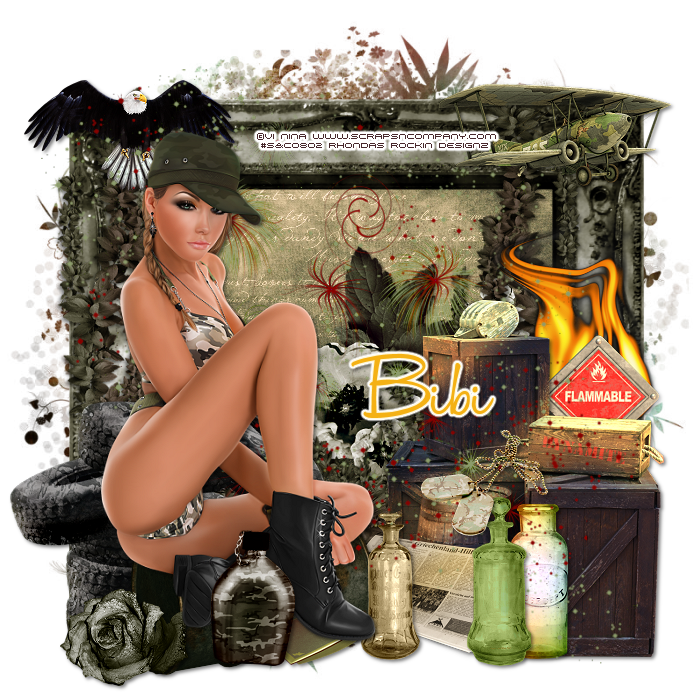
This tutorial is written for those with knowledge of PSP
Supplies Needed:
Tube of choice: I'm using the wonderful art work of Vi Nina
You must obtain a license to use this art at S&Co HERE
Matching PTU Scrap Kit from Bibi called "Soldier"
You can purchase this awesome kit at S&Co HERE
Mask of choice
Ok lets get started:
This is a very quick and easy tutorial
Open element 47 & place in center of tag
Grab the magic wand & click inside frame
Selections modify expand by 10
Add new layer under frame
Selections select all
Open paper 4 & paste into selections
Place your main tube
Now time to add our elements
I used the following:
Element 2
Element 6
Element 26
Element 77
Element 89
Element 93
Element 103
Element 104
Element 109
Element 111
Element 114
Element 115
Element 127
Element 128
Element 129
Element 131
Element 135
Element 137
Merge your layers
Open paper of choice & apply mask
Place your name where you like it
Add the Copyright and your License Number for the tube
Resize to your liking and save as PNG
This tutorial was created on April 23,2015 by Rhonda
Any resemblance to another Tag or Tutorial is purely coincidental
Wednesday, April 22, 2015
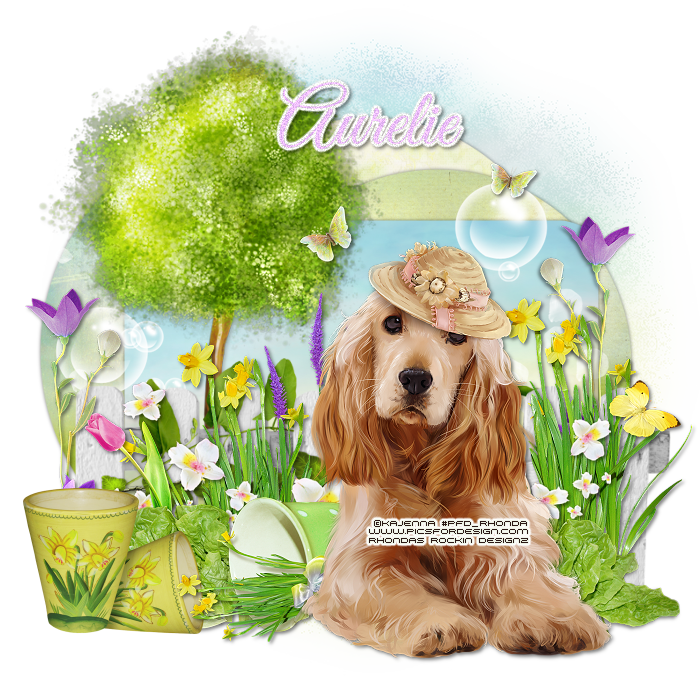
This tutorial is written for those with knowledge of PSP
Supplies Needed:
Tube of choice: Im using the wonderful art work of Kajenna
You can purchase this tubes at PFD HERE
You can purchase this awesome kit from one of her stores HERE
Collab template #2 from 1st set HERE
Mask of choice
Ok Lets get Started:
Open template - Shift D to duplicate then close out original
Resize template 88% all layers
Canvas size 700x700
Delete copyright,top 5 layers and raster 9
Click on raster 3 selections,select all, float,defloat
paste a paper of choice from the kit - I used paper3
selection invert delete
select none delete the original
Click on copy of raster 9 selections,select all, float,defloat
paste a paper of choice from the kit - I used paper2
selection invert delete
select none delete the original
Click on raster 6 selections,select all, float,defloat
paste a paper of choice from the kit - I used paper4
selection invert delete
select none delete the original
Click on raster 1 selections,select all, float,defloat
paste a paper of choice from the kit - I used paper5
selection invert delete
select none delete the original
Place your main tube
Now time to add our elements
I used the following:
Element 1
Element 3
Element 5
Element 7
Element 9
Element 11
Element 15
Element 19
Element 20
Element 23
Element 24
Element 30
Element 31
Element 39
Merge your layers
Open paper 3 and apply mask
Place your name where you like it
Add the Copyright and your License Number for the tube
Resize to your liking and save as PNG
This tutorial was created on April 21,2015 by Rhonda
Any resemblance to another Tag or Tutorial is purely coincidental
Tuesday, April 21, 2015
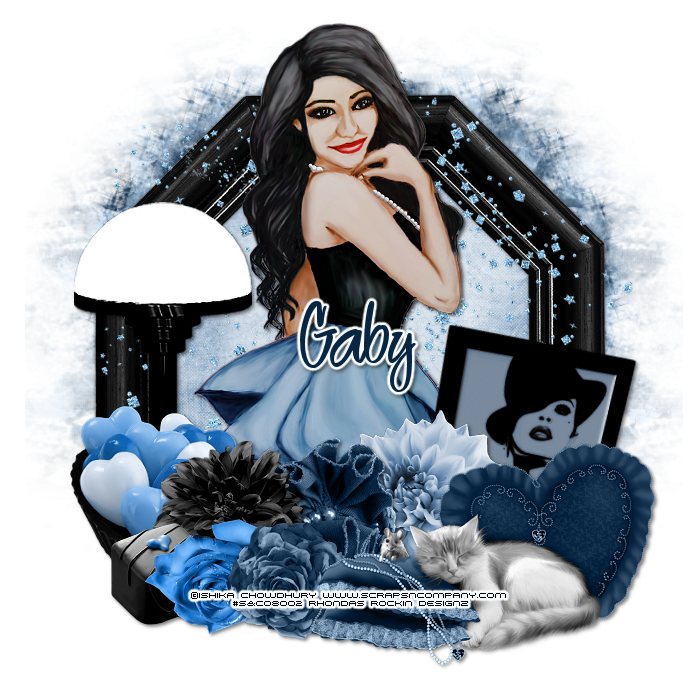
This tutorial is written for those with knowledge of PSP
Supplies Needed:
Tube of choice: Im using the wonderful art work of Ishika Chowdhury
You must obtain a license to use this art at S&Co HERE
PTU Scrap Kit from Disturbed Scraps called "Reminscing"
You can purchase this awesome kit at S&Co HERE
Mask by Lori's PSP Graphics HERE
Ok lets get started:
This is a very quick and easy tutorial
Open new canvas 700x700
Open element 75 & place in center of tag
Grab the magic wand & click inside frame
Selections modify expand by 10
Add new layer under frame
Selections select all
Open paper 8 & paste into selections
Select none
Place your main tube
Now time to add our elements
I used the following:
Element 1
Element 7
Element 14
Element 19
Element 30
Element 31
Element 32
Element 34
Element 36
Element 41
Element 72
Merge your layers
Open paper of choice & apply mask
Place your name where you like it
Add the Copyright and your License Number for the tube
Resize to your liking and save as PNG
This tutorial was created on April 21,2015 by Rhonda
Any resemblance to another Tag or Tutorial is purely coincidental
Monday, April 20, 2015

This tutorial is written for those with knowledge of PSP
Supplies Needed:
Tube of choice: Im using the wonderful art work of Ted Hammond
You can purchase these tubes at CDO HERE
FTU kit by Amy & Leah's Gimptastic Tuts HERE
Ok lets get started:
Open blank canvas 700x700
Open frame 3 and place in center
With magic wand click inside frame
Selections modify expand bt 10
Open paper 8 and paste as new layer
Selections invert delete
Move paper under frame
Place your tube where you want it
Add your elements around the tube
Here are the ones I used:
Advisory
Booze Bootle
Drink
Mask
Rhone
Razorblade Heart
Skull and Roses
TShirt
WA
Merge layers
Place your name where you like it
Add the Copyright and your License Number for the tube
Resize to your liking and save as PNG
This tutorial was created on April 20,2015 by Rhonda
Any resemblance to another Tag or Tutorial is purely coincidental
Sunday, April 19, 2015

This tutorial is written for those with knowledge of PSP
Supplies Needed:
Tube of choice: I'm using the wonderful art work of Alex Prihodko
You can purchase these tubes HERE
FTU Scrapkit by Dee HERE
Don't forget to leave a thank you when downloading
Ok lets get started:
Open blank canvas size 700x700
Open frame 4 - resize 80% and paste as new layer
Grab the magic wand & click inside frame
Selections modify expand by 6
Open paper 4 & paste as new layer
Selections invert delete
Move paper under frame
Open element 39 - resize 80% & place to bottom of frame
Open element 6 - resize 48% & place to right behind other grass
Open element 10 - resize 72% & place behind the grass (I duplicated mine)
Open element 18&19 - resize 56% and place between the tall weeds
Open element 35 - resize 46% & place near the flowers
Open element 16 - resize 40% & place to left behind grass at edge
Open element 36 - resize 72% & place in far right of frame
Open element 40 - place to top of frame
Open element 13 - resize 80% & place to top of frame
Open 2 birds and butterfly and place somewhere in tag
Open word art and place on top of tag (I added a border)
Place tube to right of tag
Merge your layers
Add mask of choice
Place your name where you like it
Add the Copyright and your License Number for the tube
Resize to your liking and save as PNG
This tutorial was created on April 12,2015 by Rhonda
Any resemblance to another Tag or Tutorial is purely coincidental

This tutorial is written for those with knowledge of PSP
Supplies Needed:
Tube of choice: I'm using the wonderful art work of Spazzd Art
You must obtain a license to use HERE
FTU Scrap Kit from Wicked Princess Scraps HERE
Mask of choice
Ok lets get started:
Resize elements to your liking
This is a very quick and easy tutorial
Open blank canvas 700x700
Open double circle frame & place in center of tag
Grab the magic wand & click inside frame
Selections modify expand by 10
Open paper 5 and paste as new layer
Selections invert delete
Move paper under frame
Place your main tube & build around it
Now time to add our elements
I used the following:
Bird 1,2&4
Brick Wall
Carnation
Daisy
Flower 1&8
Flower Basket
Flower Cluster
Flower Grouping
Leaf 2
Leaf Branch
Leaf Scatter
Rose 2
Merge your layers
Open paper 16 and apply mask
Place your name where you like it
Add the Copyright and your License Number for the tube
Resize to your liking and save as PNG
This tutorial was created on April 19,2015 by Rhonda
Any resemblance to another Tag or Tutorial is purely coincidental
Subscribe to:
Posts
(Atom)
Grab My Blinkie

I CT For



Blogs I Visit
























