This tutorial is written for those with knowledge of PSPSupplies Needed:Tube of choice: I'm using the wonderful art work of KajennaTube was purchased at PFD HEREArt supplies can be downloaded from Tatty's Thingies HEREMask #297 By MizTee HERE(2 free abstract papers provided)WA of choice
Download various elements HERE
Open blank canvas 700x700Open backsplash provided and place to centerOpen tube of choice and place to tagUse my tag as an example of placement(I used this tube which includes many elements)Visit Tattys site and download tubes you wish to use on your tagThis is an awesome site!!!!!!!!!!!!!!
Add WA of choice (Mine came from internet)Merge layers and add mask of choice
Place your name where you like itAdd the Copyright and your License Number for the tubeResize to your liking and save as PNGThis tutorial was created on February 22,2023 by RhondaAny resemblance to another Tag or Tutorial is purely coincidental
This tutorial is written for those with knowledge of PSPSupplies Needed:Tube of choice: I'm using the wonderful art work of Chris PastelTube was purchased at his store HEREFTU elements gathered from internetDownload HEREMask of choiceWA of choice
Open blank canvas 700x700Open tube of choice and place to tagUse my tag as an example of placementUse your imagination and recreate this tagYou don't have to use my elements
Add WA of choiceMerge layers and add mask of choice
Place your name where you like itAdd the Copyright and your License Number for the tubeResize to your liking and save as PNGThis tutorial was created on February 22,2023 by RhondaAny resemblance to another Tag or Tutorial is purely coincidental
This tutorial is written for those with knowledge of PSPSupplies Needed:Tube of choice: I'm using the wonderful art work of Chris PastelTube was included in kit when purchasedCheck out his store HEREPTU Kit by Elli's Creations called Cherry SynfonieKit can be purchased at PFD HEREMask by Dangerous Delicious Design
Ok Lets get Started:Open blank canvas 700x700Open element 59, resize and place to centerUse freehand tool to draw around frameOpen paper of choice and paste into selection under framePlace tube to center of canvas and start building tag
Use any elements of choice. I used the following:Element 21Element 25Element 28Element 29Element 31Element 32Element 37Element 41Element 42Element 53Element 54Element 60Element 63Element 66Element 76Element 86Element 87Element 92Element 93Element 94Element 95Element 98Element 99Element 100Element 101Element 102Element 104
Merge layers and add mask of choice
Place your name where you like itAdd the Copyright and your License Number for the tubeResize to your liking and save as PNGThis tutorial was created on February 19,2023 by RhondaAny resemblance to another Tag or Tutorial is purely coincidental
I am so excited to make post today!!!!!!!!!This new year has not been kind to me at allStarted a new job which took the life out of meI had no time for me, family, psp, forumLife is too short for work to hold you downHoping I can now find my mojo again andstart writing tutorials
I didn't write a tutorial for this tagUses a FTU cluster and pair with artist tube of choice
Download cluster HEREEllie Milk tube from PFD HEREMask 1&3 from Amy & Leah's HEREWA of choice
Add copyright and License Number of tubeWould love to see any creations made using my example
This tutorial is written for those with knowledge of PSPI managed another tutorial!!!!!Trying hard to find my mojo fairy before ChristmasSupplies Needed:Tube of choice: I'm using the wonderful art work of StellaFelice7Tube purchased at PFD HEREPTU Kit by Tiny Turtle Design called Fall Days Kit can be purchased at Laura's store HEREWA of choice Geo Mask #1 by Dee HERE
Resize elements to your liking and don't forget the dropshadow
Ok let's get started:Open canvas 700x700Open element 20 and paste as new layer to middleOpen element 28 and paste behind element 20Open tube of choice and paste to right hand side
Use any elements of choice from kit. I used the following:Element 8Element 14Element 25Element 38Element 73Element 83Element 84Element 89Element 90Element 93Element 95Element 98Element 108
Merge layers and open any paper from kitApply mask
Place your name where you like itAdd the Copyright and your License Number for the tubeResize to your liking and save as PNGThis tutorial was created on November 7,2022 by RhondaAny resemblance to another Tag or Tutorial is purely coincidental
This is the FIRST tutorial I have been able to write inwell over a month. Been busy and no energy. I was lookingfor that inspiration. TYSM Kathy for sending me thisamazing kit yesterday. I feel I got some mojo back!!!!!!
This tutorial is written for those with knowledge of PSPSupplies Needed:Tube of choice: I'm using the wonderful artwork of AttilaTube was purchased at EleganceFly Store HEREPTU Kit by Kathy's PSP Designs called HauntingKit can be purchased at PFD HERECheck out Kathy's blog for other goodies HEREHalloween mask from Zombie Graphics HERE
Ok Lets get Started:Open blank canvas 700x700Open element 19 and place to left of canvasOpen tube and place in front of house to right
Use any elements of choice. I used the following:Element 1Element 7Element 15Element 16Element 17Element 24Element 25Element 26Element 46Element 47Element 58Element 61Element 71Element 87
Merge layers and add mask
Place your name where you like itAdd the Copyright and your License Number for the tubeResize to your liking and save as PNGThis tutorial was created on October 10,2022 by RhondaAny resemblance to another Tag or Tutorial is purely coincidental
I have been so busy past several weeks and haven't hadtime to play in PSP or upload to my blog.I LOVE seeing tags created using my tutorialsI can see different tubes used and usually love them betterTY to ATP and TTL for supporting me
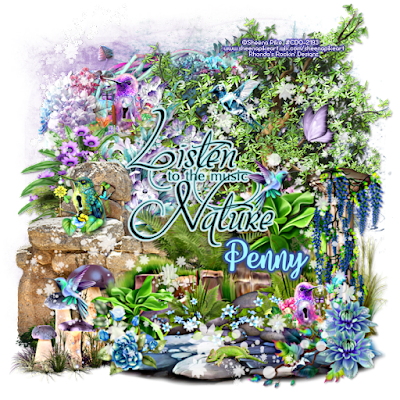
This tutorial is written for those with knowledge of PSPSupplies Needed:Tube of choice: I'm using the wonderful artwork of Sheena PikeTubes was purchased at CDO HEREPTU Scrapkit by Bella Caribena called Feeling So MagicKit can be purchased at her store HEREWA from Penny at Venomous Cherries Creations HEREMask of choice
Ok Let's get Started:Open canvas 700x700Open element 147, resize and place to right cornerOpen element 141 and place to left cornerOpen element 61, resize and place to left corner in front of wallOpen element 67 and place to right sideApply your tubes to tag (I waited to the end)
Save your tag as PSP so you can use laterStart building your tag with other elements from kitI used the following:Elements 15Elements 44Elements 50Elements 52Elements 60Elements 97Elements 113
Apply WA to tagI used 3 of the artists tubes and 1 from kit
Place your name where you like itAdd the Copyright and your License Number for the tubeResize to your liking and save as PNGThis tutorial was created on July 26,2022 by RhondaAny resemblance to another Tag or Tutorial is purely coincidental
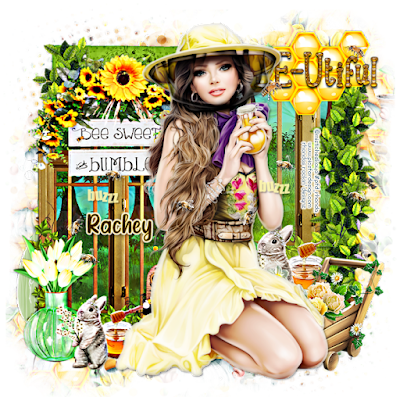
Ok Let's get Started:Open cluster 2 from packDuplicate and resize to fit your tag (I like my tags 700x700)Add new rater layer under cluster and fill with whiteOpen embellishment 2 and place to left side of tagResize to fit cluster and erase any leftoversUsing embellishment 2 apply behind frame layerAgain, erase any leftovers you may haveI used the bees layer from my tube and applied to tagApply your tube to tag
Save your tag and label so you can find laterI have started leaving my layers open
For mask open embellishment 3 and apply behind tagUsing Mura Meister wallpaper filter create a paperDuplicate paper so you can use againApply mask #7 and move to top leftDuplicate and move to bottom rightApply mask #8 and move to top right cornerDuplicate and move to bottom left corner
Place your name where you like itAdd the Copyright and your License Number for the tubeResize to your liking and save as PNGThis tutorial was created on July 19,2022 by RhondaAny resemblance to another Tag or Tutorial is purely coincidental
This tutorial is written for those with knowledge of PSPSupplies Needed:Tube of choice: I'm using the wonderful artwork of Stella FeliceTube was included in kit when purchasedPTU Scrapkit by Savage Dezines called BeeYoutiful DayKit purchased at Scraps N Company HEREMask of choice
Ok Let's get Started:Open 700x700 canvasAdd tube to canvas and build around itUse following elements to make circle frame behind tubeUse Mura Meister Encircle Filter for framesElement 14Frame 1Frame 3Frame 2
Continue using elements from kit to complete tagI used the following:Element 2Element 3Element 6Element 7Element 11Element 12Element 15Element 16Element 23Element 33Element 39Element 49Element 57Element 58Element 61Element 95Element 101
Merge layers and add mask
Place your name where you like itAdd the Copyright and your License Number for the tubeResize to your liking and save as PNGThis tutorial was created on July 18,2022 by RhondaAny resemblance to another Tag or Tutorial is purely coincidental





























